• Skip to primary navigation
  • Skip to main content
  • Skip to primary sidebar
Source Digit

Source Digit

Linux, Ubuntu Tutorials & News, Technology, Gadgets & Gizmos

  • Home
  • How To
  • Ubuntu
  • Instagram
  • Blogging
  • Android
  • WordPress
  • +More
    • Cloud Computing
    • Gadgets
    • Social Media
    • Technology
  • Write for Us
Home / How To / Install Super Productivity Linux ToDo List

Install Super Productivity Linux ToDo List

By Sourabh / December 21, 2017 Category: How To, Ubuntu

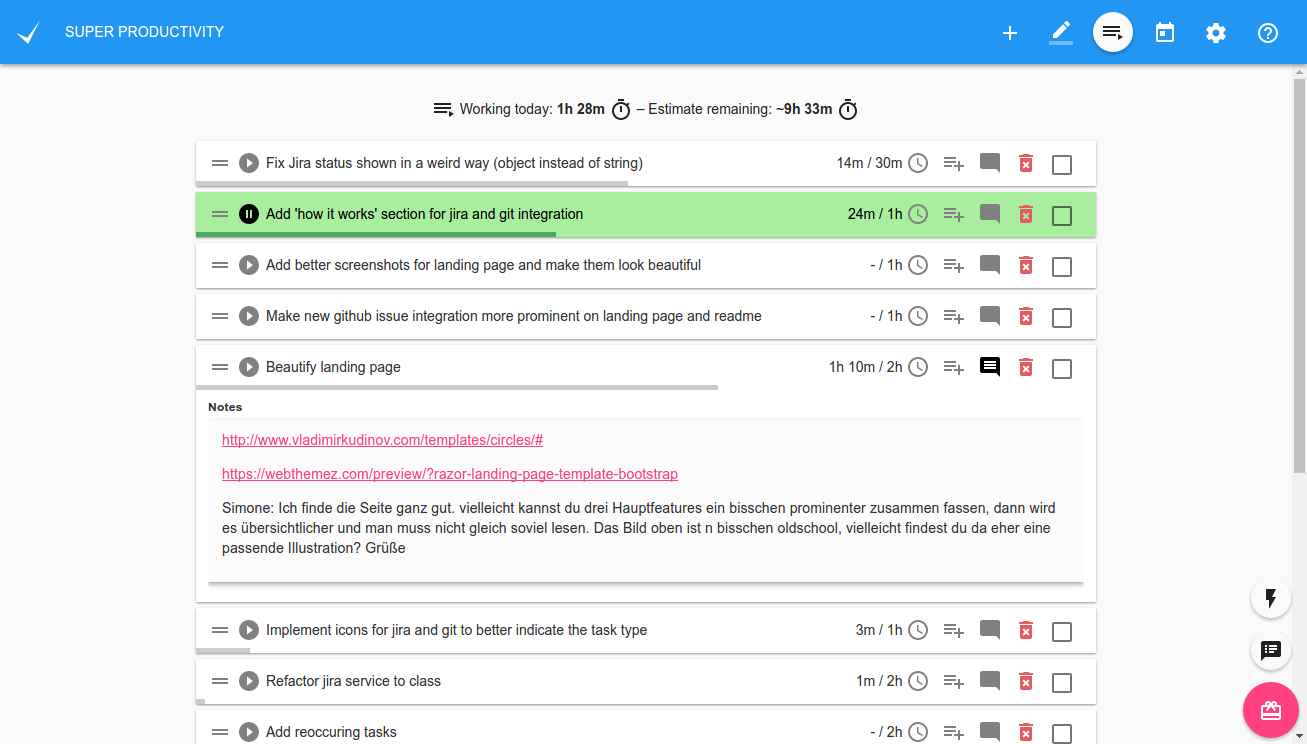
Super Productivity Linux todo list. This Ubuntu todo app is a Linux “To Do List” app which also works as a time tracker and task manager.

Features

  • Configurable and automatable Jira integration for:
    • searching and adding tasks from jira
    • creating (local/personal) sub tasks for your jira tickets
    • worklogs (tracking your work to jira)
    • Setting transitions aka setting tickets to in progress or done
    • Automatic notifications once your (current) task has changed or been commented on jira => no messy email notifications required any more
  • Time Tracking
  • Sub Tasks
  • Sexy global pinboard to add quick links and project related files
  • ‘Take a break’ reminder
  • Daily Schedule
  • Daily Summary
  • Full Keyboard Support
  • (Anti-) Distraction Pad
  • Different Themes!

And much more!

Download

Linux (AppImage)

Linux (Deb)

Run sudo snap install superproductivity or install it manually from the downloads:

  • superProductivity-latest-x86_64.AppImage
  • superProductivity_latest_amd64.deb
  • superproductivity_latest_amd64.snap

You can also check out the web-version to get a quick idea of the app. But keep in mind it is more limited (no Jira integration, time tracking only works if the app is open).

Tags: 2017 Linux Todo List, 2017 Ubuntu Todo List, 2018 Linux Todo List, 2018 Ubuntu Todo List, Gtodo, Linux Todo List 2017, Linux Todo List 2018, Linux Todo List Command Line, Super Productivity Linux todo App, Super Productivity Linux todo List, Tasque, Tasque Linux, Ubuntu Todo App, Ubuntu Todo List 2017, Ubuntu Todo List 2018, Wunderlist Linux, Yokadi

Primary Sidebar

Latest Posts

How To Run Fsck Manually In Linux To Fix Unexpected Inconsistency

How To Fix Broken Packages On Ubuntu From Terminal

Re Execute The Previous Command In Linux Ubuntu Command Line

How Much RAM Is Needed For Ubuntu PC

How To Find Large Files And Directories In Linux Command Line

How To Use Clear Command History In Linux Terminal

Linux Command To Check RAM Size In Ubuntu Terminal In GB

How To Install Proprietary Drivers In Linux Ubuntu Using Terminal

How To Shutdown Linux With A 15 Minute Delay And Message

Free AI Courses With Certificate For Beginners In India

© 2026 Source Digit • Linux, Ubuntu Tutorials & News, Technology, Gadgets & Gizmos

  • Home
  • About
  • Privacy Policy
  • Terms & Conditions
  • Contact Us
  • Sitemap