
How to solve Ubuntu Update Errors in Ubuntu 14.10/14.04. Fix could not get lock error in ubuntu – “E: Could not get lock /var/lib/apt/lists/lock” or “E: Could not get lock /var/lib/dpkg/lock” problem.
There are various reasons you may get an error while updating or upgrading Ubuntu by apt-get update command. Let us see how to fix this problem.
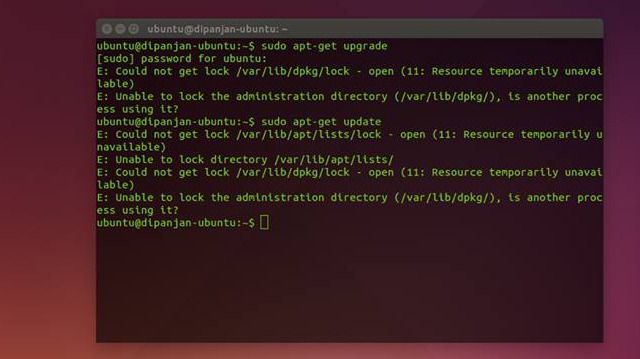
For a better understanding here are the message that you encounter when you try to run apt-get update command in Ubuntu:
E: Could not get lock /var/lib/apt/lists/lock – open (11: Resource temporarily unavailable)
E: Unable to lock directory /var/lib/apt/lists/
E: Could not get lock /var/lib/dpkg/lock – open (11: Resource temporarily unavailable)
E: Unable to lock the administration directory (/var/lib/dpkg/), is another process using it?
Here are the reasons for this problem:
- Try to run/execute an apt command without “sudo.”
- Apt database is locked or hang after install or remove software.
- Using apt-get while Ubuntu Software Center is running in background.
- Two apt-get commands are executed at the same time.
- Run apt-get commands while applications is updating/running in the background.
In simple words, this happens if ‘Update Manager’ is running in parallel for any update or upgrade as install process places Lock. You can fix this problem by simply removing all of the temporary list in /var/lib/apt/lists/ and lock file in the cache directory in /var/cache/apt/archives/lock.
Ther are various commands to solve this error. Here are few of them:
Solution 1
sudo rm /var/lib/apt/lists/*

sudo rm /var/lib/dpkg/lock

sudo rm /var/cache/apt/archives/lock
Force package to reconfig
sudo dpkg --configure -a
Solution 2
Apply following commands in a terminal to solve this problem,
sudo su

sudo rm /var/lib/apt/lists/lock

sudo rm /var/lib/dpkg/lock

apt-get update
Solution 3
sudo rm /var/lib/apt/lists/lock

sudo rm /var/cache/apt/archives/lock

apt-get update
Solution 4
cd /var/lib/dpkg

open lock

sudo dpkg –configure -a