
How to install Firefox Developer Edition on Ubuntu 16.04/16.10 Systems. Version 50.0a2 Firefox Developer Edition PPA for Ubuntu and Mint Systems. Firefox Developer Edition brings powerful core dev tools together with Firefox.
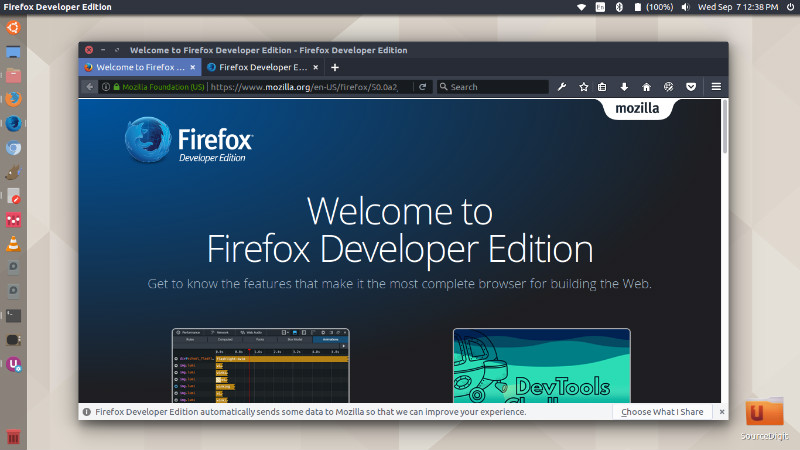
Firefox Developer Edition Features
Firefox Developer Edition brings various powerful features for developers. Some of the most important features are:
- Visual Editing Tools – Visually edit CSS and HTML animations playing on the page from the Inspector panel. Verify alignment, dimensions and padding of any element using the Ruler and Measurement tools.
- DevTools Challenger – Use Developer Edition’s visual animation and CSS editing tools to explore the depths of the ocean and interact with the strangest of creatures.
- Performance Tools – Examine your web content’s frame rate, memory consumption and JS profile in a consolidated timeline view to help easily identify and troubleshoot performance bottlenecks.
- Page Inspector – Examine the HTML and CSS of any Web page and easily modify the structure and layout of a page.
- Web Audio Editor – Inspect and interact with Web Audio API in real time to ensure that all audio nodes are connected in the way you expect.
- Web Console – See logged information associated with a Web page and use Web Console to interact with Web pages using JavaScript.
- JavaScript Debugger – Step through JavaScript code and examine or modify its state to help track down bugs.
- Network Monitor – See all the network requests your browser makes, how long each request takes and details of each request.
- Style Editor – View and edit CSS styles associated with a Web page, create new ones and apply existing CSS stylesheets to any page.
- Responsive Design View – See how your Website or Web app will look on different screen sizes without changing the size of your browser window.
Firefox Developer Edition Version 50.0a2
Version 50.0a2 is the latest release of the Firefox Developer Edition. It has been released with the following changes:
- Find in page now supports a mode to search for whole words only
- New preference for allowing Ctrl+Tab to cycle through tabs in recently used order
- Improved printing by using the Reader Mode
- Emoji for everyone! Firefox will use built-in Emoji on operating systems without native Emoji fonts (Windows 8.0 and lower and Linux)
- Use accel-(opt/alt)-r as the reader mode keyboard shortcut
- Changes for web developers can be found here.
Install Firefox Developer Edition on Ubuntu
There are two ways to install Firefox Developer Edition on Ubuntu:
- Via Ubuntu Make – This will install Firefox DE alongwith regular Fierfox Browser.
- Via PPA – This will remove the existing Firefox Browser and only install the latest Firefox DE on Ubuntu.
Via Ubuntu Make
sudo apt-get update

sudo apt install ubuntu-make

umake web firefox-dev
Via PPA
sudo add-apt-repository ppa:ubuntu-mozilla-daily/firefox-aurora

sudo apt update

sudo apt install firefox
Once installed, open the Firefox Developer Edition from Ubuntu Dash.