
• Skip to primary navigation
  • Skip to main content
  • Skip to primary sidebar
Source Digit

Source Digit

Linux, Ubuntu Tutorials & News, Technology, Gadgets & Gizmos

  • Home
  • How To
  • Ubuntu
  • Instagram
  • Blogging
  • Android
  • WordPress
  • +More
    • Cloud Computing
    • Gadgets
    • Social Media
    • Technology
  • Write for Us
Home / Ubuntu / How To Install Vim 8 On Ubuntu 16.04/16.10 Systems

How To Install Vim 8 On Ubuntu 16.04/16.10 Systems

By Sourabh / October 19, 2016 Category: How To, Ubuntu

Vim (Vi IMproved) for Linux Ubuntu (Vim 8.0) Released. How to install Vim 8 On Ubuntu 16.04/16.10 Systems. Vim (Vi IMproved) version 8.0 is the first major Vim release in ten years. Vim 8 brings new features, many small improvements and lots of bug fixes.
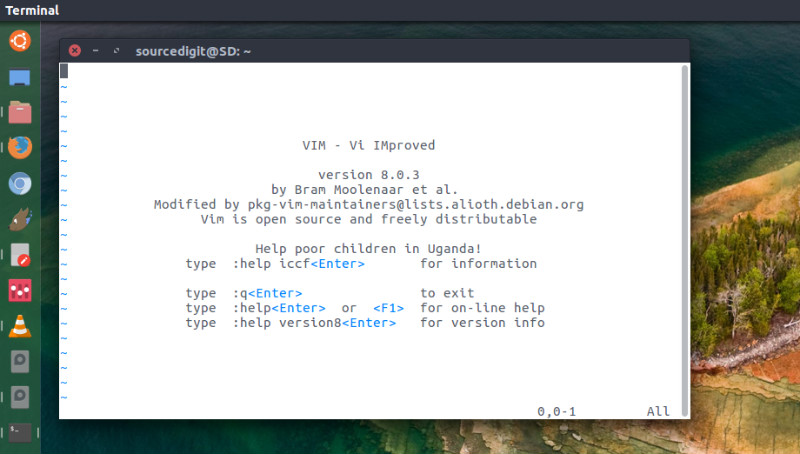
vim-8-ubuntu

Vim (Vi IMproved) is an open-source, advanced command line text editor for Linux Ubuntu Systems. Vim can now exchange messages with other processes in the background. This makes it possible to have servers do work and send back the results to Vim. Vim can now start a job, communicate with it and stop it.  This is very useful to run a process for completion, syntax checking, etc.  Channels are used to communicate with the job.  Jobs can also read from or write to a buffer or a file.

Vim 8.0 brings the following new features:

  • Asynchronous I/O support, channels, JSON
  • Jobs
  • Timers
  • Partials, Lambdas and Closures
  • Packages
  • New style testing
  • Viminfo merged by timestamp
  • GTK+ 3 support
  • MS Windows DirectX support

Install Vim 8.0 on Linux Ubuntu

Ubuntu users can install Vim 8.0 through its Github repository or via PPA:

Install Vim 8.0 Using Git

Run the following commands in Terminal to install Vim on Ubuntu using Git:

sudo apt install git
git clone https://github.com/vim/vim.git
cd vim
./configure
sudo apt install ncurses-dev
sudo yum install ncurses-devel
make
sudo make install

Install Vim 8.0 Using PPA

Run the following commands in Terminal to install Vim on Ubuntu using PPA:

sudo add-apt-repository ppa:jonathonf/vim
sudo apt update
sudo apt install vim

That’s all. If you want to uninstall it, use the commands below:

sudo apt remove vim
sudo add-apt-repository --remove ppa:jonathonf/vim

Once Vim is installed, run the command below to check Vim version.

vim --version

Tags: Apt-get Command to Install Vim 8.0, Install Vim 8 On Ubuntu, Install Vim 8 On Ubuntu 16.04, Install Vim 8 On Ubuntu 16.10, Install Vim 8.0 On Ubuntu, Install Vim 8.0 On Ubuntu 16.04, Install Vim 8.0 on Ubuntu using Apt-get, Install Vim 8.0 Using GIT, Install Vim 8.0 Using PPA, Install Vim 8.0 Using Terminal Commands, Install Vim On Ubuntu, Install Vim On Ubuntu 16.04, Install Vim On Ubuntu 16.10, Terminal Commands To Install Vim 8.0, Ubuntu 16.04 Install Vim, Ubuntu 16.04 Install Vim 8, Ubuntu 16.04 Install Vim 8.0, Ubuntu 16.10 Install Vim, Ubuntu Install Vim 8, Ubuntu Install Vim 8.0, Ubuntu Vim (Vi IMproved), Vim (Vi IMproved) Ubuntu, Vim (Vi IMproved) version 8.0

Primary Sidebar

Latest Posts

Delete Directory And Contents Recursively Without Prompt On Linux

Check User Login History In Ubuntu Linux Command Line

Use Locate Command To Find File In Linux Terminal By Name

How To Change Terminal Color In Ubuntu Command Line

How To Run Fsck Manually In Linux To Fix Unexpected Inconsistency

How To Fix Broken Packages On Ubuntu From Terminal

Re Execute The Previous Command In Linux Ubuntu Command Line

How Much RAM Is Needed For Ubuntu PC

How To Find Large Files And Directories In Linux Command Line

How To Use Clear Command History In Linux Terminal

© 2026 Source Digit • Linux, Ubuntu Tutorials & News, Technology, Gadgets & Gizmos

  • Home
  • About
  • Privacy Policy
  • Terms & Conditions
  • Contact Us
  • Sitemap