
• Skip to primary navigation
  • Skip to main content
  • Skip to primary sidebar
Source Digit

Source Digit

Linux, Ubuntu Tutorials & News, Technology, Gadgets & Gizmos

  • Home
  • How To
  • Ubuntu
  • Instagram
  • Blogging
  • Android
  • WordPress
  • +More
    • Cloud Computing
    • Gadgets
    • Social Media
    • Technology
  • Write for Us
Home / How To / How to Install deb Packages in Linux Ubuntu 14.04

How to Install deb Packages in Linux Ubuntu 14.04

By Sourabh / January 20, 2015 Category: How To, Ubuntu

How to install a .deb package / file in Linux Ubuntu. You can manually install .deb packages via the command line. The dpkg command (Debian Package Management System) is used to installed .deb Packages.

dpkg command (Debian Package Management System)

The dpkg command is a package manager from shell for Debian and Ubuntu Linux systems. The dpkg command can be used to install, build, remove and manage .deb packages.
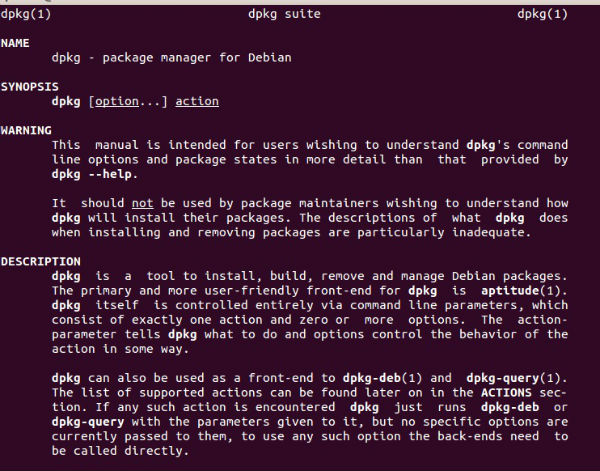
 

dpkg-command-ubuntu-1

The syntax of the dpkg command is as follows:

dpkg -i package-name.deb
dpkg –install package-name.deb

Where -i or –install is the command argument to install the .deb package.

The dpkg command can also be used to install packaged from a sub-directory

dpkg -i -R /DIR_PATH
dpkg -i –recursive /DIR_PATH

Where -R or –recursive is used to recursively install all *.deb files found at specified directories and all of its sub-directories. /DIR-PATH must is the path to a directory where .deb files are located.

Install .deb Package

To install a .deb package you need to run the dpkg command using the sudo privilege. For example if you want to install a .deb package file named DEB_PACKAGE_NAME.deb then you should run the following command:

sudo dpkg -i DEB_PACKAGE_NAME
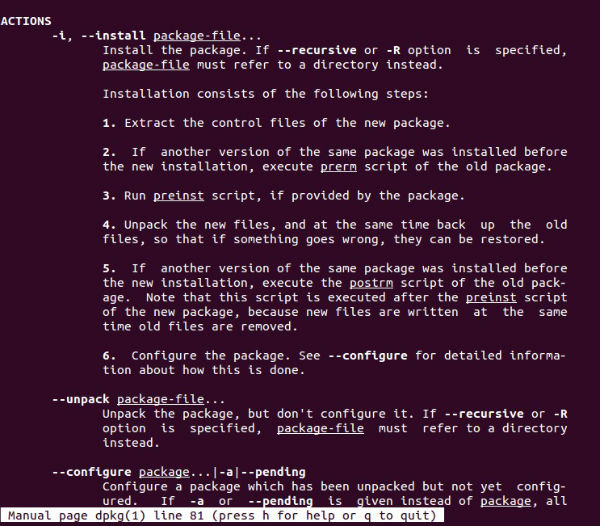
 

dpkg-command-ubuntu-2

If dpkg command reports an error due to dependency problems, you must download the missing dependencies and configure it. You can run sudo apt-get install -f to download the missing dependencies.

Remove .deb Package

To remove a deb package, simply run the command:

sudo dpkg -r DEB_PACKAGE_NAME


Tags: Debian Package Management System, dpkg command (Debian Package Management System), How to Install .deb Package in Linux Ubuntu, How to install deb packages, How to manually install .deb packages, How to Remove .deb Package in Linux Ubuntu, Install .deb Package, Remove .deb Package, Ubuntu 14.04, Ubuntu dpkg Command

Primary Sidebar

Latest Posts

Job Scheduling Using At Command In Linux With Examples

How To Check Permissions Of A Directory In Linux Command

Delete Directory And Contents Recursively Without Prompt On Linux

Check User Login History In Ubuntu Linux Command Line

Use Locate Command To Find File In Linux Terminal By Name

How To Change Terminal Color In Ubuntu Command Line

How To Run Fsck Manually In Linux To Fix Unexpected Inconsistency

How To Fix Broken Packages On Ubuntu From Terminal

Re Execute The Previous Command In Linux Ubuntu Command Line

How Much RAM Is Needed For Ubuntu PC

© 2026 Source Digit • Linux, Ubuntu Tutorials & News, Technology, Gadgets & Gizmos

  • Home
  • About
  • Privacy Policy
  • Terms & Conditions
  • Contact Us
  • Sitemap