
• Skip to primary navigation
  • Skip to main content
  • Skip to primary sidebar
Source Digit

Source Digit

Linux, Ubuntu Tutorials & News, Technology, Gadgets & Gizmos

  • Home
  • How To
  • Ubuntu
  • Instagram
  • Blogging
  • Android
  • WordPress
  • +More
    • Cloud Computing
    • Gadgets
    • Social Media
    • Technology
  • Write for Us
Home / How To / How To Install GNOME gThumb 3.3.3 On Ubuntu 14.04/14.10, Linux Mint 17.1/17

How To Install GNOME gThumb 3.3.3 On Ubuntu 14.04/14.10, Linux Mint 17.1/17

By Sourabh / February 12, 2015 Category: How To, Ubuntu

How to install gThumb 3.3.3 (GNOME Image App) on Ubuntu 14.10, Ubuntu 14.04, Linux Mint 17.1 and Linux Mint 17, using GNOME or Cinnamon. gThumb is the default image application for vieweing images on the GNOME desktop.

gThumb comes with basic image editing features such as cropping, resizing, rotation and more. It enables to export and share images to Flickr, Photobucket, Facebook or PicasaWeb. Users can also import images from digital camera and gThumb supports both – WebP images and videos.

The latest gThumb 3.3.3 brings two new image tools: special effects and color curves adjusting. It also features preferences dialog UI changes along with various improvements and fixes for GTK 3.14 and more.

Install GNOME Image App gThumb 3.3.3 On Ubuntu & Linux Mint
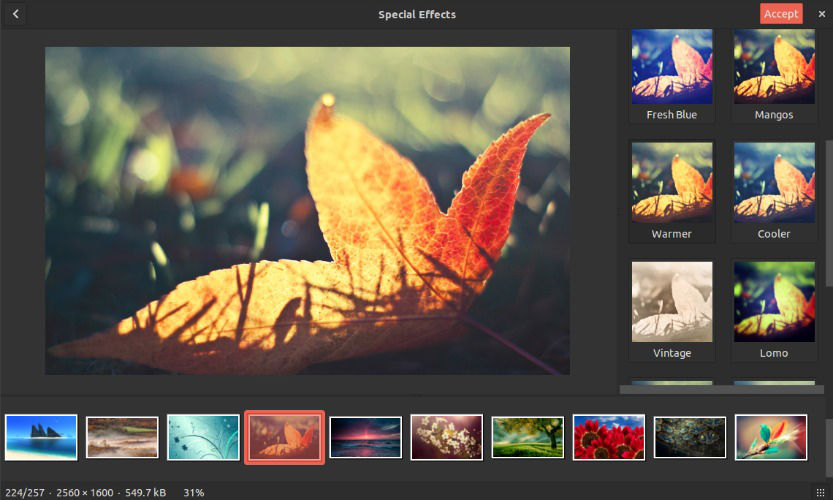
gthumb-effects

Here’s how to install gThumb 3.3.3 on Ubuntu 14.04, Ubuntu 14.10 (using GNOME) and Linux Mint 17.1/17 (using Cinnamon). Open Terminal and run the following command:

sudo add-apt-repository ppa:webupd8team/gthumb
sudo apt-get update
sudo apt-get install gthumb

To install gThumb on other Linux distributions, download the gThumb 3.3.3 source package from HERE.

To uninstall and remove gThumb, run the following command:

sudo apt-get remove gthumb

You can also disable the PPA, remove gthumb and downgrade all the packages from the official repository. To do so, run the following command:

sudo apt-get install ppa-purge
sudo ppa-purge ppa:webupd8team/gthumb

Image via Webupd8

Tags: GNOME Image App gThumb 3.3.3, gThumb 3.3.3 Image App GNOME, How To Install gThumb 3.3.3 On Linux Mint, How To Install gThumb 3.3.3 On Ubuntu, Install gThumb 3.3.3 GNOME Image App, Install gThumb 3.3.3 in Linux Mint, Install gThumb 3.3.3 in Ubuntu 14.04, Install gThumb 3.3.3 in Ubuntu 14.10, Ubuntu 14.04, Ubuntu 14.10, Upgrade gThumb 3.3.3 On Linux Ubuntu

Primary Sidebar

Latest Posts

How To Run Fsck Manually In Linux To Fix Unexpected Inconsistency

How To Fix Broken Packages On Ubuntu From Terminal

Re Execute The Previous Command In Linux Ubuntu Command Line

How Much RAM Is Needed For Ubuntu PC

How To Find Large Files And Directories In Linux Command Line

How To Use Clear Command History In Linux Terminal

Linux Command To Check RAM Size In Ubuntu Terminal In GB

How To Install Proprietary Drivers In Linux Ubuntu Using Terminal

How To Shutdown Linux With A 15 Minute Delay And Message

Free AI Courses With Certificate For Beginners In India

© 2026 Source Digit • Linux, Ubuntu Tutorials & News, Technology, Gadgets & Gizmos

  • Home
  • About
  • Privacy Policy
  • Terms & Conditions
  • Contact Us
  • Sitemap