
How To Install Webmin 1.740 on Linux Systems. Install Webmin 1.740 on Ubuntu 15.04/14.10/14.04/12.04 and Derivatives. Webmin is a web based System Administration Control Panel for Linux Ubuntu Systems.
Webmin is an open source web based system Administration Control Panel for Linux Systems. In simple words, it is a configuration application for Linux system administration. Using Webmin tool one can manage internal system configuration such as setting up user accounts, disk quotas, services configuration like Apache, DNS, PHP or MySQL, file sharing and much more. The Webmin applications is based on Perl module and uses TCP port 10000 for communicating via browser.
Here’s how to install Webmin 1.740 on Ubuntu, Debian and derivative systems, on Fedora, CentOS, OpenSUSE, Mageia and OpenMandriva systems.
How To Install Webmin 1.740 on Linux Ubuntu Systems
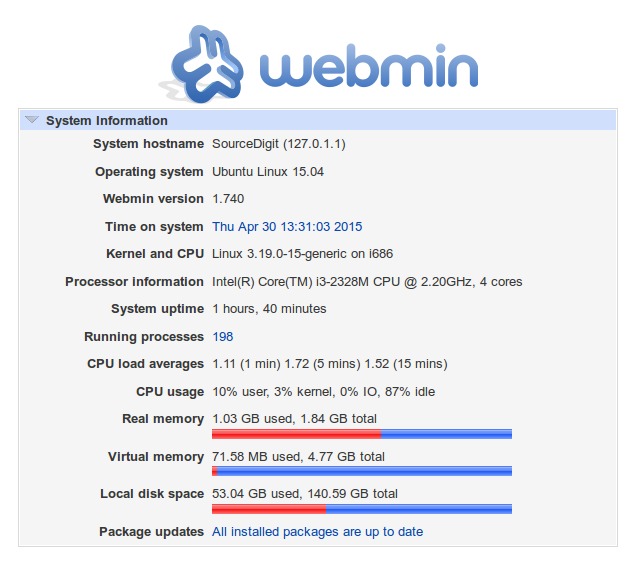
Install Webmin 1.740 on Ubuntu, Debian and Derivatives
sudo apt-get install gdebi

wget sourceforge.net/projects/webadmin/files/webmin/1.740/webmin_1.740_all.deb

sudo gdebi webmin_1.740_all.deb
To uninstall and remove Webmin, run:
sudo apt-get remove webmin
Install Webmin 1.740 on Fedora and CentOS Systems
wget http://prdownloads.sourceforge.net/webadmin/webmin-1.740-1.noarch.rpm

sudo yum localinstall webmin-1.740-1.noarch.rpm
To uninstall and remove Webmin, run:
sudo yum remove webmin
Install Webmin 1.740 on OpenSUSE Systems
wget http://prdownloads.sourceforge.net/webadmin/webmin-1.740-1.noarch.rpm

sudo zypper install webmin-1.740-1.noarch.rpm
To uninstall and remove Webmin, run:
sudo zypper remove webmin
Install Webmin 1.74- on Mageia and OpenMandriva Systems
wget http://prdownloads.sourceforge.net/webadmin/webmin-1.740-1.noarch.rpm

sudo urpmi webmin-1.740-1.noarch.rpm
To uninstall and remove Webmin, run:
sudo urpme webmin
After the installation is complete, to login to Webmin using URL http://localhost:10000/ (in your web browser) and enter the username as root and password (current root password), for remote access just replace localhost with your remote IP address.
Starting Webmin
Run the following commands to star the Webmin service –
on RedHat based systems
/etc/init.d/webmin start

/etc/init.d/webmin status
on Debian based systems
sudo /etc/init.d/webmin start

sudo /etc/init.d/webmin status