
Get “Restart” option in Ubuntu System Menu/Panel Bar in Ubuntu 15.04 and Ubuntu 14.04. Get “Shutdown” and “Restart” menu in Ubuntu 15.04 and Ubuntu 14.04 (Dash) and Ubuntu Derivatives.
Here’s how to customize Ubuntu 15.04 and disable shutdown confirmation dialog box and get “Restart” option.
Get Restart Option in Ubuntu System Menu
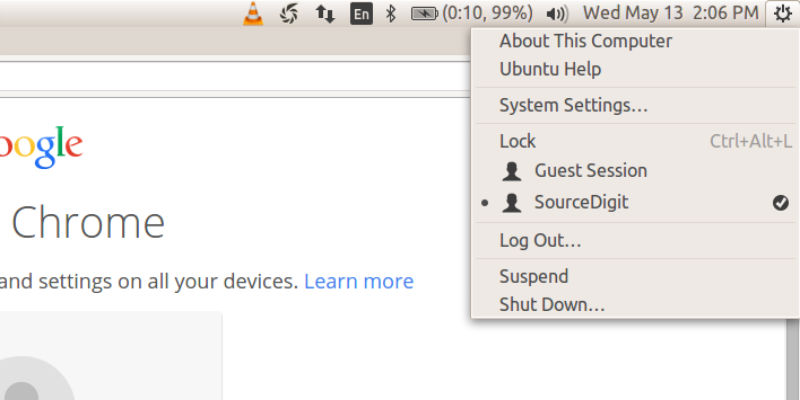
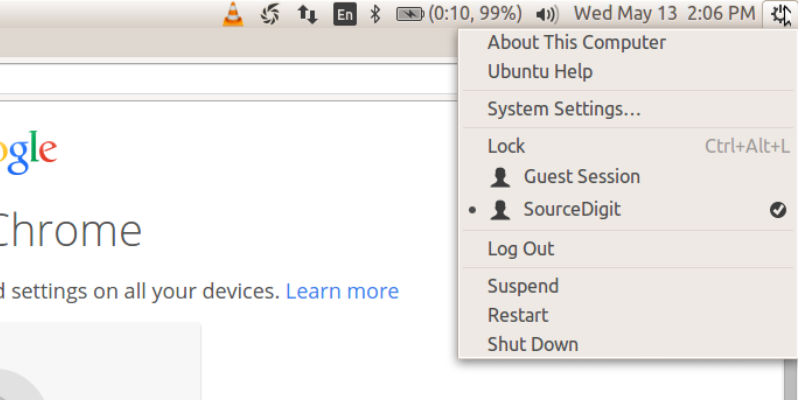
By default, there is no restart option in Ubuntu System Menu, located on the Ubuntu Panel Bar. When you click on the Ubuntu Settings Icon in Ubuntu Panel Bar, you get only two options – Shutdown and Suspend. But, you can easily add Restart Option in Ubuntu Panel Bar.
Before
After
To add the Restart option in Systems Menu/Ubuntu Panel Bar, we will use dconf editor tool. You can install dconf Editor via Ubuntu Software Center. Open and search dconf Editor and click install.
Dconf Editor tool is a low-level key/value database designed for storing desktop environment settings. It is a graphical editor. Its main purpose is to provide a backend to GSettings on platforms that don’t already have configuration storage systems.
- Once installed, open the dconf Editor from Unity dash.
- Navigate to apps > indicator-session.
- Check the value box after “suppress-logout-restart-shutdown.”
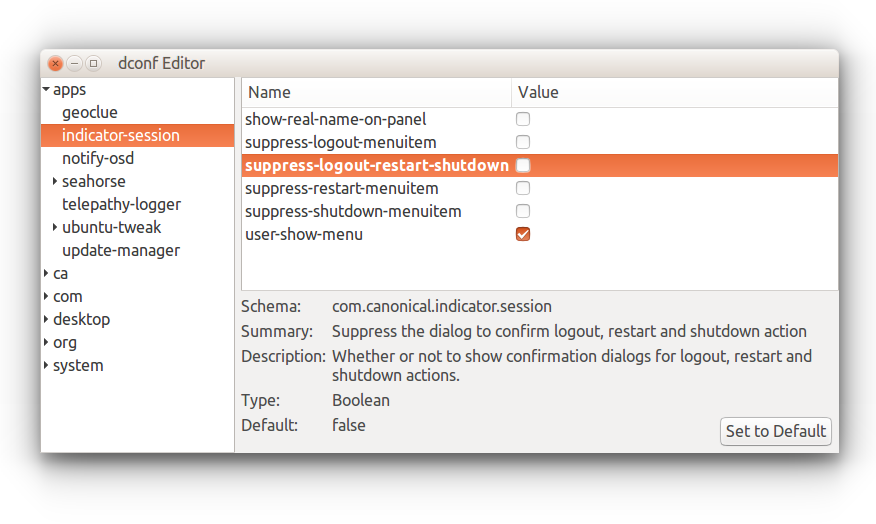
The option value contains the following information:
Schema: com.canonical.indicator.session
Summary: Suppress the dialog to confirm logout, restart and shutdown action
Description: Whether or not to show confirmation dialogs for logout, restart and shutdown actions.
Once done, you’ll see Restart option available in system menu. There is no need to restart the system. The options are shown immediately in the Ubuntu System Menu.