
• Skip to primary navigation
  • Skip to main content
  • Skip to primary sidebar
Source Digit

Source Digit

Linux, Ubuntu Tutorials & News, Technology, Gadgets & Gizmos

  • Home
  • How To
  • Ubuntu
  • Instagram
  • Blogging
  • Android
  • WordPress
  • +More
    • Cloud Computing
    • Gadgets
    • Social Media
    • Technology
  • Write for Us
Home / How To / Install Latest Release Of Shutter Screenshot Tool in Ubuntu 15.04, Ubuntu 14.04 and Derivatives

Install Latest Release Of Shutter Screenshot Tool in Ubuntu 15.04, Ubuntu 14.04 and Derivatives

By Sourabh / June 17, 2015 Category: How To, Ubuntu

Install the latest Shutter Screenshot Tool (Shutter 0.93.1) in Ubuntu. Upgrade to Shutter 0.93.1, install Shutter 0.93.1 Screenshot Tool in Ubuntu 15.04, Ubuntu 14.10 and Ubuntu 14.04.

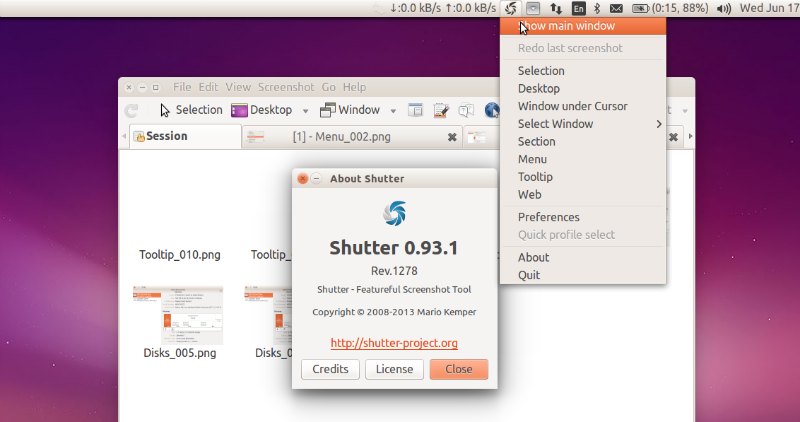
Shutter is the best feature-rich screenshot program for Ubuntu Linux. With it, you can take a screenshot of a specific area, window, your whole screen, or even of a website – apply different effects to it, draw on it to highlight points, and then upload to an image hosting site, all within one window.

Install Shutter Screenshot Tool in Ubuntu:

The latest release, Shutter 0.93.1 fixes a few minor bugs and adds updated translations. If you’ve subscribed to the Ubuntu repository, you’ll be prompted about an update being available automatically – otherwise, check the instructions given below.
shutter-Screenshot-04

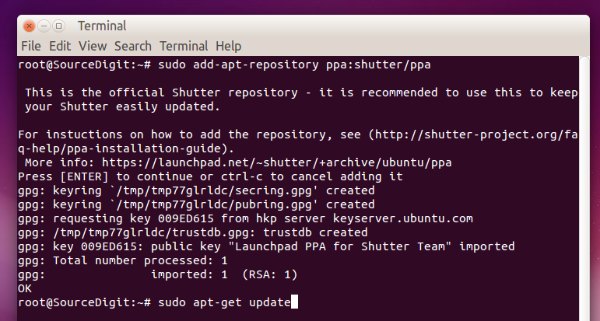
Shutter is available in Ubuntu Software Center, but Canonical does not provide any updates for it. Here’s how to install the latest release of Shutter Screenshot Tool and keep it up-to-date:


sudo add-apt-repository -y ppa:shutter/ppa
sudo apt-get update
sudo apt-get install shutter
shutter-linux

The Shutter PPA supports Ubuntu 15.04, Ubuntu 14.10, Ubuntu 14.04 and Ubuntu 12.04 and Linux Mint Systems.

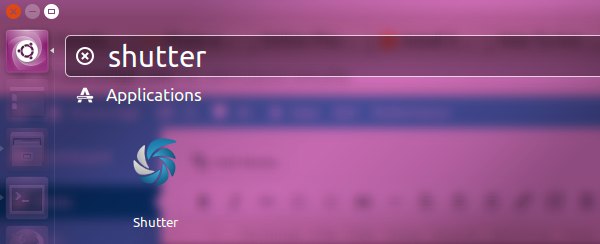
Once installed, you can open Shutter tool from Ubuntu Dash.
shutter-011

If you wish to uninstall and remove the Shutter tool, run the following command:


sudo apt-get remove shutter

Tags: Capture Screenshot Ubuntu, Install shutter - Screenshot Tool in Ubuntu 14.10, Install shutter - Screenshot Tool in Ubuntu 15.04, Install shutter Screenshot Tool in Linux, Install Shutter Screenshot Tool in Ubuntu 14.04, Install Shutter Screenshot Tool PPA Ubuntu, Take Screenshot Ubuntu, Ubuntu 14.04, Ubuntu 15.04, Ubuntu Capture Screenshot, Ubuntu Install Shutter Screenshot Tool PPA, Ubuntu Take Screenshot, Uninstall Shutter Screenshot Tool Linux, Uninstall Shutter Screenshot Tool Ubuntu, Uninstall Shutter Screenshot Tool Ubuntu 14.04, Uninstall Shutter Screenshot Tool Ubuntu 14.10, Uninstall Shutter Screenshot Tool Ubuntu 15.04

Primary Sidebar

Latest Posts

How To Check User Permissions In Linux Using Command

Check Which Folder Is Taking More Space In Ubuntu Linux

How to Install Claude Desktop App in Ubuntu Linux

Job Scheduling Using At Command In Linux With Examples

How To Check Permissions Of A Directory In Linux Command

Delete Directory And Contents Recursively Without Prompt On Linux

Check User Login History In Ubuntu Linux Command Line

Use Locate Command To Find File In Linux Terminal By Name

How To Change Terminal Color In Ubuntu Command Line

How To Run Fsck Manually In Linux To Fix Unexpected Inconsistency

© 2026 Source Digit • Linux, Ubuntu Tutorials & News, Technology, Gadgets & Gizmos

  • Home
  • About
  • Privacy Policy
  • Terms & Conditions
  • Contact Us
  • Sitemap