
• Skip to primary navigation
  • Skip to main content
  • Skip to primary sidebar
Source Digit

Source Digit

Linux, Ubuntu Tutorials & News, Technology, Gadgets & Gizmos

  • Home
  • How To
  • Ubuntu
  • Instagram
  • Blogging
  • Android
  • WordPress
  • +More
    • Cloud Computing
    • Gadgets
    • Social Media
    • Technology
  • Write for Us
Home / How To / Terminal Commands To Install Unofficial WhatsApp on Ubuntu

Terminal Commands To Install Unofficial WhatsApp on Ubuntu

By Sourabh / June 24, 2015 Category: How To, Ubuntu

Install WhatsApp Client on Ubuntu 15.04, Ubuntu 14.04, Ubuntu 14.10 and Debain. Terminal commands to install Unofficial WhatsApp for Desktop on Ubuntu and Debian Systems.

The Unofficial WhatsApp Client for Linux is a third party solution to use WhatsApp on Linux systems. The Unofficial WhatsApp for Desktop is a simple & beautiful desktop client for WhatsApp. It can be used to chat without distractions on any OS.

Please note that this is NOT an official product and is just a wrapper for WhatsApp Web. No affiliation with WhatsApp.

Install WhatsApp on 32 Bit Ubuntu & Debian Systems
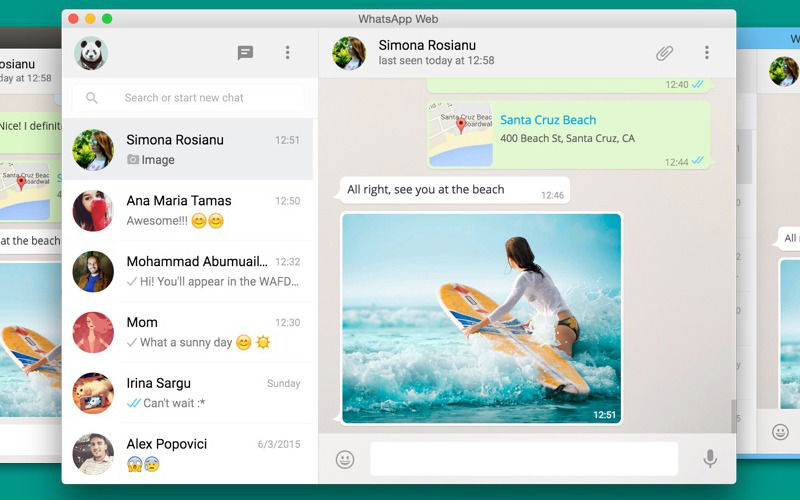
whatsapp-linux-screen-01

Run the following commands in Terminal to install WhatsApp on 32 bit Ubuntu, Debian and Derivatives:

$ sudo apt-get install gdebi
$ sudo wget https://github.com/Aluxian/WhatsApp-Desktop/releases/download/v1.1.0/UnofficialWhatsApp_linux32.deb
$ sudo gdebi UnofficialWhatsApp_linux32.deb

Install WhatsApp on 32 Bit Ubuntu & Debian Systems

Run the following commands in Terminal to install WhatsApp on 64 bit Ubuntu, Debian and Derivatives:

$ sudo apt-get install gdebi
$ wget https://github.com/Aluxian/WhatsApp-Desktop/releases/download/v1.1.0/UnofficialWhatsApp_linux64.deb
$ sudo gdebi UnofficialWhatsApp_linux64.deb

Uninstall WhatsApp From Ubuntu & Debian Systems

If you wish to uninstall and remove the WhatsApp client from Ubuntu or Derivatives, run:

$ sudo apt-get remove whatsappfordesktop

Tags: Install Unofficial WhatsApp for Desktop on Debain, Install Unofficial WhatsApp for Desktop on Ubuntu, Install Unofficial WhatsApp on Debain, Install Unofficial WhatsApp on Ubuntu, Install Unofficial WhatsApp on Ubuntu 14.04, Install Unofficial WhatsApp on Ubuntu 14.10, Install Unofficial WhatsApp on Ubuntu 15.04, Install WhatsApp on Linux, Install WhatsApp on Ubuntu, Install WhatsApp on Ubuntu 14.04, Install WhatsApp on Ubuntu 14.10, Install WhatsApp on Ubuntu 15.04, Linux Whatsapp PPA, Ubuntu WhatsApp PPA

Primary Sidebar

Latest Posts

Downlaod Ubuntu 26.10 Stonking Stingray

How To Shutdown Linux With A 15 Minute Delay And Message

Using Linux Terminal How To Get Total Disk Size In GB

Count And Find Number Of Files In A Linux Directory Using Command

Check How Many Users Are Created In Linux Ubuntu

How To Check User Permissions In Linux Using Command

Check Which Folder Is Taking More Space In Ubuntu Linux

How to Install Claude Desktop App in Ubuntu Linux

Job Scheduling Using At Command In Linux With Examples

How To Check Permissions Of A Directory In Linux Command

© 2026 Source Digit • Linux, Ubuntu Tutorials & News, Technology, Gadgets & Gizmos

  • Home
  • About
  • Privacy Policy
  • Terms & Conditions
  • Contact Us
  • Sitemap