
• Skip to primary navigation
  • Skip to main content
  • Skip to primary sidebar
Source Digit

Source Digit

Linux, Ubuntu Tutorials & News, Technology, Gadgets & Gizmos

  • Home
  • How To
  • Ubuntu
  • Instagram
  • Blogging
  • Android
  • WordPress
  • +More
    • Cloud Computing
    • Gadgets
    • Social Media
    • Technology
  • Write for Us
Home / Uncategorized / Install Kodi 15.0 Media Center (XBMC) in Ubuntu 15.04, Ubuntu 14.04 & Ubuntu 14.10

Install Kodi 15.0 Media Center (XBMC) in Ubuntu 15.04, Ubuntu 14.04 & Ubuntu 14.10

By Sourabh / July 23, 2015 Category: Uncategorized

Install Kodi 15.0 (Stable) in Ubuntu via PPA. Install Kodi 15.0 media center (XBMC) in Ubuntu 15.04, Ubuntu 14.04 and Ubuntu 14.10. Kodi (formerly known as XBMC) is an award-winning free and open source (GPL) software media center for playing videos, music, pictures, games, and more.

Kodi runs on Linux, OS X, Windows, iOS, and Android, featuring a 10-foot user interface for use with televisions and remote controls. It allows users to play and view most videos, music, podcasts, and other digital media files from local and network storage media and the internet.
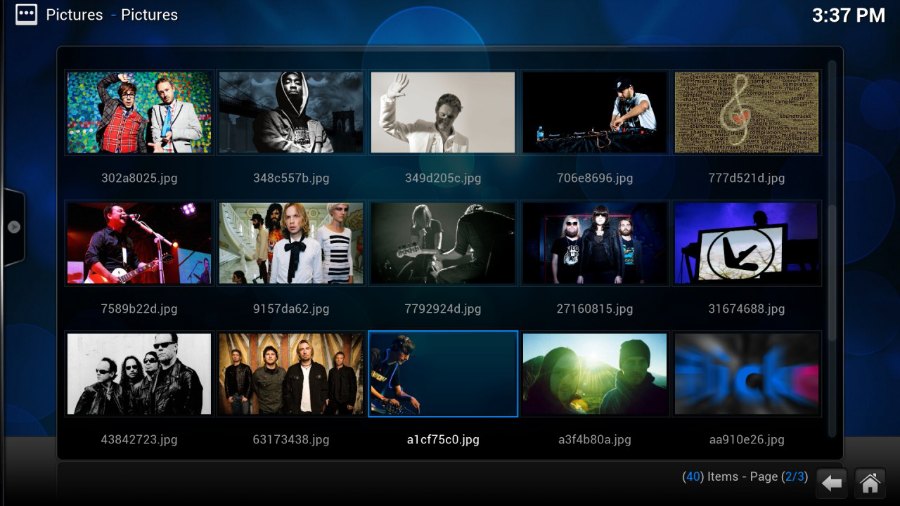
kodi-screen

Kodi 15.0 features:

  • A new chapter selector window allows you to visually browse and select chapters from mkvs and other containers that support chapters.
  • Adaptive seeking (aka Skip Steps). The more times you press a button to seek in a period of time, the larger the jump forward or backward will be.
  • Audio and Subtitle Lists. For content that includes multiple audio and subtitle choices, you can select from a full list of choices, rather than manually searching through a spinner.
  • Language Add-ons and Expanded International Preferences. Now language translations get regularly updated to all users as the add-ons themselves update.
    Improved Add-on Manager to make finding the add-ons you are looking for easier.

Install or Upgrade Kodi 15.0 in Ubuntu

Please note that Ubuntu 12.04 support has been dropped in Kodi PPA. The Kodi PPA packages are for Ubuntu 15.04, Ubuntu 14.10, Ubuntu 14.04, Linux Mint 17 and Elementary OS Freya.

Open terminal and run the following command to add the Kodi PPA:


$ sudo add-apt-repository ppa:team-xbmc/ppa
$ sudo apt-get update
$ sudo apt-get install kodi kodi-audioencoder-* kodi-pvr-*

Tags: Kodi 15.0 (Stable) Ubuntu PPA, Kodi 15.0 media center (XBMC), Kodi 15.0 media center (XBMC) Ubuntu PPA, Kodi Audio Video Player Ubuntu 15.04 14.04 14.10, Kodi Media Center Ubuntu 14.04, Kodi Media Center Ubuntu 14.10, Kodi Media Center Ubuntu 15.04, Kodi media center XBMC, Kodi media center XBMC Ubuntu PPA, Kodi Music Player Center Ubuntu 15.04, Kodi Music Player Ubuntu 14.04, Kodi Music Player Ubuntu 14.10, Kodi XBMC media center, Kodi XBMC media center Ubuntu PPA, Ubuntu PPA Kodi 15.0 media center (XBMC), Ubuntu PPA Kodi media center XBMC, Ubuntu PPA Kodi XBMC media center

Primary Sidebar

Latest Posts

Delete Directory And Contents Recursively Without Prompt On Linux

Check User Login History In Ubuntu Linux Command Line

Use Locate Command To Find File In Linux Terminal By Name

How To Change Terminal Color In Ubuntu Command Line

How To Run Fsck Manually In Linux To Fix Unexpected Inconsistency

How To Fix Broken Packages On Ubuntu From Terminal

Re Execute The Previous Command In Linux Ubuntu Command Line

How Much RAM Is Needed For Ubuntu PC

How To Find Large Files And Directories In Linux Command Line

How To Use Clear Command History In Linux Terminal

© 2026 Source Digit • Linux, Ubuntu Tutorials & News, Technology, Gadgets & Gizmos

  • Home
  • About
  • Privacy Policy
  • Terms & Conditions
  • Contact Us
  • Sitemap