
Download and install Relay 1.2 IRC Client via PPA. Relay 1.2 IRC Client (for Elementary OS) can be installed on Ubuntu 15.04, Ubuntu 14.04 and Derivatives.
Relay An IRC client designed for elementary OS, but works easily on Ubuntu, Linux Mint and Derivatives. Relay is a lightweight IRC Client written in Vala and GTK+. It uses less than 30mb memory and few libraries to function.
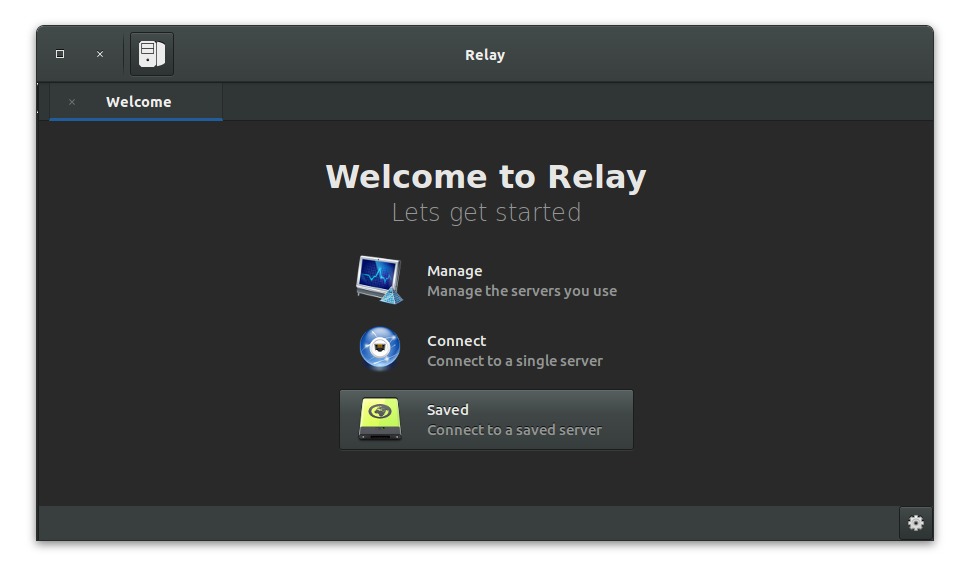
Below are some of the most important features of Relay IRC Client:
- A missed message count.
- Highlighting tabs with activity from IRC servers.
- Drag and drop reordering of tabs.
- Automatic IRC channel connecting
- URL parsing and the ability to open your browser when clicked
- Highlights the name of your or anyone else when mentioned in a chat
- Right click tab switching.
- The ability to switch channels through tabs or the sidebar.
- It supports languages that use UTF-8 characters.
- Although Relay was built on Elementary OS it will switch the theme depending on what operating system you are using.
- The ability to search users
- The ability to see where you left off since you last visited a tab
- The ability to control many settings and set colors in the UI
- Click a user name to have their name placed in the text entry
- Private messaging and and ability to block users
- The ability to turn on or off joining or exiting messages
- Creates a datestamp every 5 minutes to give you a timeline of what has happened
Install Relay IRC Client Ubuntu 15.04
Run the following commands in Terminal to add and install the Relay IRC Client PPA on Ubuntu 15.04 and Derivatives:
$ sudo add-apt-repository ppa:agronick/relay

$ sudo apt-get update

$ sudo apt-get install relay
Install Relay IRC Client Ubuntu 14.04
How to install Relay IRC Client on Ubuntu 14.04, Linux Mint and derivatives. Run the following commands in Terminal to add and install the Relay IRC Client PPA on Ubuntu Systems:
$ sudo add-apt-repository ppa:agronick/relay

$ sudo add-apt-repository ppa:ricotz/testing

$ sudo add-apt-repository ppa:elementary-os/stable

$ sudo apt-get update

$ sudo apt-get install relay
To uninstall and remove the Relay IRC Client app from Ubuntu Systems, run the command given below:
$ sudo apt-get remove relay
Please note that Ubuntu 14.04 needs an updated version of libgranite and GTK+3.0.