
• Skip to primary navigation
  • Skip to main content
  • Skip to primary sidebar
Source Digit

Source Digit

Linux, Ubuntu Tutorials & News, Technology, Gadgets & Gizmos

  • Home
  • How To
  • Ubuntu
  • Instagram
  • Blogging
  • Android
  • WordPress
  • +More
    • Cloud Computing
    • Gadgets
    • Social Media
    • Technology
  • Write for Us
Home / Uncategorized / Install Cockpit – Server Administrator & Manager for Linux Ubuntu Systems

Install Cockpit – Server Administrator & Manager for Linux Ubuntu Systems

By Sourabh / September 10, 2015 Category: Uncategorized

Install Cockpit – Server Administrator and Manager for Linux Ubuntu Systems. Cockpit makes it easy to administer your GNU/Linux servers via a web browser. Cockpit is an interactive server admin interface which brings the following features:

  • Easy to use – Cockpit is perfect for new sysadmins, allowing them to easily perform simple tasks such as storage administration, inspecting journals and starting and stopping services.
  • No interference – Jumping between the terminal and the web tool is no problem. A service started via Cockpit can be stopped via the terminal. Likewise, if an error occurs in the terminal, it can be seen in the Cockpit journal interface.
  • Multi-server – You can monitor and administer several servers at the same time. Just add them with a single click and your machines will look after its buddies.
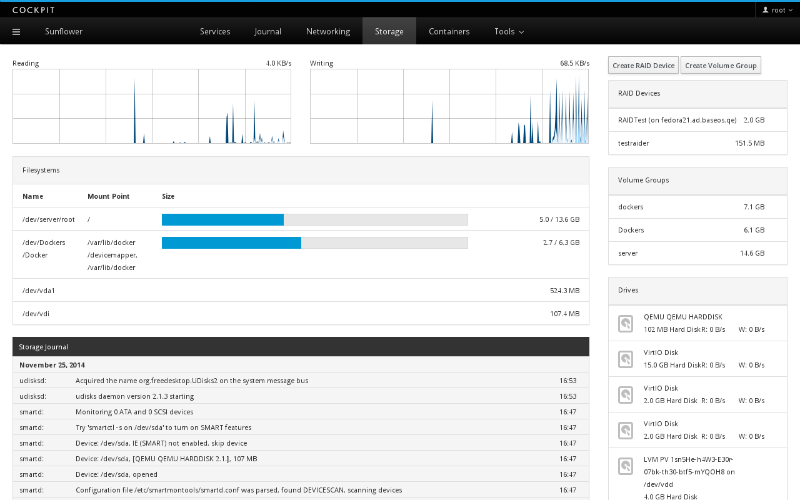
ubuntu-server-screen

Install cockpit on Ubuntu

The Cockpit – Server Administrator and Manager can be installed on Linux Ubuntu 15.04, Ubuntu 14.04 and Derivatives. Open the terminal and run the following commands:

sudo add-apt-repository ppa:jpsutton/cockpit
sudo apt-get update
sudo apt-get install cockpit

Once installed, run the following command to start and initiate the Cockpit service:

sudo systemctl start cockpit

You can also start cockpit service automatically using the following command:

sudo systemctl enable cockpit.socket

The cockpit GUI can be accessed using the following URL – https://server-ip:9090
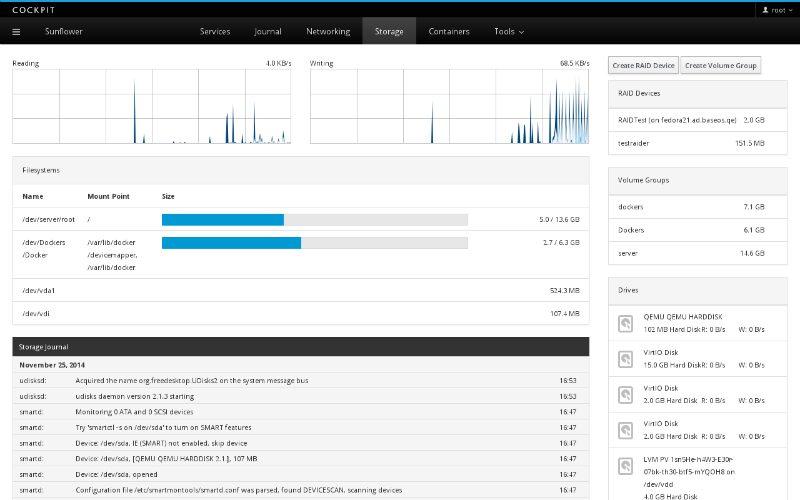
ubuntu-server-screen

Tags: Cockpit Linux Server Admin, Cockpit Linux Server Administrator, Cockpit Linux Server Manager, Cockpit Server Administrator, Cockpit Server Manager, Cockpit Ubuntu Server Admin, Cockpit Ubuntu Server Administrator, Cockpit Ubuntu Server Manager, Linux Server Admin, Linux Server Administrator, Linux Server Manager, Ubuntu Server Admin, Ubuntu Server Administrator, Ubuntu Server Manager

Primary Sidebar

Latest Posts

Delete Directory And Contents Recursively Without Prompt On Linux

Check User Login History In Ubuntu Linux Command Line

Use Locate Command To Find File In Linux Terminal By Name

How To Change Terminal Color In Ubuntu Command Line

How To Run Fsck Manually In Linux To Fix Unexpected Inconsistency

How To Fix Broken Packages On Ubuntu From Terminal

Re Execute The Previous Command In Linux Ubuntu Command Line

How Much RAM Is Needed For Ubuntu PC

How To Find Large Files And Directories In Linux Command Line

How To Use Clear Command History In Linux Terminal

© 2026 Source Digit • Linux, Ubuntu Tutorials & News, Technology, Gadgets & Gizmos

  • Home
  • About
  • Privacy Policy
  • Terms & Conditions
  • Contact Us
  • Sitemap