
SMPlayer 15.9.0 has been released. How to install SMPlayer 15.9.0 media player on Linux Ubuntu 15.10, Ubuntu 15.10, Ubuntu 15.04, Ubuntu 14.04 and Linux Mint Systems. SMPlayer media player for Ubuntu comes with built-in codecs and play all audio and video formats.
SMPlayer is a free media player for Windows and Linux with built-in codecs that can play virtually all video and audio formats. It doesn’t need any external codecs. Just install SMPlayer and you’ll be able to play all formats without the hassle to find and install codec packs.
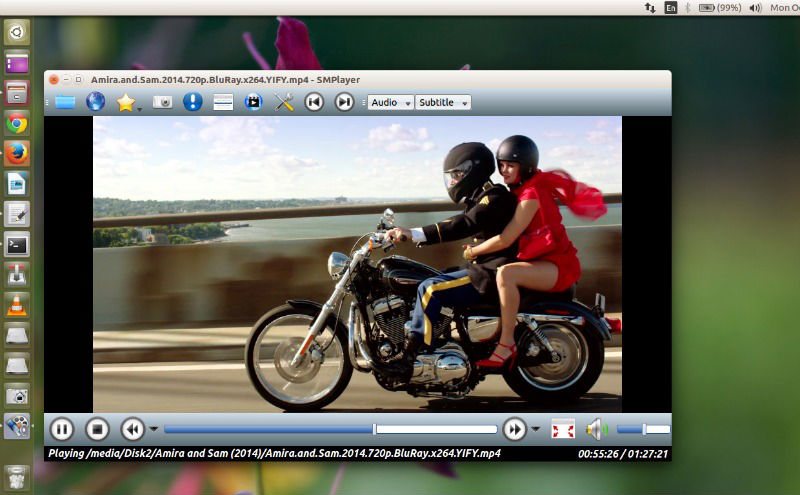
SMPlayer – The Most Powerful Media Player for Linux
- Play all media formats – SMPlayer supports the most known formats and codecs: avi, mp4, mkv, mpeg, mov, divx, h.264… you can play all of them, thanks to its built-in codecs. You don’t need to find and install third party codecs.
- Support for YouTube – SMPlayer can play YouTube videos and it’s also available an optional plugin to search for YouTube videos.
- Subtitles download – SMPlayer can search and download subtitles from opensubtitles.org.
SMPlayer Version 15.9
SMPlayer 15.9 is the latest version of the media player software. It has been released with the following changes:
- Support for the 3D stereo filter.
- We added support for mpv, which is a player based on mplayer with new features and bug fixes.
- Now it’s possible to select a secondary subtitle track which is displayed on top of the screen (mpv only).
- New option to set a template for screenshots (mpv only).
- Now it’s possible to play videos from streaming sites (besides Youtube) like DailyMotion, Vimeo, Vevo and many more (mpv only).
- Option to step back one frame (mpv only).
- The Windows installer now allows to choose the playback engine to install: mplayer or mpv.
- Better support for YouTube (VEVO videos).
- Possibility to set a proxy.
- New action (assigned by default to key “I”) shows the current playback time, total time and percentage, for 2 seconds on the OSD.
- Add the possibility to use the mouse buttons for “next chapter” and “previous chapter”.
- New option to delete a file in the playlist from the filesystem.
- Support for MPRIS2.
- Possibility to compile SMPlayer without MPlayer or mpv support.
- The new H2O theme is now the default theme.
Install SMPlayer 15.9 on Ubuntu
Run the following commands in Terminal to install SMPlayer 15.9, via PPA, on Ubuntu:
sudo add-apt-repository ppa:rvm/smplayer

sudo apt-get update

sudo apt-get install smplayer smtube smplayer-themes smplayer-skins

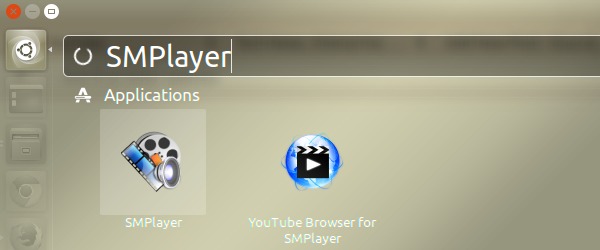
Once installed, you can open the SMPlayer from Ubuntu Dash.
Apart from these basic functions, SMPlayer includes many advanced features like video and audio filters, change of the playback speed, adjustment of audio and subtitles delay, video equalizer and many more.