
Install the latest release of Kodi (XBMC) Media Player on Ubuntu 15.10, Ubuntu 14.04 and Derivatives. Kodi v15.2 “Isengard” is the current stable release and Kodi v16.0 “Jarvis” is the development build.
Kodi (formerly known as XBMC) is an award-winning free and open source (GPL) software media center for playing videos, music, pictures, games, and more. Kodi runs on Linux, OS X, Windows, iOS, and Android, featuring a 10-foot user interface for use with televisions and remote controls. It allows users to play and view most videos, music, podcasts, and other digital media files from local and network storage media and the internet.
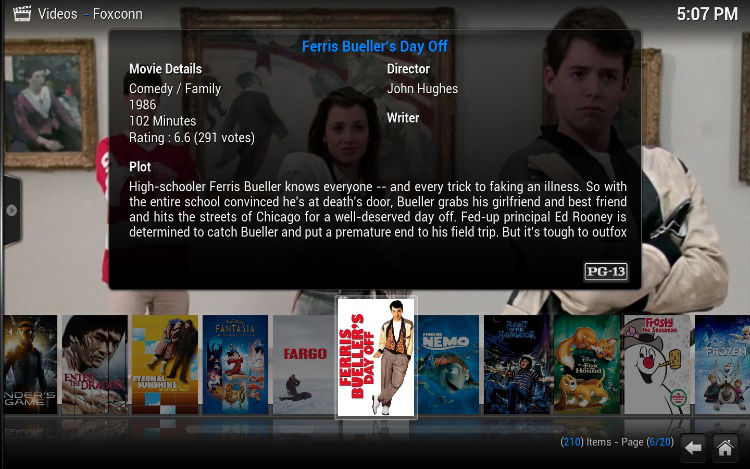
Kodi can play all your music including AAC, MP3, FLAC, OGG, WAV and WMA formats. Kodi can play movies and TV shows too! Supporting all the main video formats and sources, including streamable online media, ISOs, 3D, H.264, HEVC, WEBM. The TV shows library supports episode and season views with posters or banners, watched tags, show descriptions and actors. Not only this, it can import pictures into a library and browse the different views, start a slideshow, sort or filter them all.
The latest release of Kodi will be released with many exciting features. The add-on manager will have several changes done in the overall handling of each add-on. These changes include the following:
- • Roll-back button on add-on info panel has been replaced by Update
- • The Update button now opens a list of available versions of the add-on. Should you have several repositories installed that offer different version of this add-on you can now choose which to install.
- • You can now disable auto-update per add-on through the info panel individual from others.
The add-on info panel can either be reached through the add-on manger or selecting the add-on in any section by either right click, use context menu (“C” key) and choose info or use the “I” key to directly open the panel.
Fixes/Changes [Kodi v15.2 “Isengard”]
- Fix non DVB subtitles
- Fix incompatible MySQL queries
- Improvements on PulseAudio for Linux
- Fix multi images in grouplists/layouts
- Updated PVR add-ons: Tvheadend HTSP and MythTV
- Fix refresh-rate switching on Android. This should improve on most devices like Nexus Player and NVIDIA SHIELD TV and others which use the Android API
- Fix file time used in scanning library which may speed up scanning times on 32bit platforms
- Fix video rewind on Windows. May still leave artifacts for some seconds.
- Fix continues check on system partitions on Android
- Fix MicroDVD subtitles
- Fix subtitles positioning below video
- Fix memory leak on opening Bluray menu for stream selection
- Fix default sorting for songs over UPnP
- Updated taglib that fixes a crash when playing flac files
- Fix volume adjustment for XBOX controllers
- Fixes side flyout appearing when using touch
- Fixes freeze on win32 on away mode
- Fix crash on osx 10.7 when trying to resolve hdd names
- Fix Amlogic zoom problems on Android
- Set default screen region for dvb subs (wrong placed subtitles)
- Fix missing lyrics from tag when playing from musicdb url
- Properly set the time format when setting/changing regions
- Fix playback problems on AMLogic after ffwd or skip
- Fix fallback for nb_no language
- Fix empty LatestAlbum.Artist
- Fix watched flag in Confluence media info 3 view
Fixes/Changes [Kodi v16.0 “Jarvis”]
Here’s a quick look at a few other notable fixes and features.
- Properly handle wired or bluetooth headsets on Android and only use PCM output
- Fix playback of VP9 and VC1 video codecs on Android
- Use best possible icons from other Android apps while browsing these in Kodi
- Enable true 1920×1080 output on AMLogic device without up-scaling
- Add Korean, Chinese and Chech keyboards
- Add multi-touch support for Linux platform
- Improve touch-screen keymapping
- Add stereoscopic depth for Confluence skin
- The item that you had previously chosen will now be selected in the selection list instead of just starting at the top of the list
- Decouple Kodi and system volume on Android which removes the double audio volume slider
- Karaoke support has been completely removed as it wasn’t functional
- Further improve DX11 implementation in Windows
- iOS9 support
- Various PVR fixes and improvements
- Various improvements to the music section
Upgrade Kodi 15.2 in Ubuntu
If you’ve already installed Kodi, you can update it from Software Center. Open Software Updater to upgrade to Kodi 15.2. To update Kodi when a new version is released use the following commands in the terminal (or via SSH):
sudo apt-get update
sudo apt-get upgrade
Note: In some cases where additional packages are required, Kodi will fail to upgrade when using the upgrade commands as above. To install additional packages use the command below:
sudo apt-get dist-upgrade
Install Kodi in Ubuntu
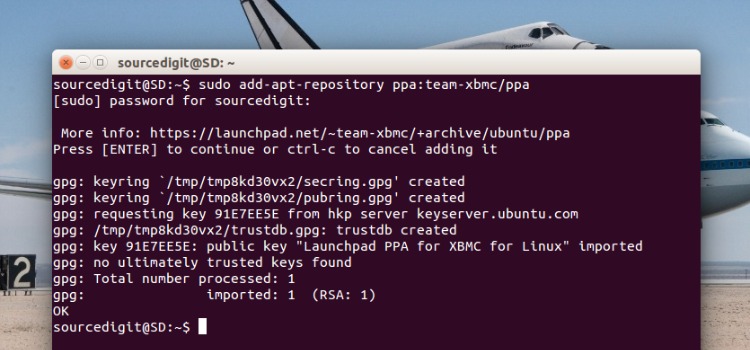
For those who haven’t installed Kodi, run the following commands in Terminal to install Kodi in Ubuntu 15.10, Ubuntu 14.04, Ubuntu 15.04, Ubuntu 14.10 and Derivatives.
sudo add-apt-repository ppa:team-xbmc/ppa

sudo apt-get update

sudo apt-get install kodi