
Double Commander file manager for Linux Ubuntu Systems. Install DoubleCMD 0.6.6 (Double Commander) file manager on Ubuntu 15.10, Ubuntu 14.04, Ubuntu 15.04 and Derivatives. DoubleCMD is a cross-platform file manager for Linux Systems. It is said to be inspired by Total Commander.
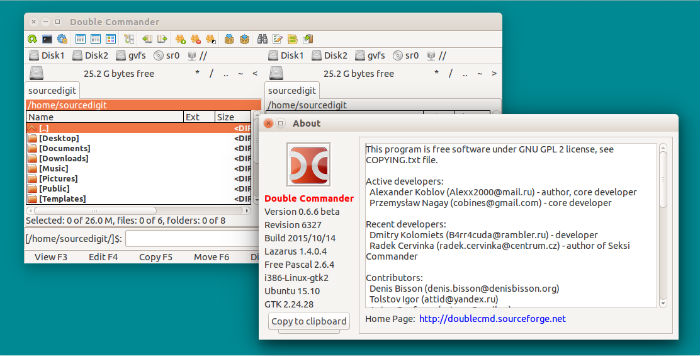
In general, the Double Commander file manager has many exciting features:
- All operations working in background
- Multi-rename tool
- Tabbed interface
- Custom columns
- Internal text editor (F4) with syntax hightlighting
- Built in file viewer (F3) to view files of in hex, binary or text format
- Archives are handled like subdirectories. You can easily copy files to and from archives. Supported archive types: ZIP, TAR
- GZ, TGZ, LZMA and also BZ2, RPM, CPIO, DEB, RAR.
- Extended search function with full text search in any files
- Configurable button bar to start external programs or internal menu commands
- Total Commander WCX, WDX and WLX plug-ins support
- File operations logging
Install DoubleCMD 0.6.6 on Ubuntu
DoubleCMD 0.6.6 is the latest version of the Double Commander file manager. It has been released with the following features:
- [Language translation] Japanese Translation
- [Default] Infinite thumbnails creation when switching to thumbnails view at %LOCALAPPDATA%\doublecmd\thumbnails
- [Logic] CRC-file not found due to case sensitivity error
- [Plugins] ‘Test Archive’, don’t show an error message
- [Plugins] Archiv Test raises error (wrong extension)
- [Plugins] sevenzip configure don’t work as expected
- [Graphical user interface] Directory color highlight
- [Graphical user interface] no refresh the file/directory-list
- [File operations] ‘overwrite all’ user interaction dialog keep requesting permission (sync folder)
- [File operations] Panel of operations doesn’t signal messages (questions) to the user
- [Graphical user interface] Time not displayed in datetime column (Alexx2000) – resolved.
- [File operations] No feedback about missing access right
- [Graphical user interface] Column width settings are not preserved when restarted
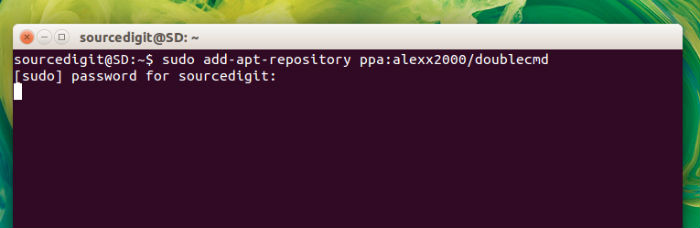
Run the following commands in Terminal to install Double Commander file manager on Ubuntu 15.10, Ubuntu 14.04, Ubuntu 15.04 and Derivatives:
$ sudo add-apt-repository ppa:alexx2000/doublecmd

$ sudo apt-get update
Now run the commands given below to install the doublecmd-gtk or doublecmd-qt package (depending on the system):
For GTK based systems, do:
$ sudo apt-get install doublecmd-gtk
For Qt based systems, do:
$ sudo apt-get install doublecmd-qt
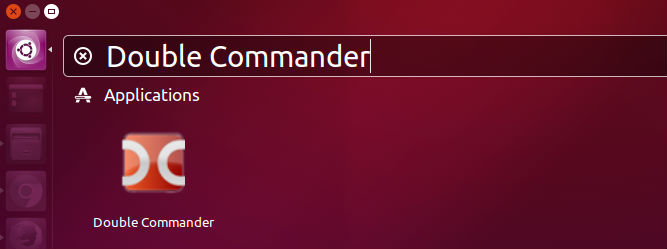
Once installed, the Double CMD file manager can be opened via Ubuntu Dash.
For whatever reason if you wish to uninstall and remove DoubleCMD file manager from Linux Ubuntu Systems, run the command given below:
$ sudo apt-get remove doublecmd-*