
• Skip to primary navigation
  • Skip to main content
  • Skip to primary sidebar
Source Digit

Source Digit

Linux, Ubuntu Tutorials & News, Technology, Gadgets & Gizmos

  • Home
  • How To
  • Ubuntu
  • Instagram
  • Blogging
  • Android
  • WordPress
  • +More
    • Cloud Computing
    • Gadgets
    • Social Media
    • Technology
  • Write for Us
Home / How To / Install Uget Download Manager On Ubuntu 15.10, via PPA

Install Uget Download Manager On Ubuntu 15.10, via PPA

By Sourabh / November 30, 2015 Category: How To, Ubuntu

Install Uget Download Manager on Ubuntu, via PPA. Terminal commands to download and install Uget 2.0.2 (Download Manager) on Ubuntu 15.10, Ubuntu 14.04, Ubuntu 15.04, Ubuntu 14.10 and Derivatives. uGet is a popular download manager for Linux Ubuntu Systems. It is known for its integration with Mozilla Firefox web browser on Linux Systems.
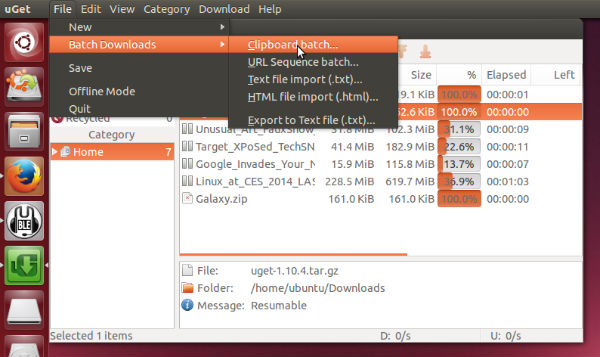
uget-1-10-4-ubuntu

Apart from the Mozilla integration, the Uget Download Manager’s main features are:

  • Downloads Queue
  • Resume Downloads
  • Advanced Download Categories
  • Clipboard Monitor
  • Batch Downloads
  • Multi-Protocol
  • Multi-Connection
  • FTP Login & Anonymous FTP
  • Scheduler
  • Quiet Mode
  • Robust Keyboard Shortcuts
  • Computer Shutdown After Completion

Install uGet 2.0 on Ubuntu

uGet 2.0.2 is the latest version of the uGet Download Manager. uGet 2.0.2 has been released with the following changes:

  • curl plug-in: fix memory leak and avoid accessing NULL pointer.
  • curl plug-in: create new file with correct size if file size is not the same.
  • curl plug-in: create new file only in first connection.
  • curl plug-in: change setting’s file name if plug-in created new file.
  • Don’t resume file with incorrect aria2 control file (no bit field).
  • replace invalid characters \/:*?”<>| by _ in filename.

Uget 2.0.2 (Download Manager) can be easily installed (via PPA) on Ubuntu 15.10, Ubuntu 14.04, Ubuntu 15.04, Ubuntu 14.10 and Derivatives. Run the following commands in Terminal to install Uget 2.0.2 (Download Manager) on Ubuntu Systems:

$ sudo add-apt-repository ppa:plushuang-tw/uget-stable
$ sudo apt-get update
$ sudo apt-get install uget

uGet download manager can also be installed via Ubuntu Software Center. Open Software Center and search fro uGet Download Manager. Click on it to install.
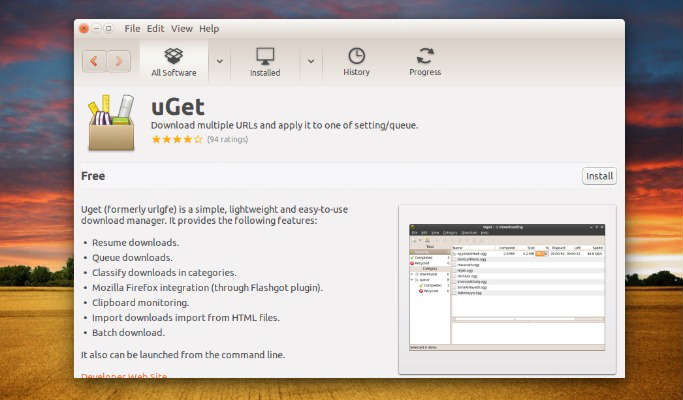
uget-ubuntu-software

Run the command given below to uninstall and remove Uget 2.0.2 (Download Manager) from Ubuntu:
$ sudo apt-get remove uget

Tags: Download Manager Ubuntu, Download Uget 2.0.2 download manager, Download UGet Download Manager, Install Uget Download Manager on Linux Mint, Install Uget Download Manager on Ubuntu, Install Uget Download Manager on Ubuntu 14.04, Install Uget Download Manager on Ubuntu 14.10, Install Uget Download Manager on Ubuntu 15.04, Install Uget download manager on Ubuntu 15.10, Ubuntu Download Manager, Ubuntu PPA Uget Download Manager, Uget 2.0.2 download manager, Uget Download Manager, Uget Download Manager Ubuntu PPA, Uget Ubuntu PPA

Primary Sidebar

Latest Posts

How Much RAM Is Needed For Ubuntu PC

How To Find Large Files And Directories In Linux Command Line

How To Use Clear Command History In Linux Terminal

Linux Command To Check RAM Size In Ubuntu Terminal In GB

How To Install Proprietary Drivers In Linux Ubuntu Using Terminal

How To Shutdown Linux With A 15 Minute Delay And Message

Free AI Courses With Certificate For Beginners In India

Best AI Plugins For WordPress To Use In 2026

3 Commands To Check USB Connection In Linux Terminal

Linux Terminal Commands for Beginners With Examples

© 2026 Source Digit • Linux, Ubuntu Tutorials & News, Technology, Gadgets & Gizmos

  • Home
  • About
  • Privacy Policy
  • Terms & Conditions
  • Contact Us
  • Sitemap