
Install Paper Theme and Paper Icons on Ubuntu. Terminal commands to install Paper Theme and Icons on Ubuntu 15.10, Ubuntu 14.04 and Derivatives. Paper Theme Suite and Paper Icons is a beautiful theme designed by Sam Hewitt, for Linux Ubuntu Systems.
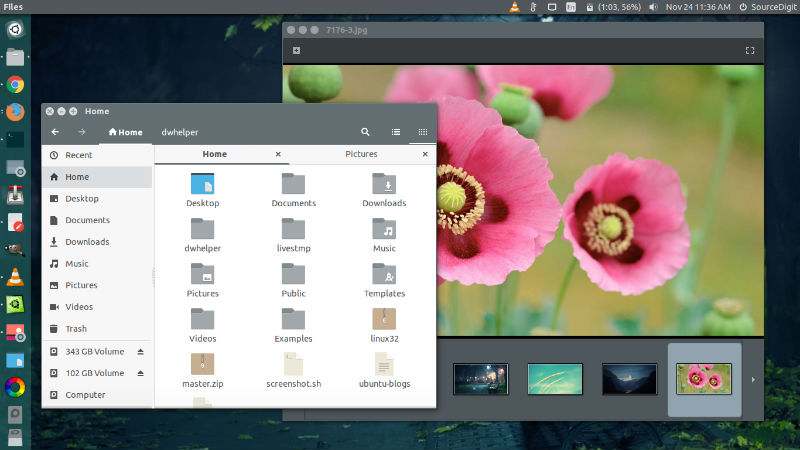
Below is the short description about the theme and icons:
Paper Theme Suite
Paper is a modern Linux desktop theme suite, which is a bundle of themes that covers several desktop environments in one go. Paper’s design is mostly flat with a subtle use of shadows and highlights for some added depth. Plus the colourful headers give Paper a unique style that makes it stand out among the many themes available for Linux desktops. It has been developed primarily with modern GTK3 (GNOME-based mostly) desktop environments in mind, legacy and GTK2 environments will not necessarily have the same experience found in screenshots, as much of the visual design relies on modern GTK+ aspects.
Please Note:
- The GTK2 portion of the theme requires the pixbuf engine gtk2-engine-pixbuf.
- Desktops that make use of the GTK3 headerbars/client-side decorations will have the more colourful experience (sorry, Unity users).
- The experience when using Unity is slightly different; Unity doesn’t make use of the headerbar as much as other GNOME-based desktops but Paper is still perfectly usable under that environment and has been optimized for Unity.
Paper Icon Suits
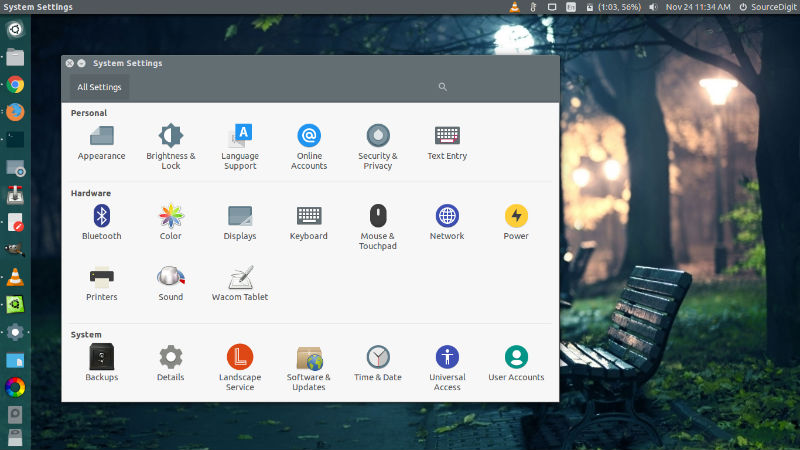
Paper is a modern icon theme whose design is based around the use of simple colours and geometry to compose icons. While it does take some inspiration from Google’s Material Design icons, some design aspects have been adjusted to better suit desktop viewing. As Paper icon theme is still in it’s infancy, there are relatively few icons included in it thus far, nevertheless you can preview some of them here.
Please Note:
- You may see placeholder icons –blank square or circular shapes– in some places.
- The GNOME icon theme is the fallback set for missing icons.
- Things are subject to frequent change as the theme is still being developed/designed.
Install Paper Theme and Icons on Ubuntu
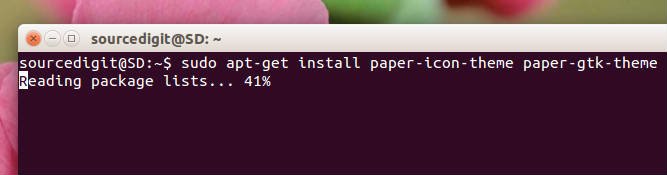
Run the following commands in Terminal to install Paper Theme and Icons on Ubuntu 15.10, Ubuntu 14.04 and Derivatives:
$ sudo add-apt-repository ppa:snwh/pulp

$ sudo apt-get update

$ sudo apt-get install paper-icon-theme paper-gtk-theme
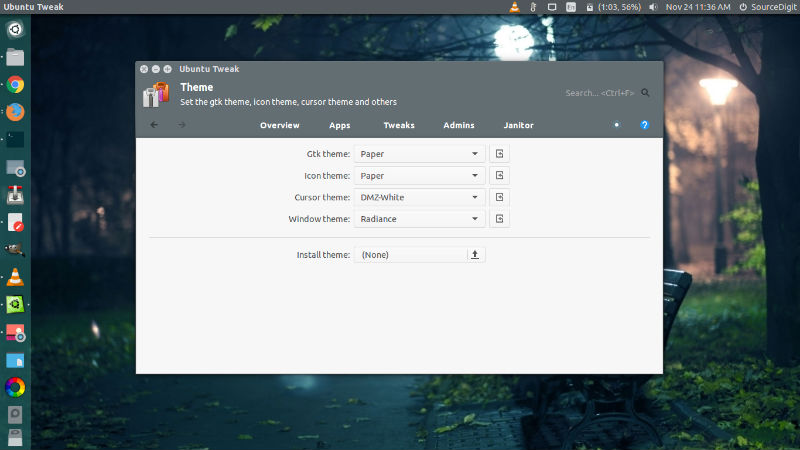
Once installed, you can use/apply the theme using Tweak Tool (see screenshot below).
For any more information, please visit:
https://github.com/snwh/paper-gtk-theme
https://github.com/snwh/paper-icon-theme