
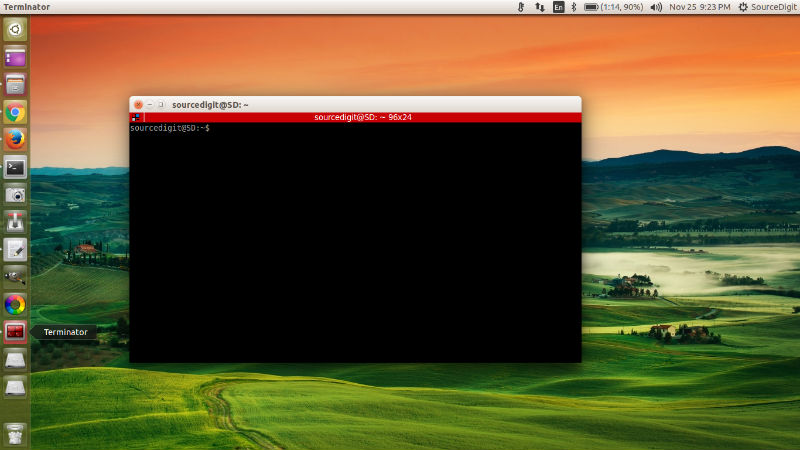
Install Terminal emulator on Ubuntu 15.10, Ubuntu 14.04 and Derivatives. Terminator is a Terminal Emulator for Linux Ubuntu Systems which enables multiple Terminal in one window on Ubuntu Desktop.
Features:
- Arrange terminals in a grid
- Tabs
- Drag and drop re-ordering of terminals
- Lots of keyboard shortcuts
- Save multiple layouts and profiles via GUI preferences editor
- Simultaneous typing to arbitrary groups of terminals
- and lots more…
Terminator’s latest version comes with the following changes and improvements:
- A layout launcher was added which allows easily switching between layouts (use Alt + L to open the new layout switcher);
- A new manual was added (use F1 to launch it);
- Added options for enabling/disabling non-homogenous tabs and scroll arrows;
- Added shortcuts for next/prev profile;
- Improved consistency of Custom Commands menu;
- Added shortcuts/code to toggle All/Tab grouping;
- Improved watcher plugin;
- Added search bar wrap toggle;
- Major cleanup and reorganisation of the preferences window, including a complete revamp of the global tab;
- Added option to set how long ActivityWatcher plugin is quiet for;Many other improvements and bug fixes
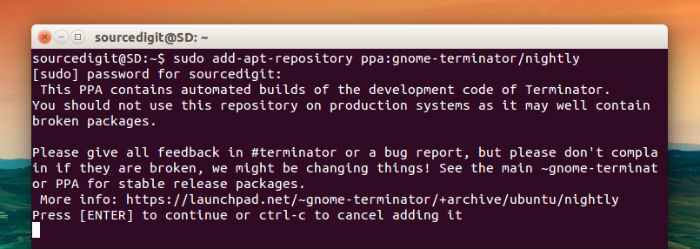
To install the latest Terminator on Ubuntu Systems, run the following commands in Terminal:
sudo add-apt-repository ppa:gnome-terminator

sudo apt-get update

sudo apt-get install terminator
Click here to install Terminator (via deb). You can also install the application using the deb package. Visit the launchpad page for the download links.
- https://launchpad.net/terminator
- https://launchpad.net/terminator/+download
Open & Use Terminator
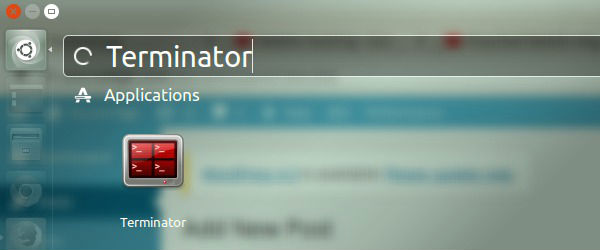
Once installed, you can open the Terminator Emulator via Ubuntu Dash.
Documentation for all of Terminator’s keybindings and config options in man pages is included in the source/packages. You can run the following command:
man terminator

man terminator_config
If you wish to uninstall and remove the application, run the command given below:
sudo apt-get remove terminator