
How to install KeePassX 2.0 in Ubuntu 15.10, Ubuntu 14.04 and other Ubuntu Derivatives. KeePassX 2.0 is the latest release of the KeePassX PAssword Manager. KeePassX is an application for people with extremely high demands on secure personal data management. It has a light interface, is cross platform and published under the terms of the GNU General Public License.
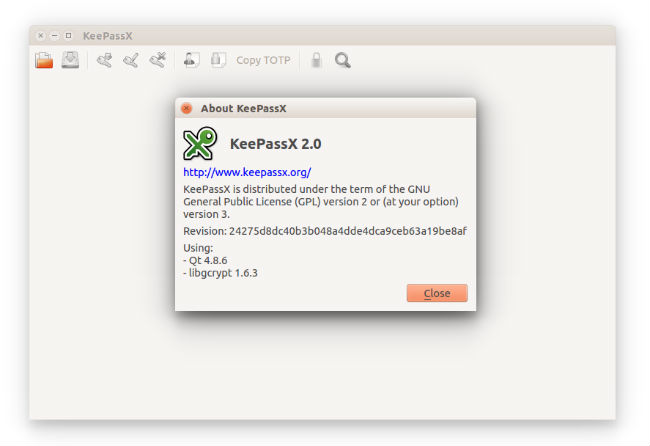
KeePassX saves many different information e.g. user names, passwords, urls, attachments and comments in one single database. For a better management user-defined titles and icons can be specified for each single entry. Furthermore the entries are sorted in groups, which are customizable as well. The integrated search function allows to search in a single group or the complete database.
KeePassX offers a little utility for secure password generation. The password generator is very customizable, fast and easy to use. Especially someone who generates passwords frequently will appreciate this feature.
The complete database is always encrypted either with AES (alias Rijndael) or Twofish encryption algorithm using a 256 bit key. Therefore the saved information can be considered as quite safe. KeePassX uses a database format that is compatible with KeePass Password Safe. This makes the use of that application even more favourable.
KeePassX 2.0 is the latest release of the KeePassX PAssword Manager. KeePassX 2.0 is using the new .kdbx (same as KeePass 2) database format. You can import your .kdb database from 0.4 from the Database > Import KeePass 1 database. This is a one-way process though. You can’t migrate back to the .kdb format.
New features include:
- Multiple attachments per entry
- Add custom key/value pairs to entries
- Open multiple database in one window
KeePassX 2.0 has been rewritten from scratch so some features (like showing expired passwords) are still missing.
The important changes compared to beta 2 are:
- Improve UI of the search edit.
- Clear clipboard when locking databases. [#342]
- Enable Ctrl+M shortcut to minimize the window on all platforms. [#329]
- Show a better message when trying to open an old database format. [#338]
- Fix global auto-type behavior with some window managers.
- Show global auto-type window on the active desktop. [#359]
- Disable systray on OS X. [#326]
- Restore main window when clicking on the OS X docker icon. [#326]
Install KeePassX 2.0 in Ubuntu

Here’s how to install KeePassX 2.0 in Ubuntu 15.10, Ubuntu 14.04 and other Ubuntu Derivatives:
$ sudo add-apt-repository ppa:eugenesan/ppa

$ sudo apt-get update

$ sudo apt-get install keepassx
You can also download the PPA from:
http://ppa.launchpad.net/eugenesan/ppa/ubuntu/pool/main/k/keepassx/
If you aren’t happy with the KeePassX PAssword Manager, you can uninstall and remove it by running the following command:
$ sudo add-apt-repository --remove ppa:eugenesan/ppa

$ sudo apt-get update