
Cherrytree 0.36.2 text editor for Linux Ubuntu Systems. Install Cherrytree note taking application in Ubuntu 15.10, Ubuntu 15.04, Ubuntu 14.04 and Derivatives. Cherrytree is a hierarchical note taking application, featuring rich text and syntax highlighting, storing data in a single xml or sqlite file. Cherrytree is written by Giuseppe Penone (aka giuspen).
Some of the most useful features of Cherrytree are:
- Rich text (foreground color, background color, bold, italic, underline, strikethrough, small, h1, h2, h3, subscript, superscript, monospace)
- Syntax highlighting supporting several programming languages
- Image handling: insertion in the text, edit (resize/rotate), save as png file
- Embedded files handling: insertion in the text, save to disk
- Password protection (using http://www.7-zip.org/) – NOTE: while a cherrytree password protected document is opened, an unprotected copy is extracted to a temporary folder of the file-system; this copy is removed when you close cherrytree
CherryTree 0.36.2 is the latest version available of the CherryTree Text Editor. CherryTree 0.36.2 has been released with the following changes:
- bugfix: copy/paste of embedded files broken
- mult-level lists: when pressing Enter on an empty list element, the list level is decreased before quitting the list
- bugfix: removal of header formatting was broken
- bugfix in searches
- updated Polish language
Install CherryTree 0.36.2 on Ubuntu
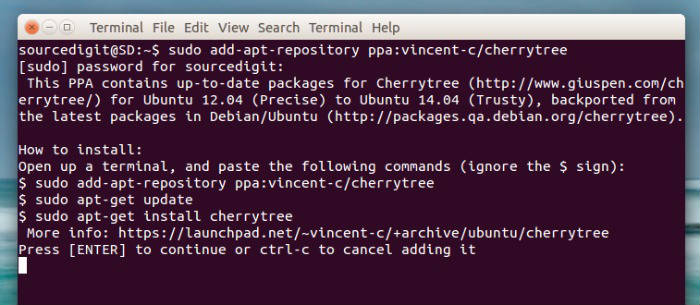
CherryTree 0.36.2, the latest version of the CherryTree Text Editor can be installed on Linux Ubuntu Systems, via PPA. Run the following command in Terminal to install CherryTree Text Editor.
$ sudo add-apt-repository ppa:vincent-c/cherrytree

$ sudo apt-get update

$ sudo apt-get install cherrytree
Text