
• Skip to primary navigation
  • Skip to main content
  • Skip to primary sidebar
Source Digit

Source Digit

Linux, Ubuntu Tutorials & News, Technology, Gadgets & Gizmos

  • Home
  • How To
  • Ubuntu
  • Instagram
  • Blogging
  • Android
  • WordPress
  • +More
    • Cloud Computing
    • Gadgets
    • Social Media
    • Technology
  • Write for Us
Home / How To / Install Nitrux Icon Theme on Ubuntu 15.10 & Ubuntu 15.04

Install Nitrux Icon Theme on Ubuntu 15.10 & Ubuntu 15.04

By Sourabh / February 16, 2016 Category: How To, Ubuntu

Install Nitrux Icons on Ubuntu Systems. Install and use Nitrux Icon Theme on Ubuntu 15.10, Ubuntu 15.04, Ubuntu 14.04 and Ubuntu 14.10 Systems. Nitrux is a simple, clean and minimal icon set with n^∞ icons that have been consistently designed to add the finishing touch to your desktop.

Install Nitrux Icons
nitrux-cli

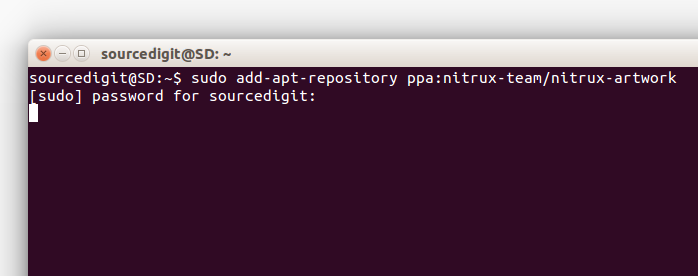
To install Nitrux Icon Set just run the following commands via your systems Terminal.

sudo add-apt-repository ppa:nitrux-team/nitrux-artwork
sudo apt-get update
sudo apt-get install nitrux-icon-theme

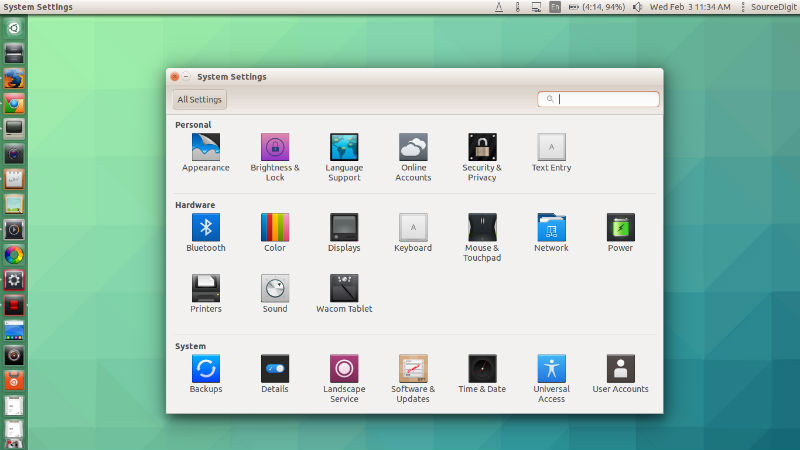
Once downloaded, use the Nitrux Icon from Ubuntu Tweak or Unity Tweak.
nitrux-theme
You can find the set in Arch’s AUR (Maintainer: arcanis)
yaourt -S nitrux-icon-theme

To use them in KDE Download them from here:

http://gnome-look.org/content/show.php/Nitrux?content=154496
http://kde-look.org/content/show.php/Nitrux+OS+Icons?content=154498

Icons are Licensed under the Creative Commons Attribution-NonCommercial-NoDerivatives International 4.0 License.

For more, visit http://nitrux.in/

Tags: Install Nitrux Icons on Ubuntu, Install Nitrux Icons Ubuntu 14.04, Install Nitrux Icons Ubuntu 14.10, Install Nitrux Icons Ubuntu 15.04, Install Nitrux Icons Ubuntu 15.10, Linux Nitrux Icon, Nitrux Icon Linux, Nitrux Icon Ubuntu, Nitrux Icons Ubuntu 14.04, Nitrux Icons Ubuntu 14.10, Nitrux Icons Ubuntu 15.04, Nitrux Icons Ubuntu 15.10, Ubuntu 14.04 Icons Themes, Ubuntu 14.10 Icons Themes, Ubuntu 15.04 Icons Themes, Ubuntu 15.10 Icons Themes, Ubuntu Nitrux Icon

Primary Sidebar

Latest Posts

How To Fix Broken Packages On Ubuntu From Terminal

Re Execute The Previous Command In Linux Ubuntu Command Line

How Much RAM Is Needed For Ubuntu PC

How To Find Large Files And Directories In Linux Command Line

How To Use Clear Command History In Linux Terminal

Linux Command To Check RAM Size In Ubuntu Terminal In GB

How To Install Proprietary Drivers In Linux Ubuntu Using Terminal

How To Shutdown Linux With A 15 Minute Delay And Message

Free AI Courses With Certificate For Beginners In India

Best AI Plugins For WordPress To Use In 2026

© 2026 Source Digit • Linux, Ubuntu Tutorials & News, Technology, Gadgets & Gizmos

  • Home
  • About
  • Privacy Policy
  • Terms & Conditions
  • Contact Us
  • Sitemap