
Miam open-source Qt5 audio player for Linux Ubuntu Systems. Install Miam Music Player Ubuntu 15.10, Ubuntu 15.04, Ubuntu 14.04 and Ubuntu 14.10 Systems. Miam audio player is a fast and reliable music player that can work and read all the basic and advance music file formats such as .mp3, .m4a (MP4), .flac, .ogg, .oga (OGG Vorbis), .asf, .ape (Monkey Audio), .opus and more!
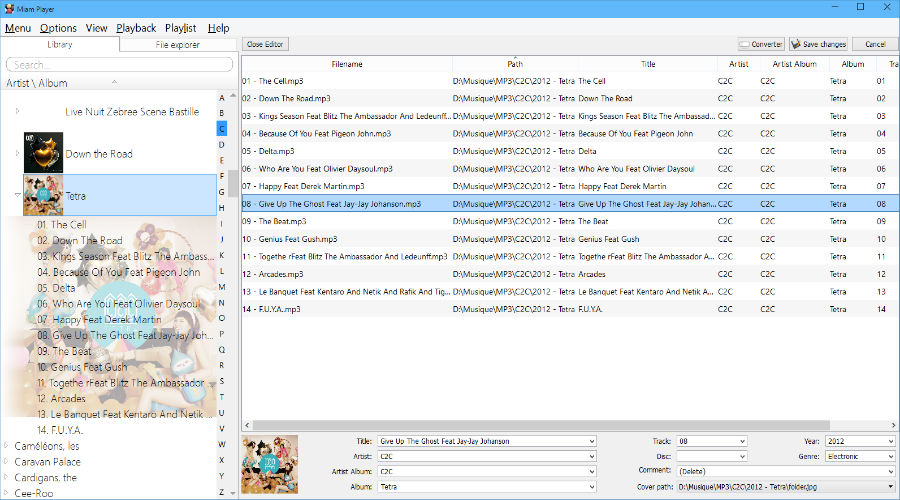
Users can also customize Miam audio player. Everything can be customized – user interface, covers, shortcuts, buttons and themes. And best of all, the player can also read and edit metadata using Taglib application.
A plugin system has been introduced to extend possibilities of the player:
- Support thumbnails buttons to control the player, green progress bar when playing, overlay icon
- A mini-mode which is a tribute to the good ol’ Winamp shade mode: mini
- Get missing covers by looking at MusicBrainz’ repository
- Shell explorer extension (up to 4 actions, like ‘Send to current playlist’)
- Deezer plugin (technology preview): merge local and remote Artists / Albums.
Future Plans for Miam Audio Player
- Add MPRIS implementation for Linux (Media Player Remote Interfacing Specification) to be able to control the player
- 10-band equalizer
- Add projectM support for amazing visualizations
- A spotify / jamendo plugin to stream music
Install Miam Audio Player
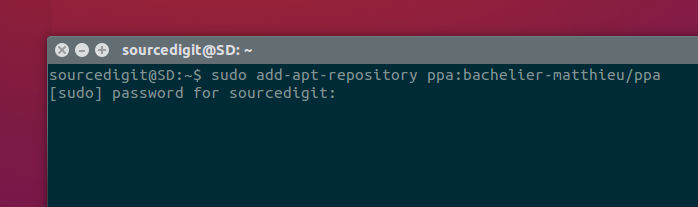
Run the following commands in Terminal to install Miam audio player in Ubuntu 15.10, Ubuntu 15.04, Ubuntu 14.10 and Ubuntu 14.04 Systems:
sudo add-apt-repository ppa:bachelier-matthieu/ppa

sudo apt-get update

sudo apt-get install miam-player
Run the following commands in Terminal to install Miam audio player in Ubuntu 16.04 Systems:
sudo add-apt-repository ppa:noobslab/apps

sudo apt-get update

sudo apt-get install miam-player
Once installed, open the Miam audio player from Ubuntu Dash or Menu.
Uninstall Miam Audio Player
If you wish to uninstall and remove the Miam player, run the command given below:
sudo apt-get remove miam-player