
How to install Pale Moon 26.1.1 on Ubuntu 15.10, Ubuntu 15.04, Ubuntu 14.04 and Ubuntu 14.10 Systems. Pale Moon, Firefox-based Internet browser is claimed to be up to 25% faster then the original. Palemoon browser supports the official Firefox extensions, but does not support all of the Firefox features.
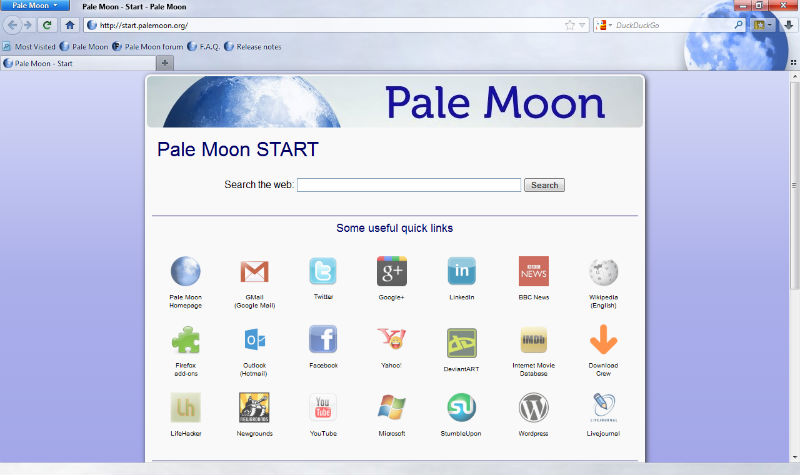
Palemoon is based on Firefox and brings the following features:
- Adds 64-bit computing support and hardware acceleration
- Uses a user interface similar to the one Firefox 28 and earlier used (not Australis)
- Exposes additional configuration options such as scrolling, status, and new features specific to this browser
- Functional status bar and more freedom in customization
- Offers a personalizable start page in cooperation with start.me[12]
- Supports Pale Moon-exclusive extensions and themes
- Uses the IP-API service instead of Google’s for geolocation
- Uses DuckDuckGo instead of Google or Yahoo! as the default search engine
Pale Moon 26.1.1 is the latest version available of the Pale Moon browser. The Pale Moon 26.1.1 brings the following changes:
- Fixed a few oversights in the Firefox extension compatibility changes in 26.1.0 that should improve compatibility with a number of Firefox extensions.
- Changed memory handling to (hopefully) address the memory inflation issues some people have experienced with 26.1.0.
- Updated YouTube compatibility, which should once again allow users to choose between Flash and HTML5 players on YouTube.
How to install Pale Moon on 32 bit Linux Ubuntu systems:
Run the following commands in Terminal to install Pale Moon on 32 Bit Linux Ubuntu Systems:
$ wget http://linux.palemoon.org/files/26.1.1/palemoon-26.1.1.en-US.linux-i686.tar.bz2

$ tar -xjvf palemoon*.en-US.linux-i686.tar.bz2

$ sudo rm -rf /opt/palemoon*

$ sudo mv palemoon /opt/palemoon

$ sudo ln -sf /opt/palemoon/palemoon /usr/bin/palemoon
How to install Pale Moon on 64 bit Linux Ubuntu systems:
Run the following commands in Terminal to install Pale Moon on 64 Bit Linux Ubuntu Systems:
$ wget linux.palemoon.org/files/26.1.1/palemoon-26.1.1.en-US.linux-x86_64.tar.bz2

$ tar -xjvf palemoon*.en-US.linux-x86_64.tar.bz2

$ sudo rm -rf /opt/palemoon*

$ sudo mv palemoon /opt/palemoon

$ sudo ln -sf /opt/palemoon/palemoon /usr/bin/palemoon
Once installed, open or start the Pale Moon browser via Ubuntu Dash or Terminal (type palemoon in your terminal and press enter).
You can easily import your Firefox profile (bookmarks, history, extensions, etc) on Pale Moon browser. To do so, copy the profile manual, from Firefox to Pale Moon. You can also run the following command in Terminal to do so:
$ cp -R ~/.mozilla/firefox/* ~/.moonchild\ productions/pale\ moon/