
• Skip to primary navigation
  • Skip to main content
  • Skip to primary sidebar
Source Digit

Source Digit

Linux, Ubuntu Tutorials & News, Technology, Gadgets & Gizmos

  • Home
  • How To
  • Ubuntu
  • Instagram
  • Blogging
  • Android
  • WordPress
  • +More
    • Cloud Computing
    • Gadgets
    • Social Media
    • Technology
  • Write for Us
Home / How To / How To Install Rhythmbox 3.3.1 On Ubuntu 16.04

How To Install Rhythmbox 3.3.1 On Ubuntu 16.04

By Sourabh / June 11, 2016 Category: How To, Ubuntu

Rhythmbox 3.3.1 for Linux Ubuntu released. How to install Rhythmbox 3.3.1 on Ubuntu 16.04, Ubuntu 15.04, Ubuntu 14.04, Ubuntu 14.10 and Ubuntu 15.10 Systems. Rhythmbox 3.3.1 has been released with various changes and fixes. It has been ported to WebKit2 and brings better handling of locked Android devices.
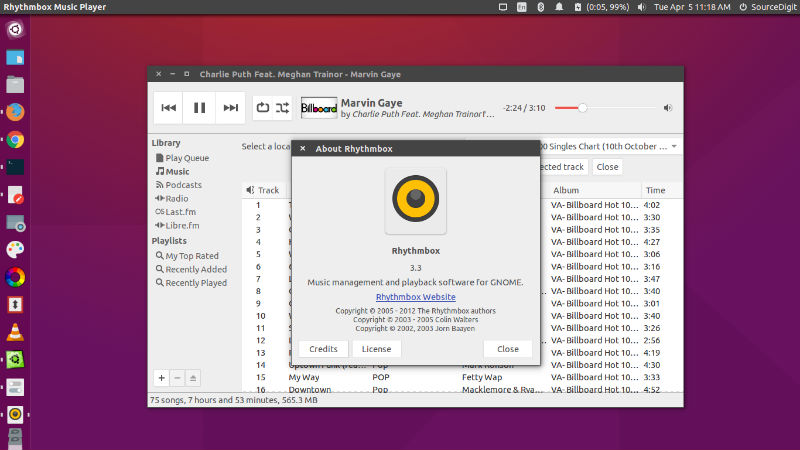
rhythmbox-3-ubuntu

New features:

  • Better handling of locked Android devices
  • Simplified ReplayGain processing that might crash less
  • Switched to webkit2 API, except for the context plugin which is disabled
  • Notifications behave better when actions aren’t availabl

Bugs fixed:

  • Rhythmbox segfaults when trying to access Android 4.0 MTP device already mounted by Nautilus
  • Rhythmbox crashes when trying to access Android device.
  • Port to WebKit2
  • CD playing with cross fading on crashes rhythmbox
  • Display notifications about playing song when pausing
  • RhythmDB-CRITICAL **: rhythmdb_entry_get_entry_type: assertion ‘entry != NULL’ failed
  • Gtk-WARNING **: Drawing a gadget with negative dimensions. Did you forget to allocate a size? (node grid owner RBHeader)
  • Rework logic of Python support option

Install Rhythmbox 3.3.1 On Ubuntu
rhythmbox-3-cli

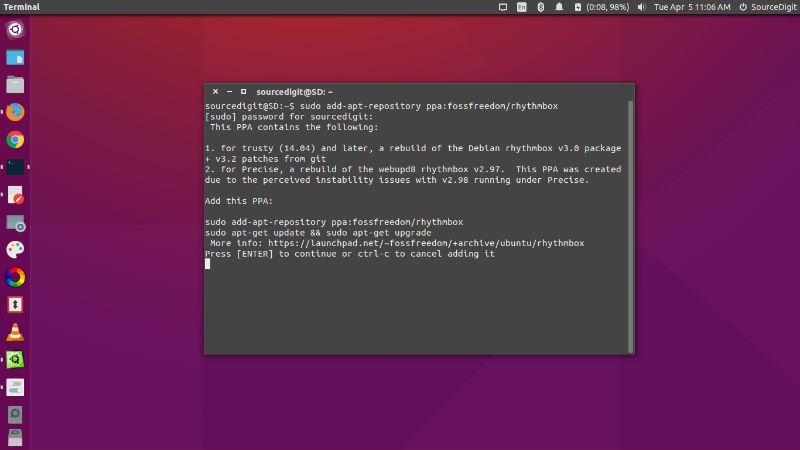
Run the following commands in Terminal to install Rhythmbox 3.3.1 on Linux Ubuntu Systems:

sudo add-apt-repository ppa:fossfreedom/rhythmbox
sudo apt-get update
sudo apt-get install rhythmbox

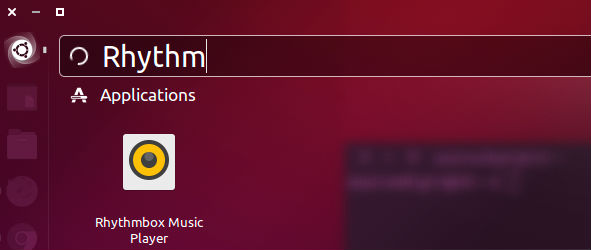
Once installed, open the Rhythmbox 3 music player from Ubuntu Dash or Terminal.
rhythm-open

If you aren’t happy with the recent version and wish to uninstall it, run the command given below:

sudo apt-get install ppa-purge
sudo ppa-purge ppa:fossfreedom/rhythmbox

Tags: Download Rhythmbox 3.3, Download Rhythmbox 3.3 In Ubuntu, Install Rhythmbox 3.3, Install Rhythmbox 3.3 Audio Player on Ubuntu 16.04, Install Rhythmbox 3.3 In Ubuntu, Install Rhythmbox 3.3 In Ubuntu 14.04, Install Rhythmbox 3.3 In Ubuntu 14.10, Install Rhythmbox 3.3 In Ubuntu 15.04, Install Rhythmbox 3.3 In Ubuntu 15.10, Install Rhythmbox 3.3 In Ubuntu 16.04, Install Rhythmbox 3.3 Music Player on Ubuntu 16.04, Rhythmbox 3.3 Ubuntu 16.04, Ubuntu 16.04 Rhythmbox 3.3, Update Rhythmbox 3.3, Upgrade Rhythmbox 3.3

Primary Sidebar

Latest Posts

Delete Directory And Contents Recursively Without Prompt On Linux

Check User Login History In Ubuntu Linux Command Line

Use Locate Command To Find File In Linux Terminal By Name

How To Change Terminal Color In Ubuntu Command Line

How To Run Fsck Manually In Linux To Fix Unexpected Inconsistency

How To Fix Broken Packages On Ubuntu From Terminal

Re Execute The Previous Command In Linux Ubuntu Command Line

How Much RAM Is Needed For Ubuntu PC

How To Find Large Files And Directories In Linux Command Line

How To Use Clear Command History In Linux Terminal

© 2026 Source Digit • Linux, Ubuntu Tutorials & News, Technology, Gadgets & Gizmos

  • Home
  • About
  • Privacy Policy
  • Terms & Conditions
  • Contact Us
  • Sitemap