
Fotoxx 16.04 has been released. Here’s how to install Fotoxx 16.04 image editing software on Ubuntu 16.04, Ubuntu 15.04, Ubuntu 14.04, Ubuntu 14.10 and Ubuntu 15.10 Systems. Fotoxx is a free Linux program for editing photos or other images and managing a large collection.
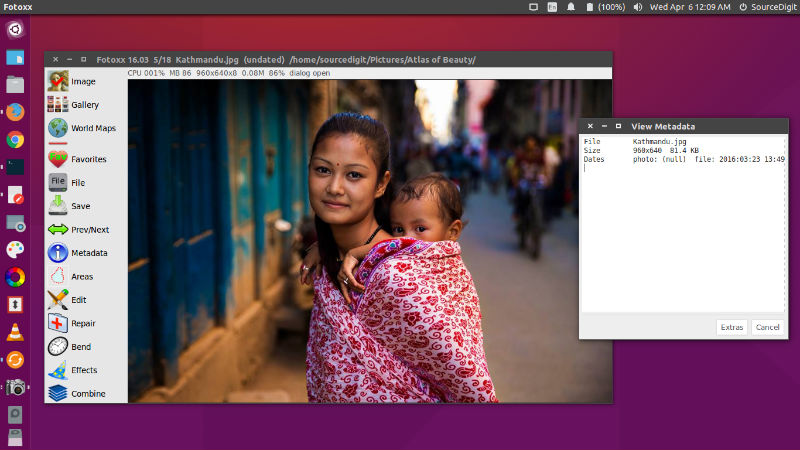
Fotoxx has a batch edit tool to speed the processing of multiple images requiring the same edits: record the edits made to a base image and then apply these edits automatically to any number of images. Fotoxx can import RAW images and perform all processing in deep color (24 bits per color are used internally). Edited images can be saved as JPEG, TIFF (8/16 bits/color), or PNG (8/16 bits). Batch functions are available for moving, renaming, resizing, uprighting, converting, and adding metadata.
Fotoxx 16.04 is the latest version available. Fotoxx 16.04 brings the following changes:
- Initial file indexing was made faster by running metadata extraction and thumbnail creation in parallel. Speedup: 11% for 7200 rpm disk and 60% for SSD.
- New image sharpen method: median difference: like unsharp mask, with less halos.
- New slide show transitions: spiral, french door.
- Bugfix: crash in panorama “flatten” function if image is too large.
- Bugfix: failure of Add Lines function in rare cases (arcsin(1.000000x)).
- Workaround: If an image file that is used in albums is renamed or moved, the album image goes missing. There is no way to fix this, but now a report of the missing files is shown before they are purged from the album. If files are renamed or moved using the Batch Convert tool, then albums are correctly updated.
Install Fotoxx 16.04 on Ubuntu
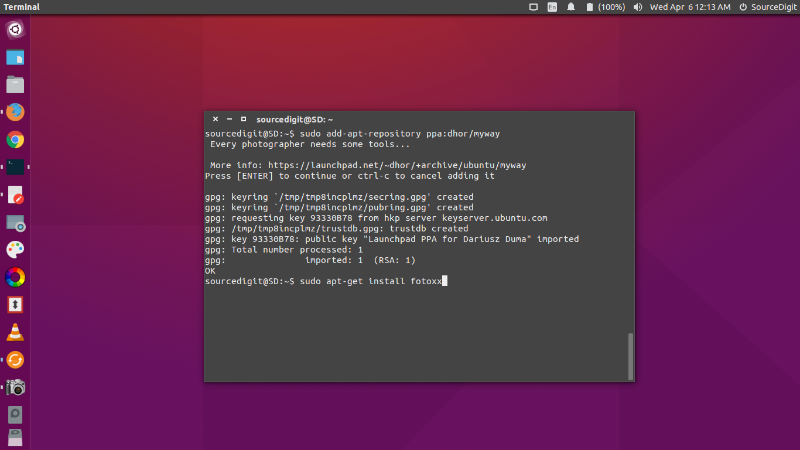
Fotoxx 16.04 can be installed on Ubuntu Systems, via PPA. Run the following commands in Terminal to install Fotoxx 16.04:
$ sudo add-apt-repository ppa:dhor/myway

$ sudo apt-get update

$ sudo apt-get install fotoxx
Optional, to remove fotoxx, do:
$ sudo apt-get remove fotoxx