
• Skip to primary navigation
  • Skip to main content
  • Skip to primary sidebar
Source Digit

Source Digit

Linux, Ubuntu Tutorials & News, Technology, Gadgets & Gizmos

  • Home
  • How To
  • Ubuntu
  • Instagram
  • Blogging
  • Android
  • WordPress
  • +More
    • Cloud Computing
    • Gadgets
    • Social Media
    • Technology
  • Write for Us
Home / How To / Install WTTR.IN – Command Line Ubuntu Weather Applet

Install WTTR.IN – Command Line Ubuntu Weather Applet

By Sourabh / June 3, 2019 Category: How To, Ubuntu

Command Line Ubuntu weather applet. Install wttr.in weather indicator Ubuntu – Web frontend for wego – on Ubuntu 16.04, Ubuntu 15.04 and Ubuntu 14.04 Systems.

Wttr.in is a web frontend for a console weather application wego, using it as a backend. wttr.in is a web frontent for Wego, a weather app for the terminal. Using nothing but cURL and wttr.in, you can get weather information from a terminal, without having to install anything (well, except for cURL).
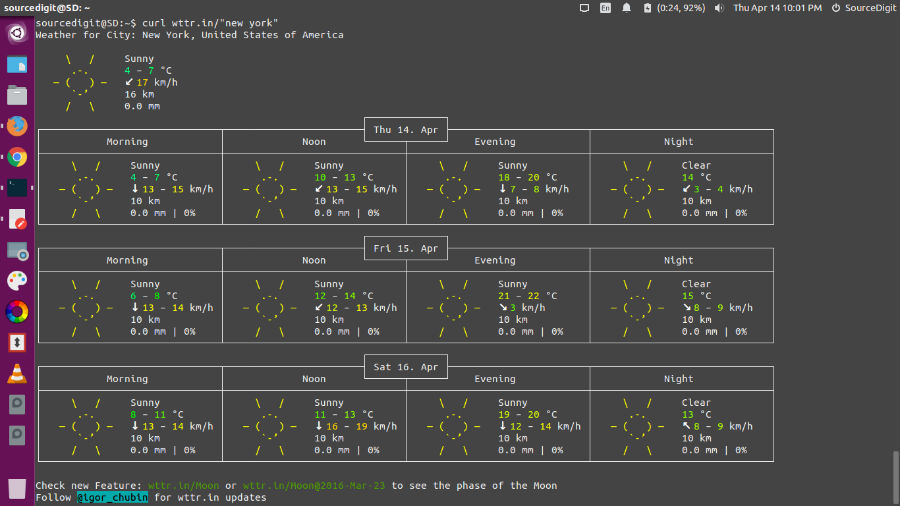
weather-ubuntu-cli

Please note that you must need curl to run wttr.in. Run the command “sudo apt-get install curl” to install curl on Ubuntu Systems.  Once installed, simply run the command “curl wttr.in” (from a shell or from a Web browser) to get the weather for your current location.

You can also check the moonphase.
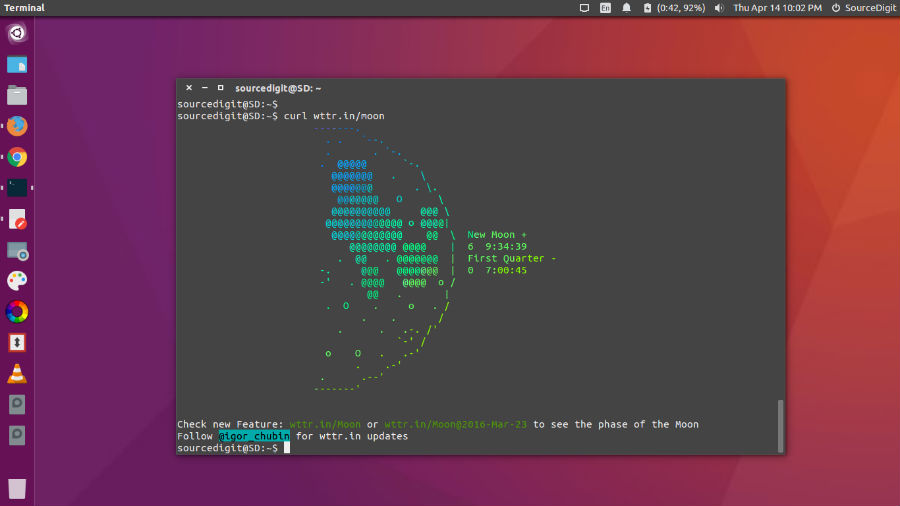
moon-phase-ubuntu

You can specify the location, for that you want to get the weather information. If you omit the location name, you will get the information for you current location, based on your IP address.

$ curl wttr.in/London
$ curl wttr.in/Moscow

You can use 3-letters airport codes if you want to get the weather information about some airports:

$ curl wttr.in/muc      # Weather for IATA: muc, Munich International Airport, Germany
$ curl wttr.in/ham      # Weather for IATA: ham, Hamburg Airport, Germany

You can also use IP-addresses (direct) or domain names (prefixed with @) as a location specificator:

$ curl wttr.in/@github.com
$ curl wttr.in/@msu.ru

To get this information online, you can access the :help page:

$ curl wttr.in/:help

help-curl

https://github.com/chubin/wttr.in

Tags: Command Line Ubuntu Weather Applet, Install wttr.in Command Line Ubuntu Weather Applet, Install WTTR.IN on Ubuntu, Install WTTR.IN on Ubuntu 14.04, Install WTTR.IN on Ubuntu 14.10, Install WTTR.IN on Ubuntu 15.04, Install WTTR.IN on Ubuntu 15.10, Install WTTR.IN on Ubuntu 16.04, Install wttr.in Weather Indicator Ubuntu, Weather Indicator Ubuntu

Primary Sidebar

Latest Posts

How To Run Fsck Manually In Linux To Fix Unexpected Inconsistency

How To Fix Broken Packages On Ubuntu From Terminal

Re Execute The Previous Command In Linux Ubuntu Command Line

How Much RAM Is Needed For Ubuntu PC

How To Find Large Files And Directories In Linux Command Line

How To Use Clear Command History In Linux Terminal

Linux Command To Check RAM Size In Ubuntu Terminal In GB

How To Install Proprietary Drivers In Linux Ubuntu Using Terminal

How To Shutdown Linux With A 15 Minute Delay And Message

Free AI Courses With Certificate For Beginners In India

© 2026 Source Digit • Linux, Ubuntu Tutorials & News, Technology, Gadgets & Gizmos

  • Home
  • About
  • Privacy Policy
  • Terms & Conditions
  • Contact Us
  • Sitemap