
Install Cinnamon Desktop Environment on Linux Ubuntu. Terminal commands to install Cinnamon 3.0 in Ubuntu 16.04, via PPA. Cinnamon Desktop is one of the most beautiful Desktop Environments that can be installed on Ubuntu Systems.
The release announcement says:
On behalf of the team and all the developers who contributed to this build, I am proud to announce the release of Cinnamon 3.0!
Here’s a quick overview of some of the changes in this new version:
- Window management improvements on tiling, mapping and unmapping windows, compositor’s window groups and tracking of full screen windows
- Improved out of the box touchpad support (edge-scrolling and two-finger-scrolling can now be configured independently and are both enabled by default)
- New accessibility and sound settings (both rewritten as native cinnamon-settings modules)
- Battery powered devices can be renamed
- Different favorite applications can now be set for plain-text, documents and source code files
- Panel launchers now include application actions
- Animation effects are now enabled by default on dialogs and menus
- Favorites and system options can now be disabled in the menu applet
- The photo-frame desklet now also scans subdirectories
- Improved support for GTK 3.20, Spotify 0.27, Viber
Release Note: http://segfault.linuxmint.com/2016/04/cinnamon-3-0-released/
Install Cinnamon 3.0 on Ubuntu, via PPA
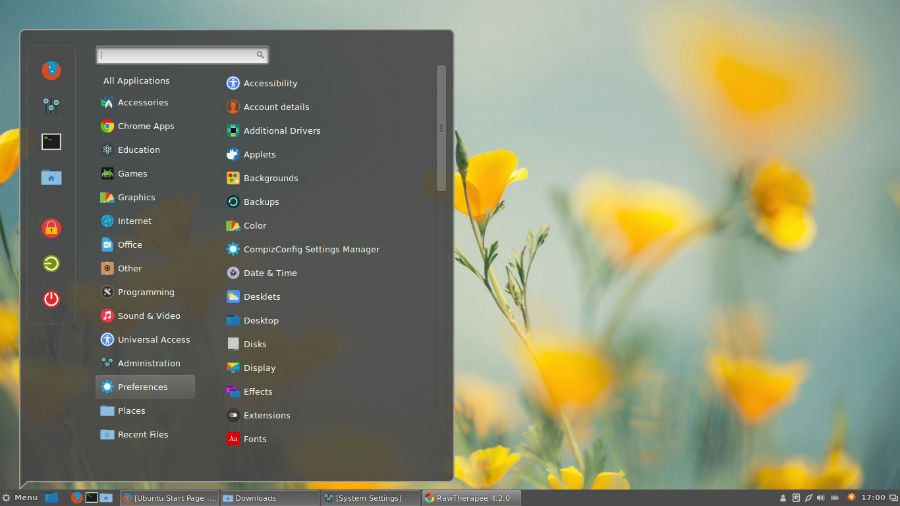
Run the following commands to install Cinnamon 3.0 on Ubuntu, via PPA:
sudo add-apt-repository ppa:embrosyn/cinnamon

sudo apt-get update

sudo apt-get install cinnamon cinnamon-core
Please note that the process may take some time, depending on the speed of your Internet connection. Once everything is downloaded and installed, please restart and log in to Cinnamon.
Remove or Downgrade Cinnamon PPA
If you aren’t happy with the Cinnamon Desktop Environment, remove Cinnamon run the following commands one by one:
sudo apt install ppa-purge

sudo ppa-purge ppa:embrosyn/cinnamon
Image via Forums.LinuxMint