
• Skip to primary navigation
  • Skip to main content
  • Skip to primary sidebar
Source Digit

Source Digit

Linux, Ubuntu Tutorials & News, Technology, Gadgets & Gizmos

  • Home
  • How To
  • Ubuntu
  • Instagram
  • Blogging
  • Android
  • WordPress
  • +More
    • Cloud Computing
    • Gadgets
    • Social Media
    • Technology
  • Write for Us
Home / How To / Upgrade & Install Firefox 46 Web Browser In Ubuntu 16.04

Upgrade & Install Firefox 46 Web Browser In Ubuntu 16.04

By Sourabh / April 28, 2016 Category: How To, Ubuntu

Upgrade Firefox in Ubuntu 16.04. Install Firefox 46 web browser in Ubuntu 16.04 System. Firefox 46 has been released with improved security of the JavaScript Just In Time (JIT) Compiler and GTK3 integration (GNU/Linux only).

Upgrade Firefox in Ubuntu 16.04

Firefox 46 – Changes and Fixes

  • Improved security of the JavaScript Just In Time (JIT) Compiler
  • GTK3 integration (GNU/Linux only)
  • Correct rendering for scaled SVGs that use a clip and a mask
  • Various security fixes
  • Screen reader behavior with blank spaces in Google Docs corrected
  • WebRTC fixes to improve performance and stability
  • HTML 5 – Added support for document.elementsFromPoint
  • HTML 5 – Added HKDF support for Web Crypto API

The latest version of Firefox web browser (Firefox 46) has been released into universe repositories of Ubuntu releases and Ubuntu derivatives. To update/upgrade the app, run Software Updater.
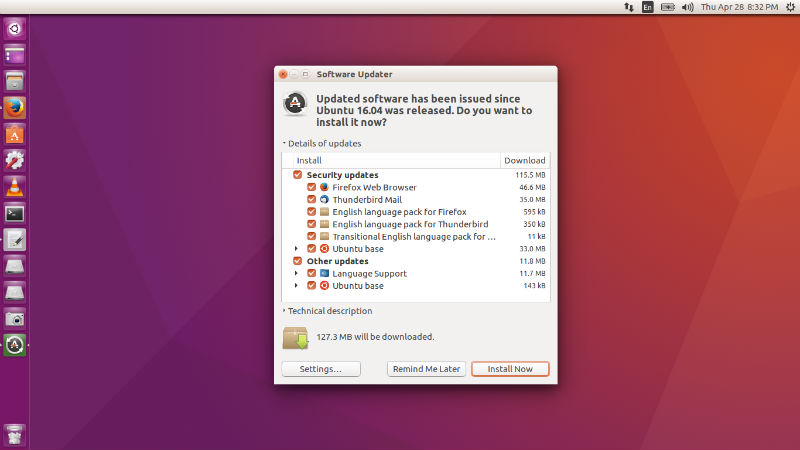
firefox-update

You can also run the “sudo apt-get upgrade” command from Terminal. It will automatically upgrade the Firefox and all the other available apps for Ubuntu 16.04 System.

Download Latest Firefox 46 – https://www.mozilla.org/en-US/firefox/all/

Tags: Download Firefox in Ubuntu 16.04, Install Firefox in Ubuntu 16.04, Ubuntu 16.04 Upgrade Firefox, Ubuntu Upgrade Firefox, Update Firefox in Ubuntu 16.04, Upgrade Firefox in Ubuntu, Upgrade Firefox in Ubuntu 16.04

Primary Sidebar

Latest Posts

How Much RAM Is Needed For Ubuntu PC

How To Find Large Files And Directories In Linux Command Line

How To Use Clear Command History In Linux Terminal

Linux Command To Check RAM Size In Ubuntu Terminal In GB

How To Install Proprietary Drivers In Linux Ubuntu Using Terminal

How To Shutdown Linux With A 15 Minute Delay And Message

Free AI Courses With Certificate For Beginners In India

Best AI Plugins For WordPress To Use In 2026

3 Commands To Check USB Connection In Linux Terminal

Linux Terminal Commands for Beginners With Examples

© 2026 Source Digit • Linux, Ubuntu Tutorials & News, Technology, Gadgets & Gizmos

  • Home
  • About
  • Privacy Policy
  • Terms & Conditions
  • Contact Us
  • Sitemap