
How to install SMPlayer 16.4..0 media player on Ubuntu 16.04, Ubuntu 15.10, Ubuntu 15.10, Ubuntu 15.04, Ubuntu 14.04 and Linux Mint Systems. SMPlayer media player for Ubuntu comes with built-in codecs and play all audio and video formats.
SMPlayer is a free media player for Windows and Linux with built-in codecs that can play virtually all video and audio formats. It doesn’t need any external codecs. Just install SMPlayer and you’ll be able to play all formats without the hassle to find and install codec packs.
SMPlayer – The Most Powerful Media Player for Linux
- Play all media formats – SMPlayer supports the most known formats and codecs: avi, mp4, mkv, mpeg, mov, divx, h.264… you can play all of them, thanks to its built-in codecs. You don’t need to find and install third party codecs.
- Support for YouTube – SMPlayer can play YouTube videos and it’s also available an optional plugin to search for YouTube videos.
- Subtitles download – SMPlayer can search and download subtitles from opensubtitles.org.
Install SMPlayer 16.4.0 on Ubuntu
SMPlayer 16.4.0 has been released with the following changes and fixes:
- The Windows installer now includes mpv as well.
- Now it’s easier to switch between MPlayer and mpv via Preferences -> General -> select multimedia engine.
- The extrastereo filter works again when using mpv.
- Possibility to use the VLC shortcuts. (Preferences -> Keyboard and mouse, click the load button, select vlc.keys).
- Possibility to enable mouse gestures (when the mouse is dragged up or down in the video window the volume changes, if dragged left or right it changes the time position). You can enable this option in Preferences -> Keyboard and mouse -> Mouse -> Drag function: seek and volume.
- A fix for saving bookmarks.
- The option for streaming sites in Preferences -> Network is different now, and allows these values: disabled, auto, YouTube and mpv+youtube-dl.
- An animated icon has been added in the status bar to indicate when the player is buffering.
- A new layout is used to display the media information (Options -> View info and properties).

Run the following commands in Terminal to install SMPlayer 16.4.0, via PPA, on Ubuntu:
$ sudo add-apt-repository ppa:rvm/smplayer

$ sudo apt-get update

$ sudo apt-get install smplayer
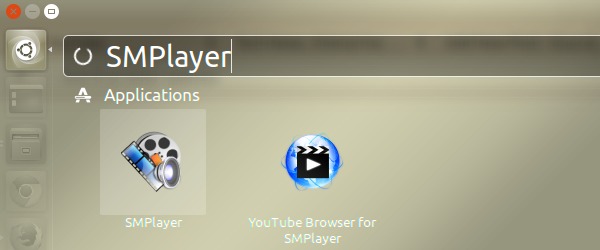
Once installed, you can open the SMPlayer from Ubuntu Dash.
Uninstall SMPlayer
If you want to uninstall SMPlayer from Ubuntu Systems, run the following commands in Terminal:
$ sudo apt install ppa-purge && sudo ppa-purge ppa:rvm/smplayer