
• Skip to primary navigation
  • Skip to main content
  • Skip to primary sidebar
Source Digit

Source Digit

Linux, Ubuntu Tutorials & News, Technology, Gadgets & Gizmos

  • Home
  • How To
  • Ubuntu
  • Instagram
  • Blogging
  • Android
  • WordPress
  • +More
    • Cloud Computing
    • Gadgets
    • Social Media
    • Technology
  • Write for Us
Home / How To / Install KDE Plasma 5.6.4 On Ubuntu 16.04 Systems

Install KDE Plasma 5.6.4 On Ubuntu 16.04 Systems

By Sourabh / May 30, 2016 Category: How To, Ubuntu

KDE Plasma 5.6.4 for Ubuntu Systems. How to install the latest plasma desktop on Ubuntu 16.04. Terminal commands to upgrade or install the latest KDE Plasma 5.6.4 in Ubuntu 16.04 or Kubuntu 16.04 Systems. KDE Plasma 5.6.4 comes with many powerful applications and a supercharged Task Manager (see screenshot below).
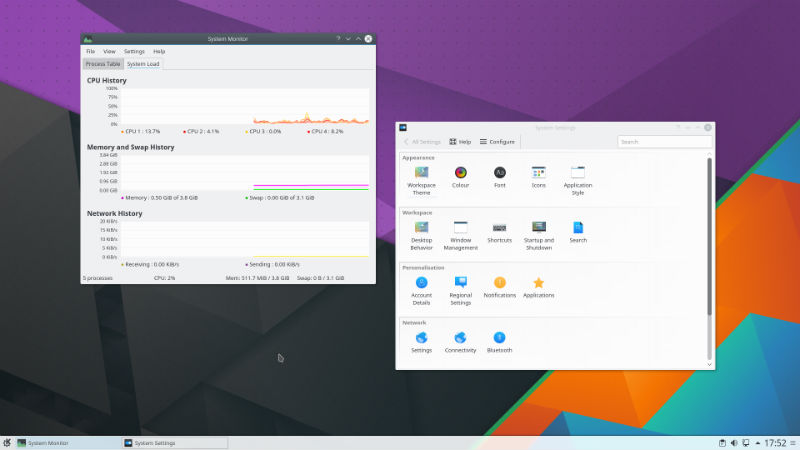
KDE-5-4

Plasma 5.6.4 release adds a month’s worth of new translations and fixes from KDE’s contributors. The bugfixes are typically small but important and include:

  • Make sure kcrash is initialized for discover.
  • Build Breeze Plymouth and Breeze Grub tars from correct branch
  • [digital-clock] Fix display of seconds with certain locales.

Upgrade/Install KDE Plasma 5.6.4

Ubuntu users can either upgrade or install the newly released KDE Plasma 5.6.4. Run the following commands to do so:

Upgrade

sudo apt-add-repository ppa:kubuntu-ppa/backports
sudo apt update
sudo apt full-upgrade -y

Install

sudo apt-add-repository ppa:kubuntu-ppa/backports
sudo apt update
sudo apt-get install kubuntu-desktop

Once installed, please restart the system and login.

Tags: Install KDE Plasma 5.6.4, Install KDE Plasma 5.6.4 On Ubuntu 16.04 Systems, Install KDE Plasma Desktop on ubuntu 16.04, Install KDE Plasma on ubuntu 16.04, Install Plasma Desktop on Kubuntu 16.04, KDE Plasma 5.6.4 Install, KDE Plasma 5.6.4 Ubuntu PPA, KDE Plasma 5.6.4 Update, KDE Plasma 5.6.4 Upgrade, Kubuntu Backports PPA, Ubuntu PPA KDE Plasma 5.6.4, Update KDE Plasma 5.6.4, Upgrade KDE Plasma 5.6.4

Primary Sidebar

Latest Posts

Delete Directory And Contents Recursively Without Prompt On Linux

Check User Login History In Ubuntu Linux Command Line

Use Locate Command To Find File In Linux Terminal By Name

How To Change Terminal Color In Ubuntu Command Line

How To Run Fsck Manually In Linux To Fix Unexpected Inconsistency

How To Fix Broken Packages On Ubuntu From Terminal

Re Execute The Previous Command In Linux Ubuntu Command Line

How Much RAM Is Needed For Ubuntu PC

How To Find Large Files And Directories In Linux Command Line

How To Use Clear Command History In Linux Terminal

© 2026 Source Digit • Linux, Ubuntu Tutorials & News, Technology, Gadgets & Gizmos

  • Home
  • About
  • Privacy Policy
  • Terms & Conditions
  • Contact Us
  • Sitemap