
How to install Pluma text editor in Ubuntu 16.04. Pluma, based on Gedit text editor, is the default text editor of the MATE desktop environment. Pluma is a lightweight UTF-8 text editor and is forked from the now-unmaintained code base of GNOME 2.
Pluma is part of MATE and uses the latest GTK+ and MATE libraries. Complete MATE integration is featured, with support for Drag and Drop (DnD) from Caja (the MATE file manager), the use of the MATE help system, the MATE Virtual File System and the MATE print framework. Pluma uses a Multiple Document Interface (MDI), which lets you edit more than one document at the same time.
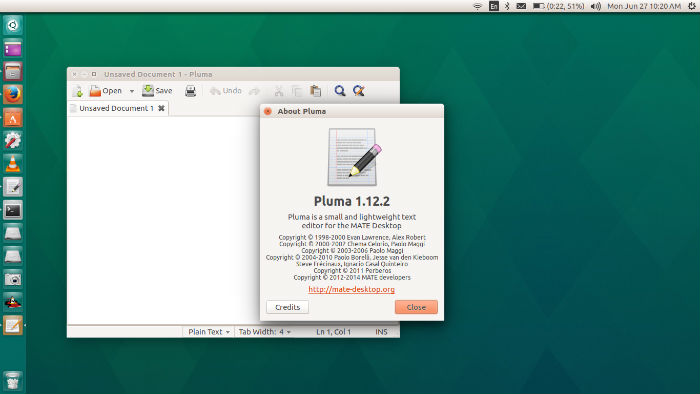
Pluma supports most standard editing features, plus several not found in your average text editor (plugins being the most notable of these). Pluma plugins may also be written in the python scripting language: to enable python support you need the pygtk and mate-python-desktop bindings.
Although new features are always under development, currently Pluma has:
- Complete support for UTF-8 text
- Syntax highlighting
- Support for editing remote files
- Search and Replace
- Printing and Print Previewing Support
- File Revert
- A complete preferences interface
- Configurable Plugin system, with optional python support
Some of the plugins, packaged and installed with Pluma include, among others:
- Word count
- Spell checker
- Change case of selected text
- File Browser
- Automatic snippet expansion
- Sort
- Insert Date/Time
- External Tools
- Tag list
Installing Pluma in Ubuntu
Pluma is released under the GNU General Public License (GPL) version 2. Pluma requires GTK+-2.16.x, GtkSourceView 2.4.x and MateConf libraries. PyGobject 2.12.x, PyGtk 2.12.x and PyGtkSourceView 2.4.x are required to
enable python plugins support.
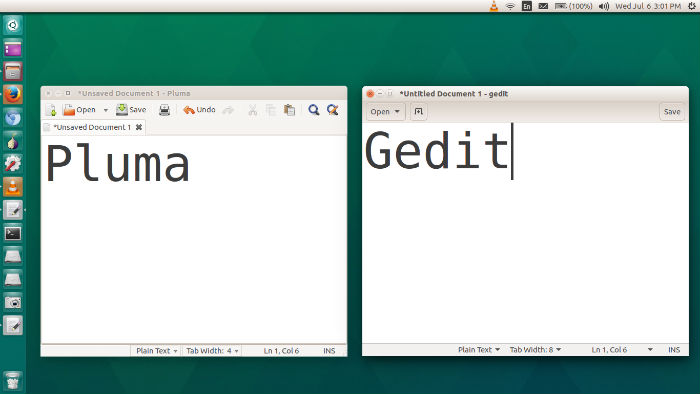
The easiest way to install Pluma text editor is from Ubuntu Software Center. You can also install Pluma text editor from Terminal. Run the following commands in Terminal to install Pluma text editor.
gzip -cd mate-text-editor.tar.gz | tar xvf -

cd mate-text-editor

./autogen.sh

make

make install