
Install Museeks music player for Ubuntu 16.04. Museeks is a lightweight and cross-platform music player for Ubuntu Linux Systems. Museeks music player uses Node.js for back-end, electron (used to be atom-shell) for embedded browser and React.js as front-end framework.
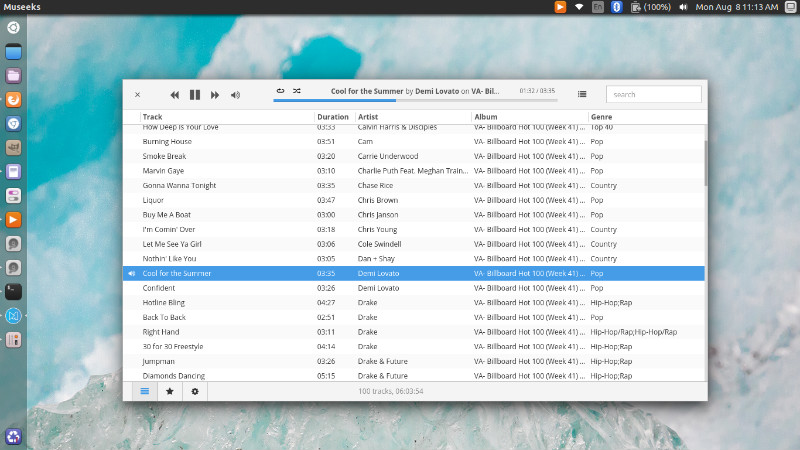
Features
- Lightweight music player
- Polished
- Playlists
- Queue management
- Shuffle, loop
- Dark theme
- Playback speed control
- Sleep mode blocker
- Supported formats:
- mp3
- mp4
- m4a/aac
- wav
- ogg
- 3gpp
Mussek 0.6 is the latest version of the music player and has been updated to Electron 1.3.0. It now supports playlist and file formats such as m4a, aac and mp4.
Install Museeks Music Player On Ubuntu
Museeks Music Player can be easily installed on Linux Ubuntu Systems – Ubuntu 16.04, Ubuntu 15.04, Ubuntu 14.04, Ubuntu 15.10, Ubuntu 14.10 and Linux Mint Systems. Open Terminal and run the following commands to install Museek music player on Linux Ubuntu:
On 32bit Ubuntu
cd ~/Downloads

wget https://github.com/KeitIG/museeks/releases/download/0.6.0/museeks-linux-ia32.zip

sudo unzip ~/Downloads/museeks-linux-*.zip -d /opt

sudo mv /opt/museeks-linux* /opt/museeks
On 64bit Ubuntu
cd ~/Downloads

wget https://github.com/KeitIG/museeks/releases/download/0.6.0/museeks-linux-x64.zip

sudo unzip ~/Downloads/museeks-linux-*.zip -d /opt

sudo mv /opt/museeks-linux* /opt/museeks
Once installed, it’s time to create the desktop file “museeks.desktop.” To do so, run the following command:
gedit ~/.local/share/applications/museeks.desktop
Now copy and paste the following code into the created museeks.desktop file and save.
[Desktop Entry]
Name=Museeks

Exec=/opt/museeks/museeks

Terminal=false

Type=Application

Icon=/opt/museeks/resources/app/src/images/logos/museeks.png

Categories=AudioVideo;Player;Audio;
Once everything is done, open the Museeks music player from Ubuntu Dash or Terminal.