
• Skip to primary navigation
  • Skip to main content
  • Skip to primary sidebar
Source Digit

Source Digit

Linux, Ubuntu Tutorials & News, Technology, Gadgets & Gizmos

  • Home
  • How To
  • Ubuntu
  • Instagram
  • Blogging
  • Android
  • WordPress
  • +More
    • Cloud Computing
    • Gadgets
    • Social Media
    • Technology
  • Write for Us
Home / How To / Install Open Broadcaster Software ‘OBS-Studio’ In Ubuntu 16.04

Install Open Broadcaster Software ‘OBS-Studio’ In Ubuntu 16.04

By Sourabh / August 11, 2016 Category: How To, Ubuntu

Install Open Broadcaster Software ‘obs-studio’ in Ubuntu 16.04. OBS Studio is a video streaming and recording software. OBS Studio is an app for video recording and live streaming. Supported features include:

  • Encoding using H264 (x264) and AAC.
  • Support for Intel Quick Sync Video (QSV) and NVENC.
  • Unlimited number of scenes and sources.
  • Live RTMP streaming to Twitch, YouTube, DailyMotion, Hitbox and more.
  • File output to MP4 or FLV.
  • GPU-based game capture for high performance game streaming.
  • DirectShow capture device support (webcams, capture cards, etc).
  • Windows 8 high speed monitor capture support.
  • Bilinear or lanczos3 resampling.

Install OBS Studio on Ubuntu
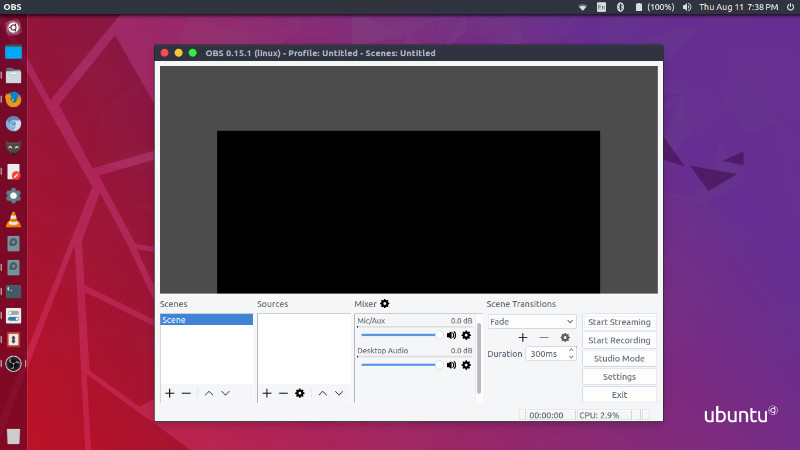
OBS-Studio-Ubuntu

The stable OBS Studio PPA can be installed using the following commands:

sudo add-apt-repository ppa:obsproject/obs-studio
sudo apt-get update
sudo apt install obs-studio

Please note that to use OBS Studio in Ubuntu, you’ll need FFMpeg. If you haven’t installed FFMpeg, do it now. Run the following commands to install FFMpeg in, using PPA:

sudo add-apt-repository ppa:kirillshkrogalev/ffmpeg-next
sudo apt update
sudo apt install ffmpeg

Once installed, open the OBS Studio from Ubuntu Dash or Terminal.

Tags: Install OBS-Studio In Ubuntu 16.04, Install OBS-Studio Ubuntu, Install OBS-Studio Ubuntu 16.04, Install Open Broadcaster Software 'OBS-Studio' In Ubuntu 16.04, Install Open Broadcaster Software In Ubuntu 16.04, OBS Studio Video Recording Software, OBS Studio Video Streaming Software, Ubuntu 16.04 Install OBS-Studio, Ubuntu Install OBS-Studio, Video Recording Software OBS Studio, Video Streaming Software OBS Studio

Primary Sidebar

Latest Posts

Job Scheduling Using At Command In Linux With Examples

How To Check Permissions Of A Directory In Linux Command

Delete Directory And Contents Recursively Without Prompt On Linux

Check User Login History In Ubuntu Linux Command Line

Use Locate Command To Find File In Linux Terminal By Name

How To Change Terminal Color In Ubuntu Command Line

How To Run Fsck Manually In Linux To Fix Unexpected Inconsistency

How To Fix Broken Packages On Ubuntu From Terminal

Re Execute The Previous Command In Linux Ubuntu Command Line

How Much RAM Is Needed For Ubuntu PC

© 2026 Source Digit • Linux, Ubuntu Tutorials & News, Technology, Gadgets & Gizmos

  • Home
  • About
  • Privacy Policy
  • Terms & Conditions
  • Contact Us
  • Sitemap