
Install Gnome-Pie on Ubuntu 16.04. Gnome-Pie launcher is a Linux application launcher application. Gnome-Pie circular application launcher for Linux Ubuntu is made of several pies, each consisting of multiple slices.
It’s very easy to use. The user presses a key stroke which opens the desired pie. By activating one of its slices, applications may be launched, key presses may be simulated or files can be opened.
GNOME Pie 0.6.9
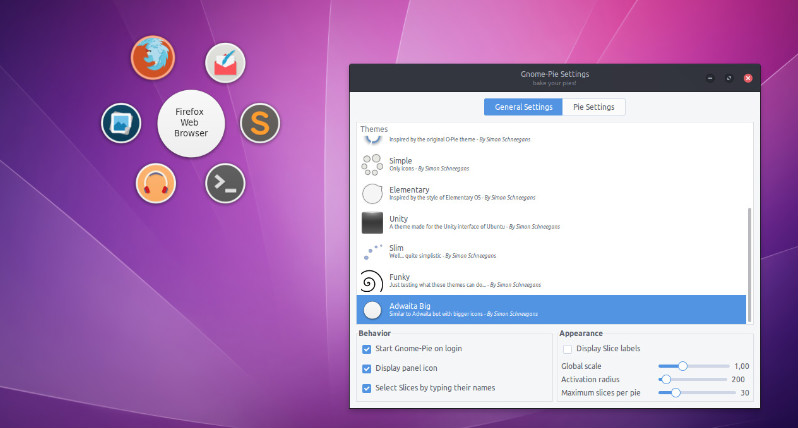
GNOME Pie 0.6.9 has been released with the following changes and new features:
- New Feature: Added the possibility to assign hotkeys to combinations of mouse buttons and modifier keys. It’s now possible to open Pies with combinations such as Ctrl-RightButton.
- Improvement: The library “bamf” (which is used for matching icons to applications by the window-list slice-group) has been made an optional dependency. On systems where bamf is not available, it’s still possible to use Gnome-Pie. In most cases the icons chosen without bamf will be the same anyway.
- Improvement: The clock’s fingers of the Simple Clock theme do not disappear fully when a slice is active.
- Improvement: The preferences window now has the Gnome-Pie icon when it is present in the user’s icon theme.
- Improvement: Several translations have been updated.
- Bugfix: Improved modifier key managment. Activating a hotkey with a Slice is now possible even if the user holds down a modifier which is not part of the hotkey. Until now, when a user clicked on a Slice which simulates Ctrl-Z the desired action was not triggered when the user held the Alt while clicking. Doing this is possible now.
- Bugfix: Turbo mode works quite reliably again. There were certain conditions under which the turbo mode would not work as expected. Hopefully, most of the issues are fixed now.
Install Gnome-Pie on Ubuntu
Open Terminal and run the following commadn to install Gnome-Pie on Ubuntu 16.04, Ubuntu 15.04, Ubuntu 14.04 and other Ubuntu Derivatives:
sudo add-apt-repository ppa:simonschneegans/testing

sudo apt-get update

sudo apt-get install gnome-pie
Once installed, open the Gnome-Pie from Ubuntu Dash or Terminal.
Tweaking the behavior of Gnome-Pie
By clicking on the panel-indicator of Gnome-Pie or by launching the application a second time, you can open its settings menu. When started for the first time Gnome-Pie generates some example Pies. Feel free to use them as a starting point for your custom configuration!
Adding Slices via Drag’n’Drop
Here you can set up your Pies. All your Pies are listed on the left — you can add new or delete existing pies with the little plus and minus sign in the lower left-hand corner. On the right is a preview of each Pie. Simply drag and drop the Slices to reorder them.
You can drag stuff from your computer to this preview in order to add it to the Pie. You can drag almost anything there:
- Applications from your main menu
- Applications from /usr/share/applications
- Files and folders
- Links and bookmarks from your browser
Furthermore, Gnome-Pie’s PPA provides packages for Xenial and Yakkety now (in addition to Wily, Vivid and Trusty).