
Install FocusWriter word processor in Ubuntu 16.04. FocusWriter is a distraction-free text editor for Ubuntu Linux Systems. FocusWriter is a simple, distraction-free writing environment.
FocusWriter utilizes a hide-away interface that you access by moving your mouse to the edges of the screen, allowing the program to have a familiar look and feel to it while still getting out of the way so that you can immerse yourself in your work. It’s available for Linux, Windows, and Mac OS X, and has been translated into many different languages.
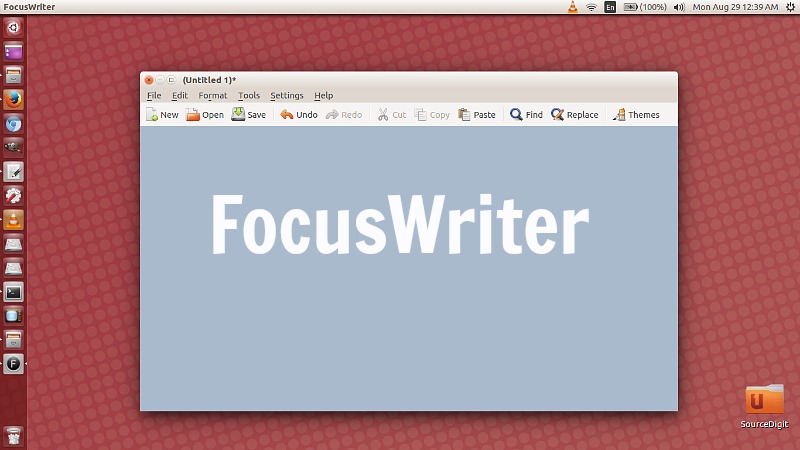
Features:
- TXT, basic RTF, and basic ODT file support
- Timers and alarms
- Daily goals
- Fully customizable themes
- Typewriter sound effects (optional)
- Auto-save (optional)
- Live statistics (optional)
- Spell-checking (optional)
- Multi-document support
- Sessions
- Portable mode (optional)
- Translated into over 20 languages
FocusWriter 1.6
FocusWriter 1.6 is the latest version of the FocusWriter word processor. It has been released with the following changes:
- Added always showing interface
- Added headings
- Added new default themes
- Added removing user-installed dictionaries
- Added shortcut for typographical apostrophe
- Added support for ODT Flat XML files
- Added support for high DPI displays
- Switched to QSoundEffect
- Updated dictionaries
- FIXED: Daily progress did not reset when run longer than a day
- FIXED: Printer margins were too big
- FIXED: Was replacing session files with command-line files
- FIXED: Did not add new default symbol shortcuts
- Translation updates: Arabic, Armenian, Catalan, Chinese (China), Dutch, English (United Kingdom), French, German, Hebrew, Hungarian, Italian, Lithuanian, Polish, Portuguese (Brazil), Romanian, Russian, Slovak, Spanish, Spanish (Mexico), Turkish, Vietnamese
Install FocusWriter 1.6 on Ubuntu
FocusWriter word processor can be installed on Ubuntu Systems via the following command:
sudo add-apt-repository ppa:gottcode/gcppa

sudo apt update

sudo apt install focuswriter
Once installed, open the FocusWriter app from Ubuntu Dash or Terminal.