
How to install Darktable 2.0.5 on Ubuntu 16.04. Darktable is an open source photography workflow application and raw developer. A virtual lighttable and darkroom for photographers. It manages your digital negatives in a database, lets you view them through a zoomable lighttable and enables you to develop raw images and enhance them.
Darktable supports fully non-destructive editing and all Darktable core functions operate on 4×32-bit floating point pixel buffers, enabling GPU acceleration via OpenCL (runtime detection and enabling).
Darktable currently comes with 21 translations. The application can import a variety of standard, raw and high dynamic range image formats (e.g. jpg, cr2, hdr, pfm, .. ). For export functions it supports Picasa webalbum, flickr upload, disk storage, 1:1 copy, email attachments and can generate a simple html-based web gallery. darktable allows you to export to low dynamic range (JPEG, PNG, TIFF), 16-bit (PPM, TIFF), or linear high dynamic range (PFM, EXR) images.
Darktable 2.0.5
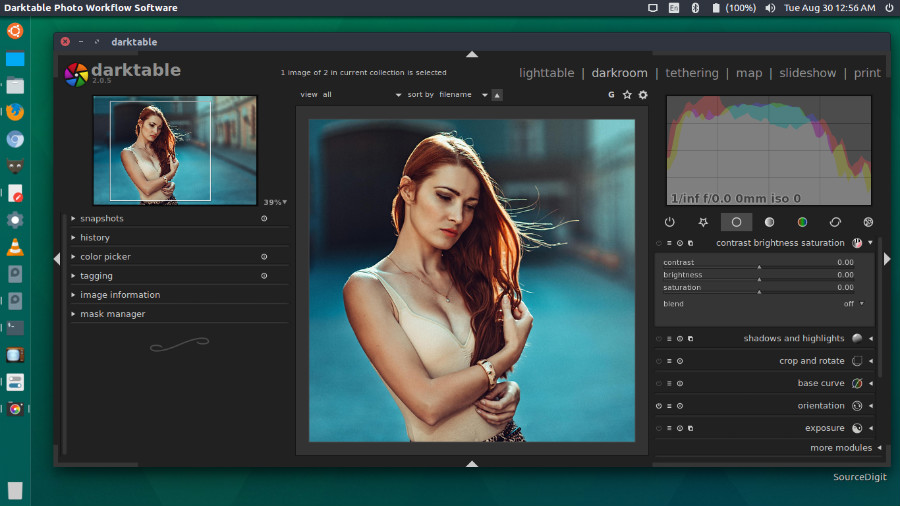
Darktable 2.0.5 is the latest release of the photography workflow application. Darktable 2.0.5 is the fifth bugfix release for the 2.0 series of darktable. Darktable is an open source photography workflow application and RAW developer. A virtual lighttable and darkroom for photographers.
New Features
- Add geolocation to watermark variables
Bugfixes
- Mac: bugfix + build fix
- Lua: fixed dt.collection not working
- Fix softproofing with some internal profiles
- Fix non-working libsecret pwstorage backend
- Fixed a few issues within (rudimentary) lightroom import
- Some fixes related to handling of duplicates and/or tags
Base Support
- Canon EOS 80D (no mRAW/sRAW support!)
Translations Updates
- Danish
- German
- Slovak
Install Darktable 2.0.5 on Ubuntu
Open Terminal and run the following commands in Terminal to install Darktable 2.0.5 on Ubuntu 16.04, Ubuntu 15.04, Ubuntu 14.04, Ubuntu 15.10, Ubuntu 14.10 and other Ubuntu Derivatives:
sudo add-apt-repository ppa:pmjdebruijn/darktable-unstable

sudo apt-get update

sudo apt-get install darktable
Once installed, open Darktable from Ubuntu Dash or Terminal.