
• Skip to primary navigation
  • Skip to main content
  • Skip to primary sidebar
Source Digit

Source Digit

Linux, Ubuntu Tutorials & News, Technology, Gadgets & Gizmos

  • Home
  • How To
  • Ubuntu
  • Instagram
  • Blogging
  • Android
  • WordPress
  • +More
    • Cloud Computing
    • Gadgets
    • Social Media
    • Technology
  • Write for Us
Home / Ubuntu / Install FileZilla 3.21.0 FTP Client On Ubuntu 16.04

Install FileZilla 3.21.0 FTP Client On Ubuntu 16.04

By Sourabh / August 30, 2016 Category: How To, Ubuntu

FileZilla FTP Client for Linux Ubuntu. Install FileZilla 3.21.0 Client on Ubuntu 16.04. FileZilla Client is a fast and reliable cross-platform FTP, FTPS and SFTP client with lots of useful features and an intuitive graphical user interface.
Features

FileZilla supports many features, such as it supports FTP, FTP over SSL/TLS (FTPS) and SSH File Transfer Protocol (SFTP). It support IPv6 and can resume and transfer of large files >4GB. It comes with a powerful tabbed user interface, site manager and transfer queue. Users can also configure transfer speed limits and remote file search.

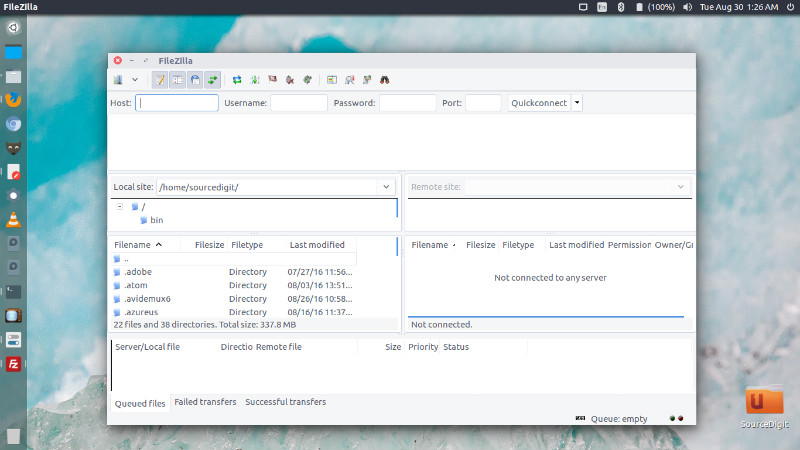
FileZilla 3.21.0
filezilla-ubuntu-16

FileZilla 3.21.0 is the latest release of FileZilla Client. FileZilla Client 3.21.0 is released with the following changes:

Fixed vulnerabilities:

  • Fixed a string format vulnerability introduced in 3.20.0-rc1 when listing directories using SFTP

New features:

  • SFTP: Added support for AES-GCM ciphers as implemented in OpenSSH
  • OS X: Ctrl+Tab and Ctrl+Shift+Tab can now be used to switch forward and backward between opened tabs

Bugfixes and minor changes:

  • Reduced time between TCP keepalive packets to 15 minutes on supporting platforms
  • Fixed saving of directory listing filters with an attribute condition

Install FileZilla 3.21.0 Client on Ubuntu
filezilla-cli-16

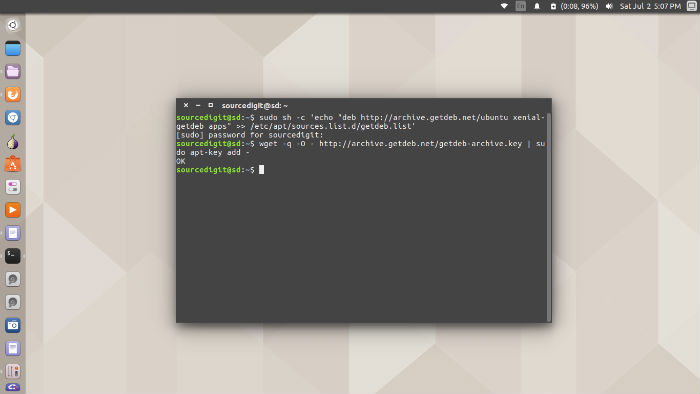
Run the following commands in Terminal to install FileZilla 3.21.0 on Ubuntu Systems:

wget -q -O - http://archive.getdeb.net/getdeb-archive.key | sudo apt-key add -
sudo sh -c 'echo "deb http://archive.getdeb.net/ubuntu xenial-getdeb apps" >> /etc/apt/sources.list.d/getdeb.list'
sudo apt-get update
sudo apt-get install filezilla

Once installed, open FileZilla from Ubuntu Dash.

Tags: FileZilla 3.21.0 Client Ubuntu, FileZilla 3.21.0 Ubuntu, FileZilla Client Ubuntu, FileZilla Client Ubuntu 16.04, FileZilla Client Ubuntu 16.10, FileZilla Ubuntu, FileZilla Ubuntu 16.04, FileZilla Ubuntu 16.10, Install FileZilla 3.21.0 Client on Ubuntu, Install FileZilla 3.21.0 FTP Client On Ubuntu 16.04, Install FileZilla 3.21.0 on Ubuntu, Install FileZilla FTP Client On Ubuntu 16.04, Install FileZilla on Ubuntu, Install FileZilla Ubuntu 16.04, Install FileZilla Ubuntu 16.10, Ubuntu 16.04 Filezilla, Ubuntu 16.04 FileZilla Client, Ubuntu 16.04 Install FileZilla, Ubuntu 16.10 FileZilla, Ubuntu 16.10 FileZilla Client, Ubuntu 16.10 Install FileZilla, Ubuntu FileZilla, Ubuntu FileZilla Client

Primary Sidebar

Latest Posts

How To Check User Permissions In Linux Using Command

Check Which Folder Is Taking More Space In Ubuntu Linux

How to Install Claude Desktop App in Ubuntu Linux

Job Scheduling Using At Command In Linux With Examples

How To Check Permissions Of A Directory In Linux Command

Delete Directory And Contents Recursively Without Prompt On Linux

Check User Login History In Ubuntu Linux Command Line

Use Locate Command To Find File In Linux Terminal By Name

How To Change Terminal Color In Ubuntu Command Line

How To Run Fsck Manually In Linux To Fix Unexpected Inconsistency

© 2026 Source Digit • Linux, Ubuntu Tutorials & News, Technology, Gadgets & Gizmos

  • Home
  • About
  • Privacy Policy
  • Terms & Conditions
  • Contact Us
  • Sitemap