
Tor 0.2.8.7 is released, with important fixes. Update to Tor 0.2.8.7 on Ubuntu Linux Systems. Sudo Apt-Get command to install Tor Browser on Ubuntu 16.04/16.10 Systems. Tor 0.2.8.7 fixes an important bug related to the ReachableAddresses option in 0.2.8.6, and replaces a retiring bridge authority. Everyone who sets the ReachableAddresses option, and all bridges, are strongly encouraged to upgrade.
Changes in version 0.2.8.7 – 2016-08-24
- Directory authority changes:
- The “Tonga” bridge authority has been retired; the new bridge authority is “Bifroest”. Closes tickets 19728 and 19690.
- Major bugfixes (client, security):
- Only use the ReachableAddresses option to restrict the first hop in a path. In earlier versions of 0.2.8.x, it would apply to every hop in the path, with a possible degradation in anonymity for anyone using an uncommon ReachableAddress setting. Fixes bug 19973; bugfix on 0.2.8.2-alpha.
- Minor features (geoip):
- Update geoip and geoip6 to the August 2 2016 Maxmind GeoLite2 Country database.
- Minor bugfixes (compilation):
- Remove an inappropriate “inline” in tortls.c that was causing warnings on older versions of GCC. Fixes bug 19903; bugfix on 0.2.8.1-alpha.
- Minor bugfixes (fallback directories):
- Avoid logging a NULL string pointer when loading fallback directory information. Fixes bug 19947; bugfix on 0.2.4.7-alpha and 0.2.8.1-alpha. Report and patch by “rubiate”.
Install Tor Browser 6.0.4 on Ubuntu
The easiest way to get the latest Tor is to install the stable version and then update the Tor. Tor 6.0.4 is the stable version Tor browser.
To install Tor Browser on Ubuntu 32Bit Systems run the following commands in Terminal:
wget https://www.torproject.org/dist/torbrowser/6.0.4/tor-browser-linux32-6.0.4_en-US.tar.xz

tar -xvf tor-browser-linux32-6.0.4_en-US.tar.xz

cd tor-browser_en-US/

./start-tor-browser.desktop
To install Tor Browser on Ubuntu 64Bit Systems run the following commands in Terminal:
wget https://www.torproject.org/dist/torbrowser/6.0.4/tor-browser-linux64-6.0.4_en-US.tar.xz

tar -xvf tor-browser-linux64-6.0.4_en-US.tar.xz

cd tor-browser_en-US/

./start-tor-browser.desktop
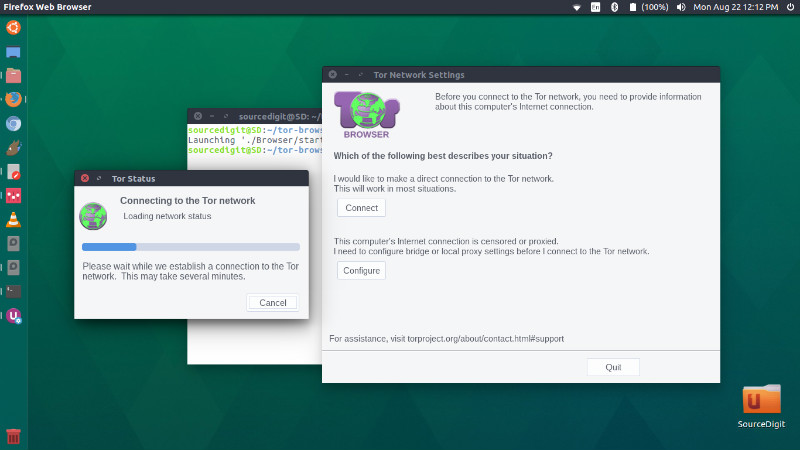
Once installed, open Tor from Ubuntu Dash or Terminal.