
• Skip to primary navigation
  • Skip to main content
  • Skip to primary sidebar
Source Digit

Source Digit

Linux, Ubuntu Tutorials & News, Technology, Gadgets & Gizmos

  • Home
  • How To
  • Ubuntu
  • Instagram
  • Blogging
  • Android
  • WordPress
  • +More
    • Cloud Computing
    • Gadgets
    • Social Media
    • Technology
  • Write for Us
Home / Ubuntu / How To Install Spotio Theme For Spotify On Ubuntu 16.04

How To Install Spotio Theme For Spotify On Ubuntu 16.04

By Sourabh / September 2, 2016 Category: How To, Ubuntu

Install Spotify on Ubuntu 16.04. How to Install Spotio On Ubuntu 16.04. Spotio is an Rdio-inspired skin for Spotify, a light theme for the Spotify desktop app for Linux Ubuntu Systems.

Spotify is a digital music service that gives you access to millions of songs. Spotify works on your computer, mobile, tablet and TV. It comes with unlimited, ad-free music. Users can also download music & listen offline.
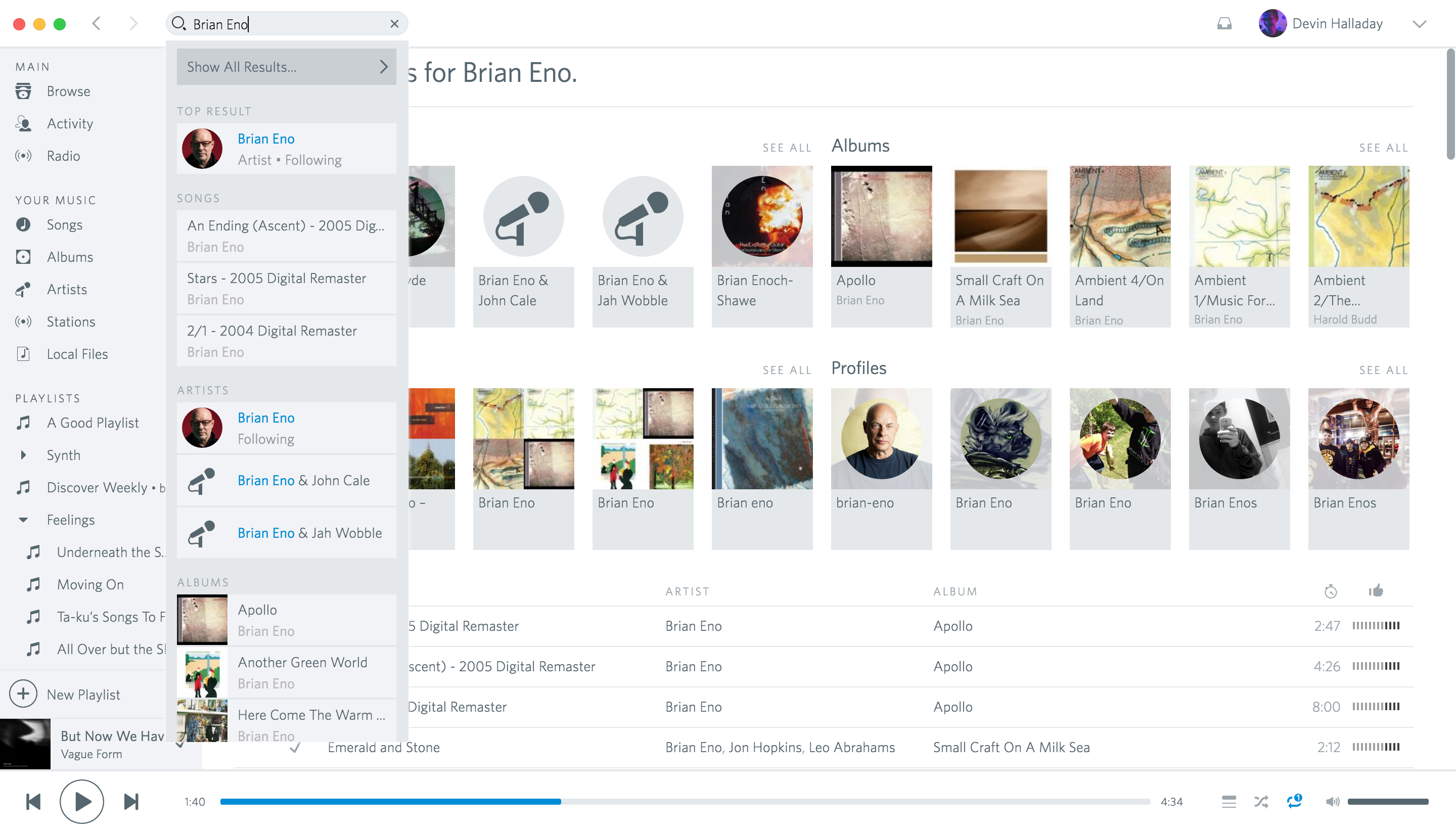
Screenshot of Spotio, an Rdio-inspired skin for Spotify

Install Spotio On Ubuntu 16.04

1. Quit your local Spotify app.
2. Make sure you have allowed opening applications from unidentified developers in your system security settings, otherwise this won’t work.
3. Download Spotio From GitHub https://github.com/devinhalladay/spotio/archive/master.zip
4. Extract/unzip the downloaded archive.
5. Next open Terminal and run the following commands:

cd ~/Downloads/spotio-master
./setup-linux.sh

The setup-linux.sh will download the latest Spotify version and themes.
6. Once the above command in finished, run:

cd dist/
sudo dpkg -i spotio.deb

Install Spotify on Ubuntu 16.04

Run the following commands to add the Spotify repository and install it on Ubuntu Systems:

sudo apt-key adv --keyserver hkp://keyserver.ubuntu.com:80 --recv-keys BBEBDCB318AD50EC6865090613B00F1FD2C19886
echo deb http://repository.spotify.com stable non-free | sudo tee /etc/apt/sources.list.d/spotify.list
sudo apt-get update
sudo apt-get install spotify-client

Once installed, open the Spotify from Ubuntu Dash or Terminal.

Tags: How to Install Spotio On Ubuntu 16.04, Install Spotio On Linux Ubuntu, Install Spotio On Ubuntu, Install Spotio On Ubuntu 16.04, Install Spotio Spotify Theme on Ubuntu, Run Spotify on Ubuntu, Spotify Theme on Ubuntu, Spotify Theme on Ubuntu 16.04, Spotio: An Rdio-inspired skin for Spotify, Use Spotify on Ubuntu

Primary Sidebar

Latest Posts

Delete Directory And Contents Recursively Without Prompt On Linux

Check User Login History In Ubuntu Linux Command Line

Use Locate Command To Find File In Linux Terminal By Name

How To Change Terminal Color In Ubuntu Command Line

How To Run Fsck Manually In Linux To Fix Unexpected Inconsistency

How To Fix Broken Packages On Ubuntu From Terminal

Re Execute The Previous Command In Linux Ubuntu Command Line

How Much RAM Is Needed For Ubuntu PC

How To Find Large Files And Directories In Linux Command Line

How To Use Clear Command History In Linux Terminal

© 2026 Source Digit • Linux, Ubuntu Tutorials & News, Technology, Gadgets & Gizmos

  • Home
  • About
  • Privacy Policy
  • Terms & Conditions
  • Contact Us
  • Sitemap