
Install Calibre 2.68 eBook reader and converter on Ubuntu 16.04. Calibre 2.68 eBook reader and converter brings DOCX Input and Output improvements and a better HiDPI support.
Calibre is a free and open source e-book library management application developed by users of e-books for users of e-books. Calibre 2.X version is the most powerful release of the Calibre ebook software. The e-book editor supports Android phones, tablets on OS X and support for touchscreen windows tablets. It uses Qt 5.
Calibre 2.68
Calibre 2.68 eBook reader and converter brings various new features and improvements, such as:
New Features
- Add a tweak to Preferences->Tweaks to control the list of servers calibre considers public email servers
Bug Fixes
- Content server: Fix a regression in the previous release that broke the OPDS feeds for libraries with no custom columns
- Edit metadata dialog: Fix auto-generation/validation of author sort values not working when only changing case of the author name.
- A nicer error message when calibre fails to create the temporary directory.
- Fix dates being set to empty in bulk search/replace not becoming UNDEFINED
- Edit metadata dialog: Make pressing up on an undefined numeric field set the value to zero instead of -99999.
- Conversion: Handle corrupted JPEG files that have valid headers but invalid data.
- Conversion: Improve detection of input documents that use uppercase tag/attribute names.
- Fix regression in previous release that caused incorrect display of ratings in the side panel of the metadata download dialog
- Get Books: Update publio and virtualo store plugins for website changes
- Fix reading metadata from PDF files broken by poppler >= 0.47.0
- Change the application name set in Qt to calibre from libprs500.
Improved news sources
- Respekt Magazine
- Punto Informatico
- El universal
Install Calibre 2.68 on Ubuntu
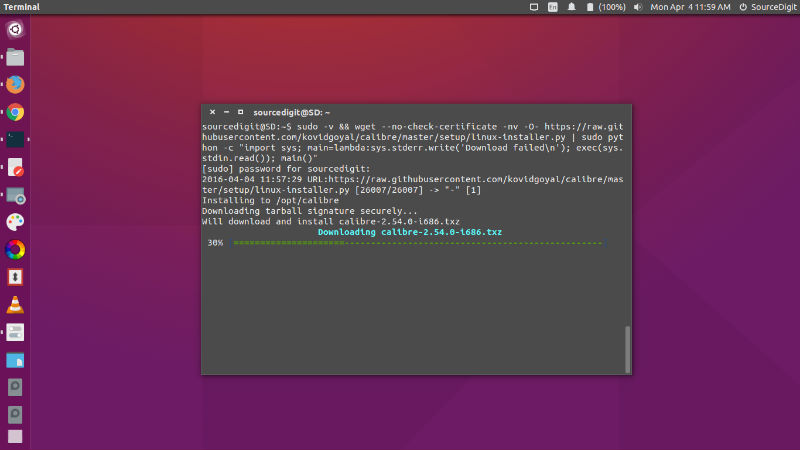
Run the following commands in Terminal to install Calibre 2.68 on Ubuntu 16.04, Ubuntu 15.04, Ubuntu 14.04 and other Ubuntu Derivatives:
sudo -v && wget -nv -O- https://raw.githubusercontent.com/kovidgoyal/calibre/master/setup/linux-installer.py | sudo python -c "import sys; main=lambda:sys.stderr.write('Download failedn'); exec(sys.stdin.read()); main()"
Once installed, open Calibre from Ubuntu Dash.