
Install Avidemux Video Editor on Ubuntu 16.04. Avidemux 2.6.14 Video Editor is released with with support for flac through libavcodec and enables lagarith.
Avidemux is a free video editor designed for simple cutting, filtering and encoding tasks. It supports many file types, including AVI, DVD compatible MPEG files, MP4 and ASF, using a variety of codecs. Tasks can be automated using projects, job queue and powerful scripting capabilities.
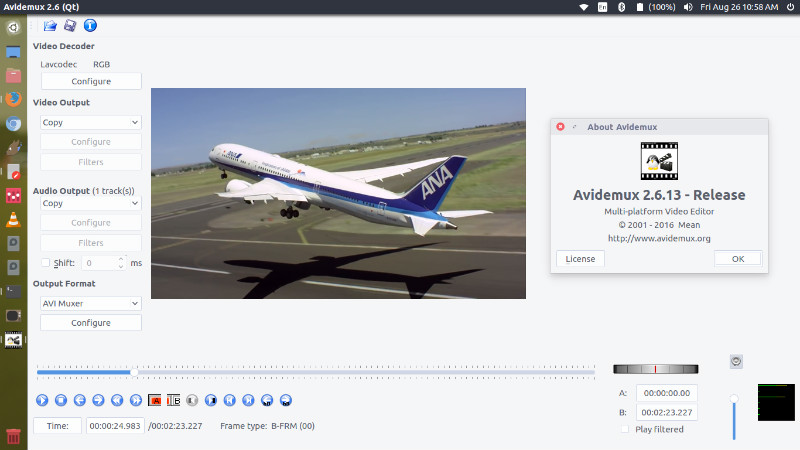
Avidemux 2.6.14
Avidemux .6.14 has been released with the following changes:
- Automatically check if a new version is available once a day
- Reverted to MXE cross compiler, XP now works again
- Fixed the packager, it should work every time now (no more borked dmg)
- Deal with corrupted stream in a nicer way (H264/TS)
- Enable lagarith
- Support for flac through libavcodec
- Try harder to release resources at exit
- Image loader improved and cleaned up, more jpeg formats are supported
- Try to deal better with corrupted audio in copy mode
- Add support for new EAC3 identifier such as the ones used by numericable / DVB-T
- Fix most of the libavcodec based encoders
Install Avidemux 2.6.14 On Ubuntu
How to install Avidemux 2.6.14 (Free Video Editor) on Ubuntu 16.04
sudo sh -c 'echo "deb http://archive.getdeb.net/ubuntu xenial-getdeb apps" >> /etc/apt/sources.list'

wget -q -O- http://archive.getdeb.net/getdeb-archive.key | sudo apt-key add -

sudo apt-get update

sudo apt-get install avidemux2.6-qt
Once installed, open Avidemux from Ubuntu Dash.
Uninstall Avidemux From Ubuntu
Run the following commands to unintall and remove Avidemux Video Editor from Ubuntu Systems:
sudo apt remove avidemux2.6-qt

sudo apt autoremove