
• Skip to primary navigation
  • Skip to main content
  • Skip to primary sidebar
Source Digit

Source Digit

Linux, Ubuntu Tutorials & News, Technology, Gadgets & Gizmos

  • Home
  • How To
  • Ubuntu
  • Instagram
  • Blogging
  • Android
  • WordPress
  • +More
    • Cloud Computing
    • Gadgets
    • Social Media
    • Technology
  • Write for Us
Home / How To / How To Open Multiple Terminals In Ubuntu Linux

How To Open Multiple Terminals In Ubuntu Linux

By Sourabh / February 17, 2019 Category: How To, Ubuntu

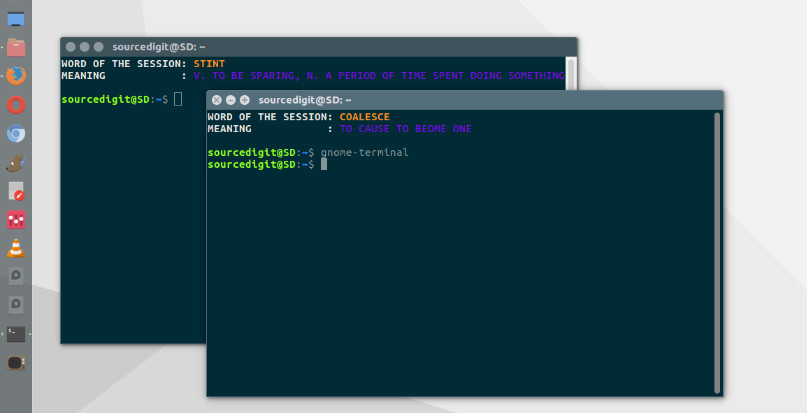
How to open multiple terminals in Ubuntu Linux. How to run two instance of terminal in Ubuntu – display more than 1 terminal simultaneously. Learn about methods to open multiple instances of the bash Terminal in Ubuntu.
multiple-terminal

Method 1

Go to the menu bar and click on the File menu and then select the Open Terminal option. This will immediately open a new terminal window, an additional one.

Method 2

Press and hold the CTRL+SHIFT+N keys simultaneously. This keyboard shortcut will create a new terminal window.

Method 3

Command line way to open another instance of Terminal is by running the following command

gnome-terminal

Method 4

Open Heads-Up Display (HUD) and then type “Window” into the search box. Click on it to launch a new terminal window. This window will be completely different from the usual one.

Tags: How To Open Multiple Terminals In Ubuntu, How To Open Terminal In Ubuntu 12, How To Open Terminal In Ubuntu 12.04 Desktop, How To Open Terminal In Ubuntu 14, How To Open Terminal In Ubuntu Desktop, How To Open Terminal In Ubuntu From Command Line, How To Open Terminal In Ubuntu Shortcut, How To Open Terminal In Ubuntu Using Keyboard, How To Open Terminal In Ubuntu Virtualbox, Launch Terminal Ubuntu, Linux Terminal Multiplexer, Linux Terminal Split Screen, Open Multiple Terminal Windows In Ubuntu 14.04, Open Multiple Terminal Windows In Ubuntu 14.10, Open Multiple Terminal Windows In Ubuntu 15.04, Open Multiple Terminal Windows In Ubuntu 15.10, Open Multiple Terminal Windows In Ubuntu 16.04, Open Multiple Terminal Windows In Ubuntu 16.10, Open Multiple Terminals In Ubuntu, Open Multiple Terminals In Ubuntu 16.04, Open Multiple Terminals In Ubuntu 16.10, Screen Terminal Multiplexer, Split Terminal Mac, Terminator Ubuntu Install, Ubuntu 16.04 Open Multiple Terminals, Ubuntu 16.10 Open Multiple Terminals, Ubuntu Open Multiple Terminals, Ubuntu Terminal Split Screen

Primary Sidebar

Latest Posts

Delete Directory And Contents Recursively Without Prompt On Linux

Check User Login History In Ubuntu Linux Command Line

Use Locate Command To Find File In Linux Terminal By Name

How To Change Terminal Color In Ubuntu Command Line

How To Run Fsck Manually In Linux To Fix Unexpected Inconsistency

How To Fix Broken Packages On Ubuntu From Terminal

Re Execute The Previous Command In Linux Ubuntu Command Line

How Much RAM Is Needed For Ubuntu PC

How To Find Large Files And Directories In Linux Command Line

How To Use Clear Command History In Linux Terminal

© 2026 Source Digit • Linux, Ubuntu Tutorials & News, Technology, Gadgets & Gizmos

  • Home
  • About
  • Privacy Policy
  • Terms & Conditions
  • Contact Us
  • Sitemap