
Corebird 1.3.2 released with longer tweets support. Here’s how to install Linux Twitter app Corebird on Ubuntu 16.04 Systems.
Corebird 1.3.2
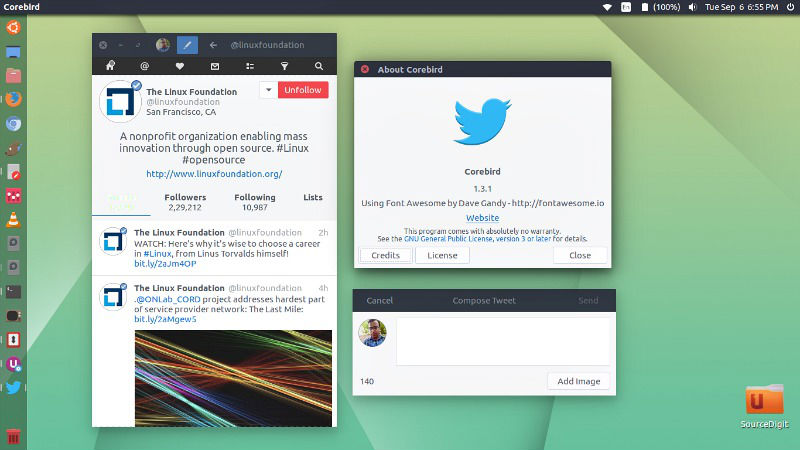
Corebird 1.3.2 is the second bug-fix release. Corebird 1.3.2 supports longer tweets. It comes with the tweet length changes introduced by Twitter and fix problem with malformed media URLs. The first one was Corebird 1.3 released in July. Corebird 1.3 brought various changes and fixes, such as:
- Fix muted and/or blocked tweets still showing up in timelines
- Fix accounts not getting saved when first created
- Fix retweets of the authenticating user not getting theiry correct seen status
- Fix profiles descriptions containing ampersand characters and links
- Fix profile banner fade-in transition
- Fix doubly-escaped ampersands in link tooltips
- Fix missing underlines in @screen_names in the profile popover
Install Corebird
Open terminal and run the following commands to install Corebird 1.3 on Ubuntu Systems:
$ sudo add-apt-repository ppa:ubuntuhandbook1/corebird

$ sudo apt-get update

$ sudo apt-get install corebird
Set Up Corebird on Ubuntu
Once installed, open Corebird from Ubuntu Dash. Type Corebird and click on it to open the Twitter Client.
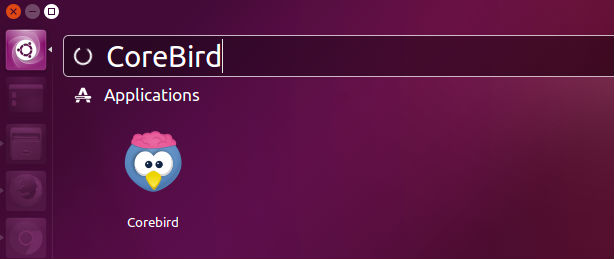
For the first time users, you will be asked to authorise Corebird using your Twitter account. All you need is to authorize your Twitter account to use Corebird. Once done, you are ready to use Corebird.
Uninstall Corebird From Ubuntu
If you wish to remove and uninstall corebird, run the command given below:
$ sudo apt install ppa-purge

$ sudo ppa-purge ppa:ubuntuhandbook1/corebird
Download Corebird 1.3.2
Click on the following links to download Corebir:
- https://launchpad.net/~ubuntuhandbook1/+archive/ubuntu/corebird/+files/corebird_1.3.2-0build1~ubuntu16.04_amd64.deb
- https://launchpad.net/~ubuntuhandbook1/+archive/ubuntu/corebird/+files/corebird_1.3.2-0build1~ubuntu16.04_i386.deb