
Install Audacious 3.8 audio player on Ubuntu 16.04 Systems. Audacious is an open source audio player. Audacious supports drag and drop folders and individual song files, search for artists and albums in your entire music library, or create and edit your own custom playlists. Using Audacious, one can listen to CD’s or stream music from the Internet.
Audacious 3.8
Audacious 3.8 version is released with new features and fixes. It is now possible to run multiple instances of Audacious and new audtool commands have been added.
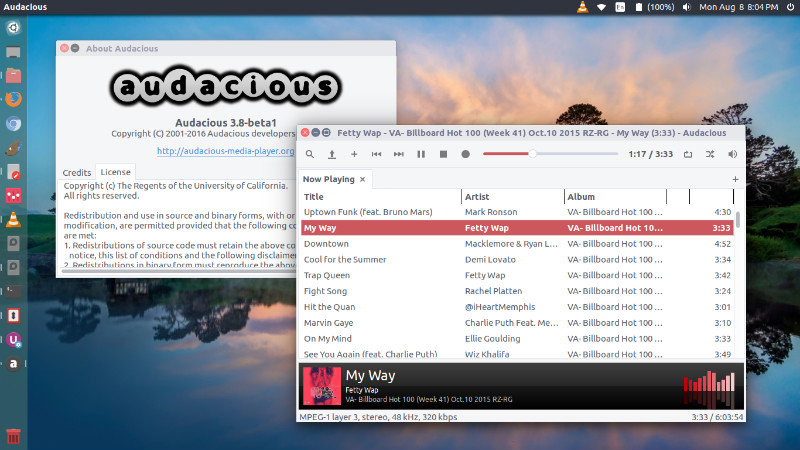
Run multiple instances of Audacious
Instances are numbered and can be started with audacious -2, audacious -3, and so on; once running, they can be controlled with audtool -2 <command>, audtool -3 <command>, and so on. Each instance remembers its own configuration.
Other features:
New audtool commands have been added:
- Enable/disable stream recording (#594)
- Enable/disable any plugin: effects, visualizations, etc. (#638)
Cuesheet support is more seamless, with the following fixes:
- More robust logic to prevent adding duplicate entries (#630)
- Display artist correctly for cuesheets with only a single performer line (#644)
- Add audio files normally if cuesheet support is disabled (#650)
- Track lengths correctly account for pregap with libcue 2.0 or later (#651)
Róbert Čerňanský contributed a new plugin to browse music on an Ampache server. Most of the implementation resides in a separate support library, available here.
Other new features:
- Folders can be added from various URI protocols (
ftp,mtp, etc.) via GIO (#503) - Audio effects and equalization can optionally be applied to a stream recording (#592)
- Search results can be added to the playlist using drag and drop (#621)
- Option to display MMM:SS instead of H:MM:SS (#631)
- Automatic selection of the best available output bit depth
- Album artist support for FLAC and Vorbis files (read-write)
- Support for the freedesktop.org startup notification protocol
Existing features ported to the Qt interface:
- Scrobbler setup dialog (#656)
- Context (right-click) menu in the playlist
- Copy-and-paste of playlist entries
- “Open Containing Folder” command
- Desktop notifications and file deletion (via the appropriate plugins)
- Access to the full set of FileWriter options
Bugs fixed since 3.7.2
- Silenced an error message at the end of some MP3 files (#628)
- Fixed various problems seeking within a PSF file (#649)
- Resolved build errors when cross-compiling (#652, #653).
- Fixed undefined behavior detected by
-fsanitize=undefinedcompiler flag - Silenced a “no such property” warning with older GTK+ versions
Bugs fixed since 3.8-beta1
- Controlling multiple instances with audtool now works on Windows (#655)
- Primary instance can be closed and reopened without closing other instances
- Fixed 100% CPU usage when connection to PulseAudio server is lost
Bugs fixed since 3.8-beta2
- Long URLs in error messages no longer cause the window to extend offscreen (#662)
Other notable changes
- Plugins from 3.7.x or earlier will need to be rebuilt for 3.8. Some plugins may require source code updates as well. In particular, input plugins are now required to provide a combined
read_tag()function, rather than separateread_tuple()andread_image(). - The
./configurescript for audacious-plugins has been cleaned up, and is now better about reporting unmet plugin dependencies.
Known issues
- Drag-and-drop of playlist entries has not yet been implemented in the Qt interface (#484).
Install Audacious 3.8 on Ubuntu
Run the following commands in Terminal to install Audacious 3.8 on Ubuntu 16.04, Ubuntu 15.04, Ubuntu 14.04, Ubuntu 15.10, Ubuntu 14.10 and other Ubuntu Derivatives:
sudo add-apt-repository ppa:webupd8team/unstable

sudo apt-get update

sudo apt-get install audacious
Once installed, open the Audacious audio player from Ubuntu Dash or Terminal.