
Install Sublime text editor on Ubuntu 16.10. Sublime Text 3 for Ubuntu is a sophisticated text editor for code, markup and prose. Sublime Text Editor allows for richer syntax highlighting and better performance. It also features a custom regex engine that significantly speeds up file loading and indexing.
General Features Sublime Text Editor?
- Command Palette – Using the Command Palette (Ctrl+Shift+P) feature, one can use infrequently used functionality, like sorting, changing the syntax and changing the indentation settings.
- Customizable – Sublime Text is highly customizable. Key Bindings, Menus, Snippets, Macros, Completions and more – just about everything in Sublime Text is customizable with simple JSON files.
- Cross Platform – Sublime Text is available for OS X, Windows and Linux. One license is all you need to use Sublime Text on every computer you own, no matter what operating system it uses.
- Custom UI Toolkit – Sublime Text uses a custom UI toolkit, optimized for speed and beauty, while taking advantage of native functionality on each platform.
- Distraction Free Mode – Enter Distraction Free Mode using the View/Enter Distraction Free Mode menu when you need to focus on nothing but your text.
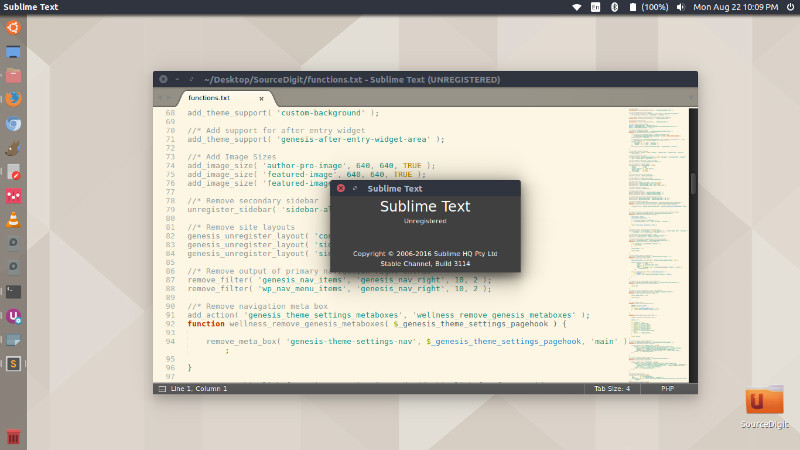
Install Sublime Text 3
Sublime Text 3 is the latest stable release of the text editor. Some of the core features in Sublime Text 3 are the new syntax definition format, improved word behaviour, improved file indexing, Goto Definition and Goto Symbol in Project.
Run the following command to install Sublime Text 3 on Ubuntu 16.04, Ubuntu 15.04, Ubuntu 15.10, Ubuntu 14.04, Ubuntu 14.10, Linux Mint 17 and Ubuntu Derivatives :
$ sudo add-apt-repository ppa:webupd8team/sublime-text-3

$ sudo apt-get update

$ sudo apt-get install sublime-text-installer
Once installed, open the Sublime Text from Ubuntu Dash or Terminal.