
• Skip to primary navigation
  • Skip to main content
  • Skip to primary sidebar
Source Digit

Source Digit

Linux, Ubuntu Tutorials & News, Technology, Gadgets & Gizmos

  • Home
  • How To
  • Ubuntu
  • Instagram
  • Blogging
  • Android
  • WordPress
  • +More
    • Cloud Computing
    • Gadgets
    • Social Media
    • Technology
  • Write for Us
Home / How To / How To Install FFmpeg On Ubuntu, Via Command Line

How To Install FFmpeg On Ubuntu, Via Command Line

By Sourabh / December 6, 2016 Category: How To, Ubuntu

How to install FFmpeg on Ubuntu 16.10 and Ubuntu 16.04 via command line. FFmpeg 3.1.5 “Laplace” Multimedia Framework has been released for Ubuntu and other Linux Distributions. FFmpeg 3.1.5 brings an updated library and codes versions.

FFmpeg is the leading multimedia framework, able to decode, encode, transcode, mux, demux, stream, filter and play pretty much anything that humans and machines have created. FFmpeg contains libavcodec, libavutil, libavformat, libavfilter, libavdevice, libswscale and libswresample which can be used by applications. As well as ffmpeg, ffserver, ffplay and ffprobe which can be used by end users for transcoding, streaming and playing.
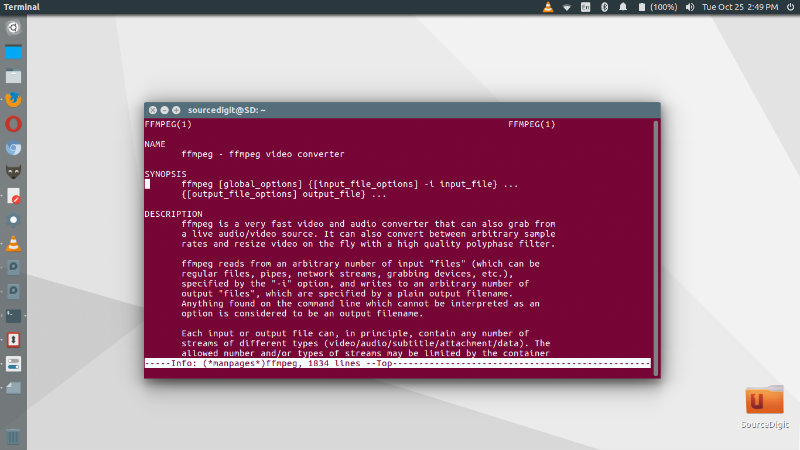
ffmpeg-ubuntu16

FFmpeg command line tool is a very fast video and audio converter that can also grab from a live audio/video source. It can also convert between arbitrary sample rates and resize video on the fly with a high quality polyphase filter.

Install FFmpeg on Ubuntu

Run the following commands in Terminal to install FFmpeg 3.1.3 on Ubuntu Systems:

Method 1

sudo add-apt-repository ppa:jonathonf/ffmpeg-3
sudo apt update
sudo apt install ffmpeg libav-tools x264 x265

Method 2

sudo add-apt-repository ppa:djcj/hybrid
sudo apt-get update
sudo apt-get install ffmpeg

Once installed use the FFmpeg to convert audio and video files on Linux Ubuntu Systems.

You can read the changelog for complete changes and features released.
https://git.ffmpeg.org/gitweb/ffmpeg.git/shortlog/n3.1.5

Tags: FFmpeg 3.1.5 "Laplace", FFmpeg 3.1.5 "Laplace" Multimedia Framework, FFmpeg 3.1.5 Multimedia Framework, FFmpeg 3.1.5 Ubuntu 16.10, Ffmpeg Install Ubuntu 16.10, FFmpeg PPA Ubuntu 16.10, Ffmpeg Ubuntu 16.10, Ffmpeg Ubuntu 16.10 Install, Install Ffmpeg Ubuntu 14.04 Command Line, Install Ffmpeg Ubuntu 14.10 Command Line, Install Ffmpeg Ubuntu 16.04 Command Line, Install Ffmpeg Ubuntu 16.10, Install Ffmpeg Ubuntu 16.10 Command Line, Install FFmpeg Ubuntu Command Line, Ubuntu 16.10 FFmpeg, Ubuntu 16.10 FFmpeg 3.1.5, Ubuntu 16.10 FFmpeg PPA

Primary Sidebar

Latest Posts

How To Run Fsck Manually In Linux To Fix Unexpected Inconsistency

How To Fix Broken Packages On Ubuntu From Terminal

Re Execute The Previous Command In Linux Ubuntu Command Line

How Much RAM Is Needed For Ubuntu PC

How To Find Large Files And Directories In Linux Command Line

How To Use Clear Command History In Linux Terminal

Linux Command To Check RAM Size In Ubuntu Terminal In GB

How To Install Proprietary Drivers In Linux Ubuntu Using Terminal

How To Shutdown Linux With A 15 Minute Delay And Message

Free AI Courses With Certificate For Beginners In India

© 2026 Source Digit • Linux, Ubuntu Tutorials & News, Technology, Gadgets & Gizmos

  • Home
  • About
  • Privacy Policy
  • Terms & Conditions
  • Contact Us
  • Sitemap