
digiKam 5.3.0 released with AppImage Bundle. Install digiKam on Ubuntu 16.10, Ubuntu 16.04 and other Ubuntu Derivatives. digiKam is an advanced digital photo management application for Linux, Windows, and Mac-OSX. digiKam is designed for editing images. It can be used to import, organize and export digital photos to and from your computer.
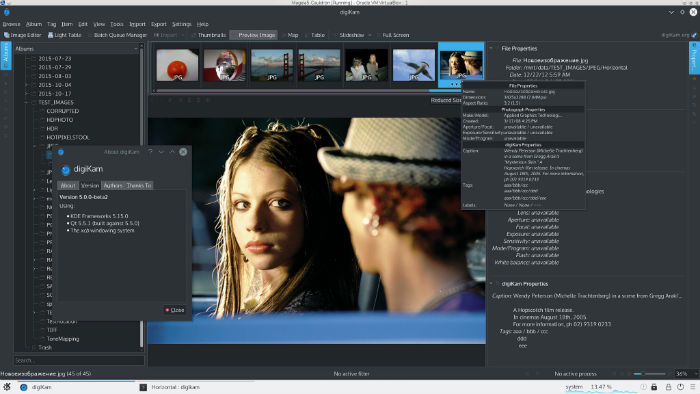 With DigiKam Linux Ubuntu users can import pictures, organize image collection, view, edit and enhance the images. Photos can be organized in albums and sub-albums to which comments and tags can be added. It also features exif support. For serious photographers, digiKam supports over 1200 digital camera devices enabling serial and USB connection. It supports RAW pictures – more than 300 proprietary RAW camera file formats.
digiKam 5.3.0
digiKam 5.3.0 introduces AppImage bundle. AppImage is an open-source project dedicated to provide a simple way to distribute portable software as compressed binary file, that standard user can run as well, without to install special dependencies. This permit to quickly test a new release without to wait an official package dedicated for your Linux box. Another AppImage advantage is to be able to provide quickly a pre-release bundle to test last patches applied to source code, outside the releases plan.
The AppImage bundle include main 3rd-party libraries used by digiKam as Lensfun, OpenCV, and Exiv2. All are optimized for digiKam, and without extra or experimental configurations which can crash the application in special cases.
Install digiKam 5.3.0
digiKam 5.3.0 can be installed on Ubuntu 16.10, Ubuntu 16.04, Ubuntu 14.04, Ubuntu 14.10, Ubuntu 15.04, Ubuntu 15.10 and other Ubuntu Derivatives, via Terminal commands. Run the following command in Terminal to install digiKam 5.1:
sudo add-apt-repository ppa:philip5/extra

sudo apt update

sudo apt install digikam5
Once installed, open the digiKam application from Ubuntu Dash or Menu.