
Audacious 3.8.1 Audio Player for Linux Ubuntu released. Install Audacious music player on Ubuntu 16.10, Ubuntu 16.04 and Linux Mint Systems. Audacious 3.8.1 brings various fixes such as support for opus cover art in the info bar and new Arabic translation.
Audacious is an open source audio player for Linux Ubuntu Systems. A descendant of XMMS, Audacious plays your music how you want it, without stealing away your computer’s resources from other tasks. Users can easily drag and drop folders and individual song files, search for artists and albums in your entire music library, or create and edit your own custom playlists. They can listen to CD’s or stream music from the Internet. For a more mesmerizing audio effect, the sound can be tweaked using the graphical equalizer. For karaoke or other purposes, the plugins can be included with Audacious to fetch lyrics for the music. Audacious music player can also be used as an alarm in the morning, and more.
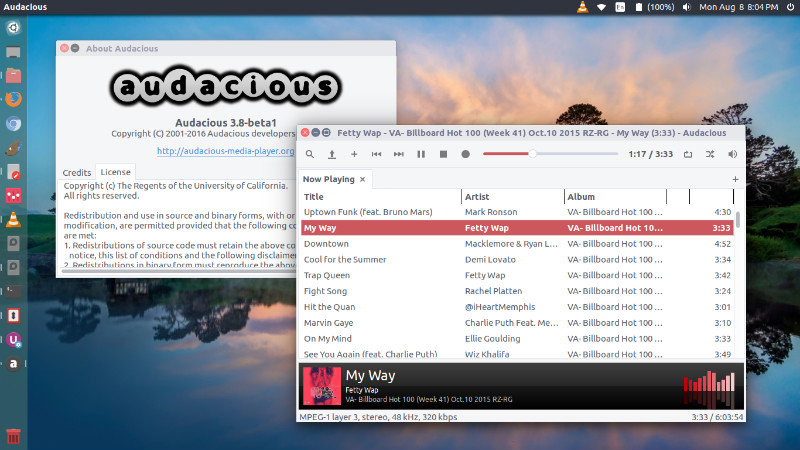
Audacious 3.8.1
Audacious 3.8.1 brings the following features and fixes:
- Support for opus cover art in the info bar.
- Windows – Freezes while playing audio
- Possibility of open files directly from URL (Youtube, etc).
- Time slider can be dragged beyond end of song
- The ‘Do not load metadata for songs until played’ option appears twice in the QT interface preferences.
- In addition, there is a new Arabic translation.
Install Audacious 3.8.1
Ubuntu users can install Audacious 3.8.1 via WebUpd8 PPA. To add this PPA and install Audacious 3.8.1 on Ubuntu Systems, simply run the following commands in terminal:
$ sudo add-apt-repository ppa:nilarimogard/webupd8

$ sudo apt-get update

$ sudo apt install audacious audacious-plugins
Packages in this PPA: audacious, ap-hotspot, awn-applet-radio, awn-applet-wm, calise, cmus, dockbarx, dockbarx-themes-extra, dropbox-share, emerald, exaile, fbmessenger, gnome-subtitles, gnome-window-applets, grsync, grive, gthumb, launchpad-getkeys, mc, mdm (Mint Display Manager), minitunes, minitube, musique, notifyosdconfig, nautilus-columns, powertop, ppa-purge, rosa-media-player, fixed pulseaudio-equalizer, subtitleeditor, syncwall, umplayer, unity-reboot, wimlib, youtube-dl, xfce4-dockbarx-plugin, xournal, yad, yarock and others. Almost all packages are updated to their latest version.
Once installed, open Audacious 3.8.1 from Ubuntu Dash or Terminal.
More Info: https://launchpad.net/~webupd8team