
• Skip to primary navigation
  • Skip to main content
  • Skip to primary sidebar
Source Digit

Source Digit

Linux, Ubuntu Tutorials & News, Technology, Gadgets & Gizmos

  • Home
  • How To
  • Ubuntu
  • Instagram
  • Blogging
  • Android
  • WordPress
  • +More
    • Cloud Computing
    • Gadgets
    • Social Media
    • Technology
  • Write for Us
Home / How To / Install Super Flat Remix Icon Theme On Ubuntu 16.10 & Ubuntu 16.04

Install Super Flat Remix Icon Theme On Ubuntu 16.10 & Ubuntu 16.04

By Sourabh / January 16, 2017 Category: How To, Ubuntu

Install Super Flat Remix Icon Theme on Ubuntu 16.10 and Ubuntu 16.04. Super Flat remix is a pretty simple icon theme for Linux. Flat remix is derived from Ultra-Flat-Icons, Paper, EvoPop and Numix-Circle icon themes. Its design is mostly flat with a subtle use of shadows, highlights and gradients for some depth.

It has been designed specially in gnome shell 3.22 but it should work with most linux distributions, under gnome, unity, cinammon, xfce, kde, etc. This theme was made to fit with the Flat Remix GNOME theme.
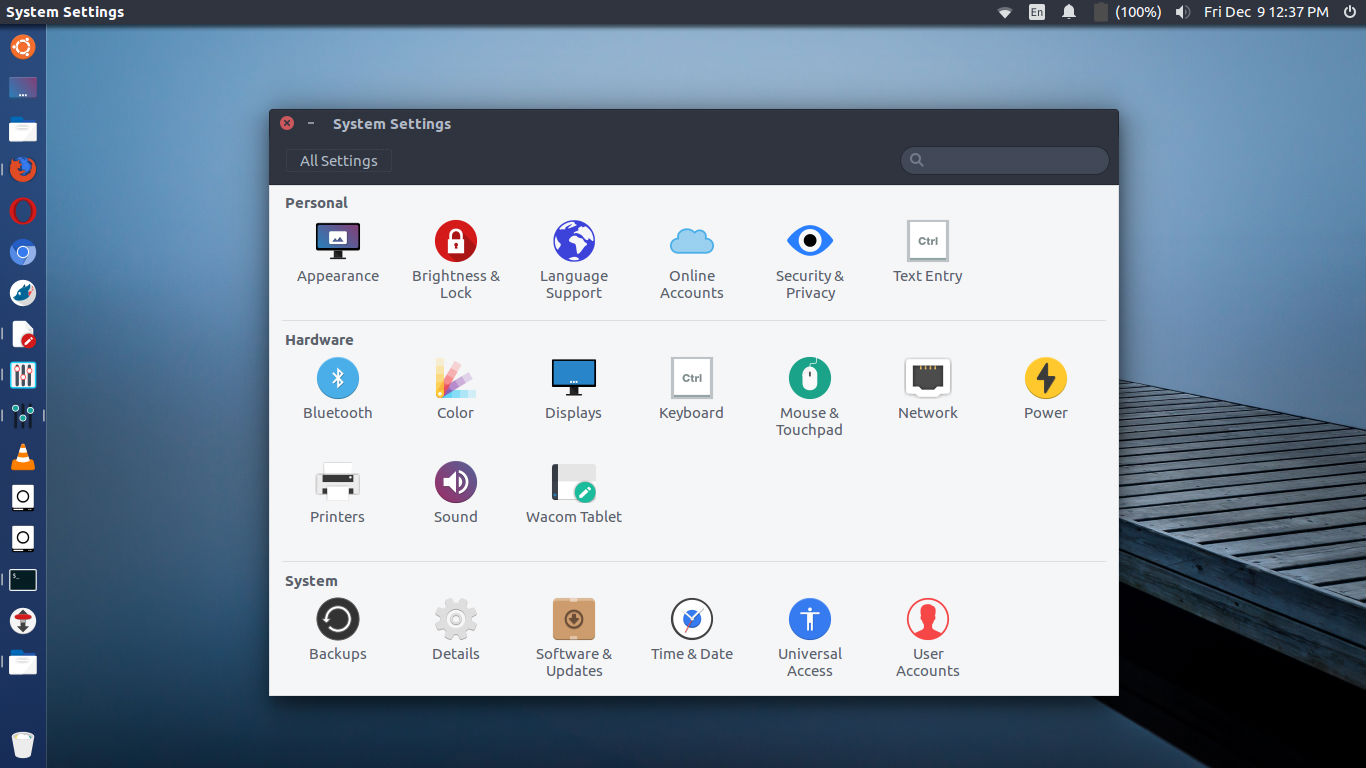
flat-remix-theme

Install Super Flat Remix Icon Theme on Ubuntu

Ubuntu users can install Super Flat Remix Icon Theme manually or using terminal commands.

To install the theme manually:

  • Download and uncompress the zip file.
  • Move “Flat Remix” folder to “.icons” in your home directory.
  • Select “Flat Remix” as icon theme in your tweak tools application.

To Install Super Flat Remix Icon Theme on Ubuntu using terminal commands:

sudo apt-get update
wget https://github.com/daniruiz/Flat-Remix/archive/master.zip
cd /tmp
git clone https://github.com/daniruiz/Flat-Remix
mkdir -p ~/.icons
mv "Flat-Remix/Flat Remix" ~/.icons

Once installed, use the Icon via Ubuntu Tweak or Gnome Tweak or Unity Tweak tool.

More Info: https://github.com/daniruiz/Flat-Remix

Tags: Flat Icon Theme On Ubuntu, Flat Icon Theme Ubuntu, Flat Icon Theme Ubuntu 14.04, Flat Icon Theme Ubuntu 16.04, Flat Icon Theme Ubuntu 16.10, Install Flat Icon Theme On Ubuntu, Install Super Flat Icon On Ubuntu, Install Super Flat Remix Icon Theme On Ubuntu, Super Flat Icon On Ubuntu, Super Flat Remix Icon Theme On Ubuntu, Ubuntu 14.04 Flat Icon Theme, Ubuntu 16.04 Flat Icon Theme, Ubuntu 16.10 Flat Icon Theme, Ubuntu Flat Icon Theme

Primary Sidebar

Latest Posts

How To Fix Broken Packages On Ubuntu From Terminal

Re Execute The Previous Command In Linux Ubuntu Command Line

How Much RAM Is Needed For Ubuntu PC

How To Find Large Files And Directories In Linux Command Line

How To Use Clear Command History In Linux Terminal

Linux Command To Check RAM Size In Ubuntu Terminal In GB

How To Install Proprietary Drivers In Linux Ubuntu Using Terminal

How To Shutdown Linux With A 15 Minute Delay And Message

Free AI Courses With Certificate For Beginners In India

Best AI Plugins For WordPress To Use In 2026

© 2026 Source Digit • Linux, Ubuntu Tutorials & News, Technology, Gadgets & Gizmos

  • Home
  • About
  • Privacy Policy
  • Terms & Conditions
  • Contact Us
  • Sitemap